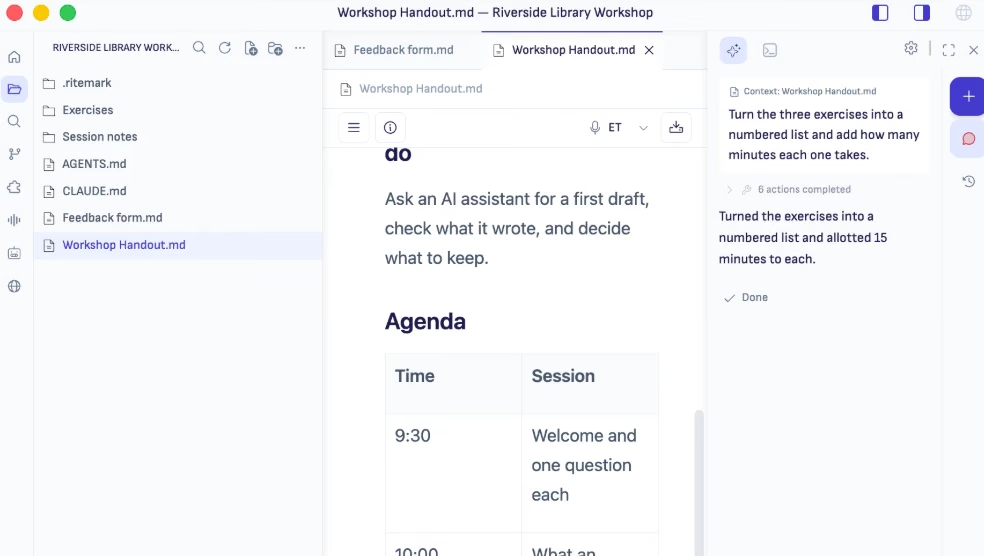
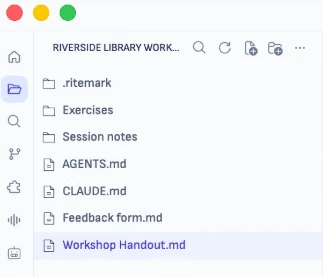
Project files on the left. Document in the center. Agents on the right. One window, zero context switching.


A year ago, AI meant chatbots. You typed a prompt, got a response, copied it into your main tool. That era is over. Claude Code, Gemini CLI, Codex, and others are autonomous agents now. They read your files. They edit them. They create new ones based on what they find. They don’t need you to copy-paste anything.
Developers got purpose-built environments for agentic workflows months ago. If you write anything else, like prose, you’re still stuck with the same tools from before the shift.
But where do you actually work with them? If you write code, the answer is obvious: VS Code, Cursor, Windsurf. Those environments were built for this new workflow. Everyone else? Google Docs doesn’t have a terminal. Notion can’t give an AI agent access to your files. Obsidian needs plugins for things that should be built in.
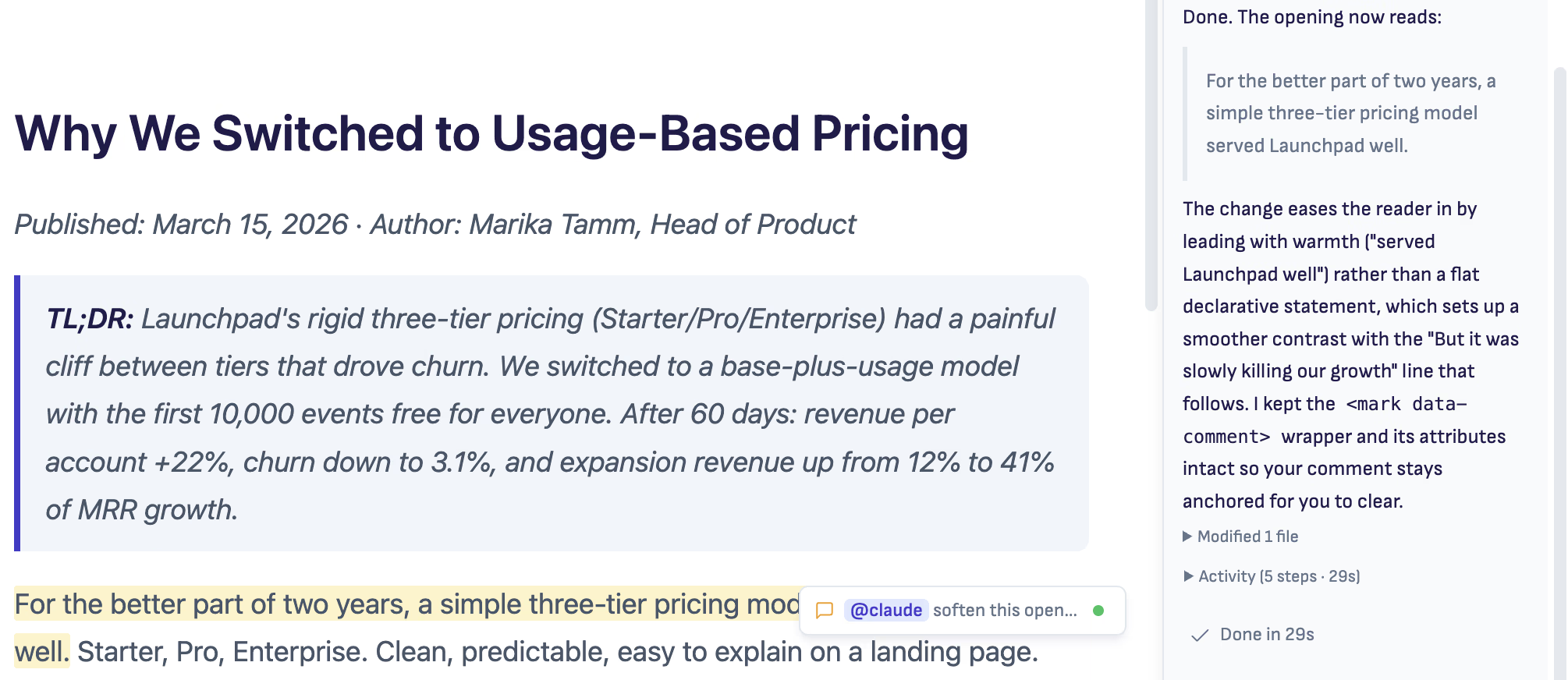
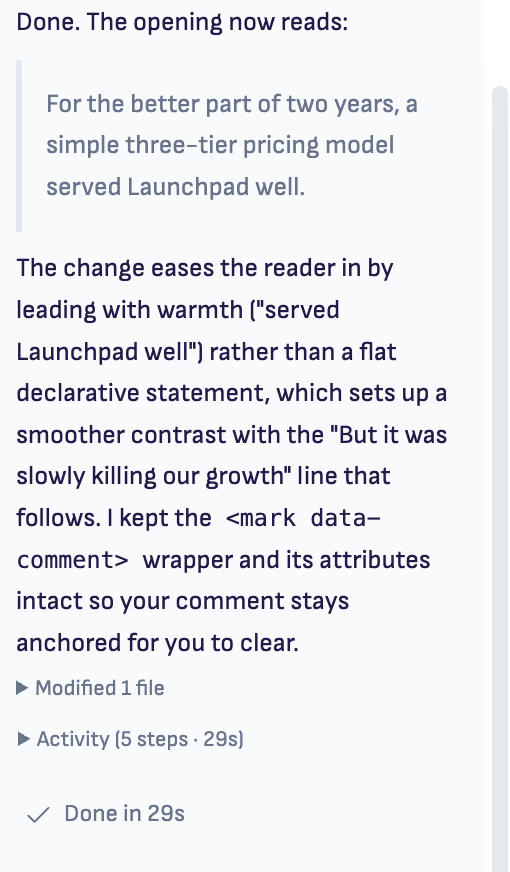
Ritemark was built for the workflow that comes with agents. A writing environment where AI agents work alongside you on your actual files. No copy-pasting between windows. No uploading documents needed anymore. The agent reads your project, makes changes, and you review them in the same window where you write.
One window. Three panes. Zero context switching.
Ritemark is open source and local-first. Your documents are plain Markdown files on your hard drive. No cloud sync, no vendor lock-in, no account required. The code is on GitHub for anyone to inspect.
Standard .md format. Open them in any editor, any time.
No internet needed to write. AI features need their own API connection.
Download and start writing. We don’t know who you are and we like it that way.
Read the code, report issues, contribute. Transparency is the default.
You write in the center. The agent assists on the right. Your files stay on your drive.
Visual Markdown editing with live preview. Write formatted text, not syntax. Standard Markdown files that any tool reads.
Explore EditorThree agents in one sidebar. Full CLI terminal built in. Switch providers with a dropdown, no lock-in.
Explore AI AgentsFiles on your hard drive. No cloud, no account, no sync. Full offline support. Your data stays yours.
Explore Local-FirstNative support for CSV, JSON, and YAML. View and edit structured data alongside your prose.
Explore Data FilesChain AI operations into repeatable workflows. Build templates for common writing tasks and run them with one click.
Explore FlowsIf you direct AI agents as part of your daily work, Ritemark is your workspace.
Write PRDs, specs, and roadmaps. AI agents pull in context from your project files and help you iterate faster.
Strategy documents, investor updates, competitive analysis. Your AI agent reads everything in the folder and drafts from real context.
Documentation, API guides, knowledge bases. AI agents restructure, translate, and expand your drafts without losing formatting.
Client reports, proposals, deliverables. Compile multiple source files into polished outputs with AI assistance.
“This is exactly what I needed. Claude Code for writing, not just coding. Game changer for my documentation workflow.”
Product Manager
Reddit r/ClaudeAI
“Finally a markdown editor that understands the terminal is where the real work happens. Local-first is the cherry on top.”
Technical Writer
Reddit r/Markdown
“Been looking for something like this since I started using Claude Code. Writing PRDs with an AI agent that actually sees my files is incredible.”
Startup Founder
X.com
Open Source
on GitHub
Free
forever
macOS & Windows
platforms

Founder & builder
I used Claude Code every day for building software. One day I realized: why can't I have this same workflow for writing? The terminal, the file access, the context. That's how Ritemark started.
Learn more about meTips, tricks, and thoughts on writing and AI.
Three simple steps and you're ready to write.
Click the button to download the latest version directly.
Not sure? Apple menu → About This Mac → Chip. M1/M2/M3/M4 = Apple Silicon.
Open the DMG file and drag Ritemark.app to your Applications folder.
Double-click Ritemark in Applications. You're ready to write.
Ritemark is a markdown editor with a built-in terminal for AI agents, available for macOS and Windows. It lets you write documents while running AI commands like Claude Code, Gemini CLI, or OpenAI Codex—without switching apps or copy-pasting. Files stay local on your machine.
Yes, Ritemark is completely free to download and use. No subscription, no account required, no hidden fees. Download directly and start writing immediately.
Ritemark works with any CLI-based AI tool. Popular options include Claude Code (Anthropic), Gemini CLI (Google), OpenAI Codex, and Aider. The built-in terminal runs any command your regular terminal can run.
Obsidian is a knowledge management tool with bidirectional links and a vast plugin ecosystem. Ritemark is purpose-built for AI-assisted writing with a built-in terminal, built-in AI assistant access, a CSV editor, and Flows for structured content workflows—all without plugins. Obsidian offers terminal access only through community plugins; Ritemark ships it out of the box alongside direct AI integration.
VS Code is a code editor with markdown support through extensions. Ritemark is a writing-focused app with a visual WYSIWYG editor—you see formatted text, not markdown syntax. Both have integrated terminals, but Ritemark is optimized for writing text, not coding.
Ritemark and Claude Code are perfect partners. Run Claude Code in Ritemark's built-in terminal, and it gets direct access to your documents—reading, editing, and saving files without copy-paste. Same powerful workflow developers love, now for writing text.
Yes! Since v1.3.0, Ritemark is available for both macOS and Windows. On macOS, there are separate builds for Apple Silicon (M1–M4) and Intel. Download the Windows installer (.exe) from the install section above.
Yes. Ritemark is signed and notarized by Apple. Your files are plain markdown stored locally—nothing is sent to any server. The app works completely offline. When you use AI tools, those connect to their own APIs (Claude, Gemini, etc.), but Ritemark itself has no cloud component.
Ritemark edits Markdown (.md) files with a visual WYSIWYG editor. It also previews CSV and Excel files—you can open them in Numbers or Excel with one click. All files are stored in their original format, no proprietary lock-in.
No coding required for basic writing. The visual editor works like Word or Google Docs. If you want to use AI agents, you'll run simple commands in the built-in terminal—we provide copy-paste instructions for Claude Code, Gemini CLI, and other tools.
Ritemark is built by Productory, Estonia's leading AI training company. Founder Jarmo Tuisk created it after using Claude Code daily for development—he wanted the same workflow for writing text. Over 9,000 professionals have trained with Productory.
Ritemark is built on these outstanding projects. We believe in transparency and giving credit where it’s due.
Download takes 30 seconds. No account required. Open source and free forever.