Everything you can do with Ritemark, organized by category.
Editor
| Feature | Description |
|---|---|
| Core Editor | WYSIWYG markdown editing with auto-save |
| Comments | Comment on any passage or drop a /// standalone note; anchor highlights and margin notes saved inside the Markdown file. Mention an agent anywhere in a note (v1.8.6) and send it to the conversation open in the AI sidebar. The comment shows its own task status and, when the task is done, the agent's short summary under your note (v1.11.0) |
| Text Formatting | Bold, italic, links, and inline styles |
| Block Types | Headings, lists, tables, code blocks |
| Keyboard Shortcuts | Complete shortcut reference |
| Mermaid Diagrams | Fenced mermaid code blocks render as visual SVG diagrams with code/diagram toggle and PNG export |
| Draw.io Diagrams | Type /diagram to draw and edit draw.io diagrams in markdown; a full editor runs offline and the embed live-refreshes on save |
| Home | Persistent first item in the sidebar (v1.8.6): New document, quick actions for New AI task, Open document, New table and Open folder, plus recent documents (or recent folders when nothing is open) |
AI
| Feature | Description |
|---|---|
| AI Sidebar | Three agents in one sidebar: Claude Code, OpenAI Codex, and OpenCode. One mode control (Manual, Auto or Plan only; Auto is the default, and Plan only is for Claude Code and Codex), plan mode enforced by the runtime so a planning agent cannot write files, and the selected model pinned on every path (v1.8.6). Visible 10-slot prompt queue, Interactive Questions, and Context Protection. Browser-aware chat shares the open page's URL, title, and ARIA outline when you consent. File attachments work for Codex and OpenCode too (v1.8.0). |
| Scheduled AI Agents | Run an agent on a timer while Ritemark is open (v1.8.0) -- daily briefings, weekly summaries, recurring reports, with a no-cron Schedule picker and a safe-by-default approval model. A folder that defines scheduled agents asks once before anything is armed, reversible from the Agent Library (v1.8.6) |
| Extensions Marketplace | Browse and install VS Code extensions directly from Ritemark |
| Terminal AI | Run command-line AI tools you install yourself, such as Claude Code, Codex or Gemini CLI, in the built-in terminal |
| Flows | Visual AI workflow editor with LLM, Image, and Claude Code nodes |
| Claude Code Node | Agentic AI node for Flows -- complex research, analysis, and file operations |
Document Management
| Feature | Description |
|---|---|
| Transcribe | Turn audio files into editable Markdown with on-device Whisper (Apple silicon Macs, no speaker labels) or ElevenLabs (your own paid key, uploads the audio, separates speakers). Check every line against the audio, rename speakers, and extract insights with playable source timestamps (v1.9.0) |
| Document Properties | YAML front-matter and metadata |
| Document Preview | Open PDFs and Word documents directly in Ritemark |
| In-App Browser | Open .html files, external URLs, and localhost:* as rendered pages in the same tab bar as markdown -- real Electron browser with history, DevTools, and cookies |
| Export | PDF and Word export |
| Spreadsheets | CSV editing with sorting and row operations, plus editable .xlsx files with an fx formula bar and multi-sheet tabs (v1.8.0) |
Settings & System
| Feature | Description |
|---|---|
| Update Center | Check for updates, install with pause/resume, skip versions, and view component readiness cards -- all from Settings |
| Claude Account | Auth method, CLI version, and billing source for Claude Code at a glance |
| ChatGPT Account | Email, plan, and connection status for OpenAI Codex |
| Agent Runtime | Switch between the bundled CLI and a system-installed Claude or Codex on your PATH |
Platform note: Ritemark is available for macOS (Apple Silicon and Intel) and Windows. On Windows, install it from the Microsoft Store.
Quick Reference
What Ritemark Opens
| File Type | Mode | What You Can Do |
|---|---|---|
.md, .markdown |
Edit | Full WYSIWYG editing |
.csv |
Edit | Inline cell editing, column sorting, add rows |
.xlsx |
Edit | Cell editing, fx formula bar, add rows/columns, multi-sheet (v1.8.0) |
.xls |
Preview | View and open in Excel/Numbers |
.pdf |
Preview | View, select text, zoom, page navigation |
.docx |
Preview | View Word documents with faithful rendering |
.html |
Browser | Render as a real page in the in-app browser (right-click for "Open as Text") |
Key Shortcuts
| Action | Shortcut |
|---|---|
| Bold | Cmd+B |
| Italic | Cmd+I |
| Link | Cmd+K |
| Slash commands | Type / |
AI Sidebar
| Feature | What It Does |
|---|---|
| Multi-Agent | Switch between Claude Code, Codex and OpenCode, even in the middle of a conversation |
| Autonomy | One Manual/Auto picker across all runtimes |
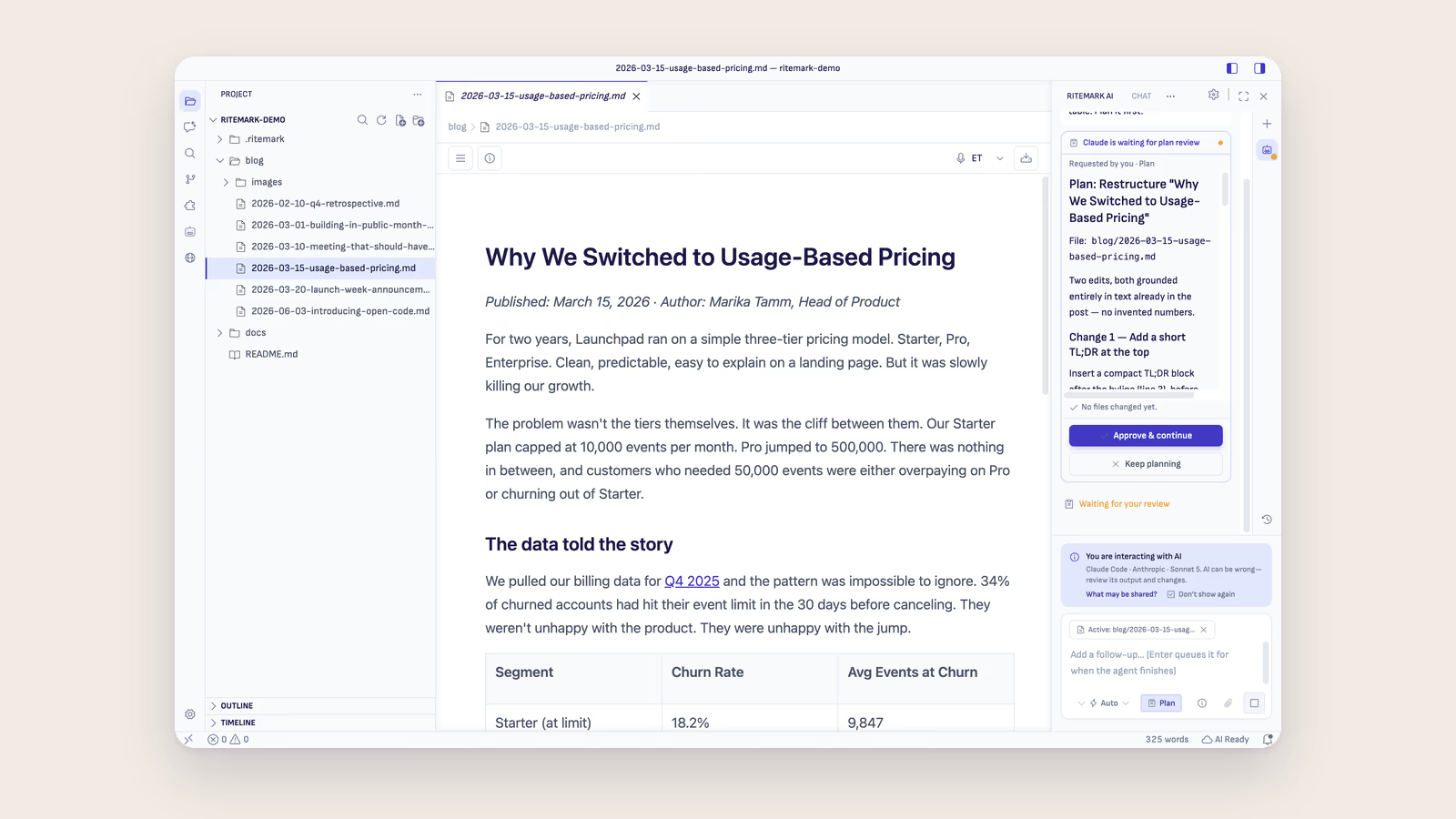
| Plan only | Claude Code and Codex: the agent cannot write files while planning, and the card reports "No files changed yet" (v1.8.6) |
| Model Pinning | The selected model runs on chat, queued prompts, comment tasks, flows, and scheduled agents (v1.8.6) |
| Prompt Queue | Up to 10 follow-ups per chat, visible and editable while queued (v1.8.6) |
| Scheduled Agents | Run an agent on a timer while the app is open (v1.8.0), armed only after you agree (v1.8.6) |
| File Context | Right-click files to add them to AI conversation |
| Browser Context | Share the open browser page's URL, title, and ARIA outline with the agent (consent-gated) |
| Context Protection | Usage bar warns when nearing context limits |
| Report AI Output | Report AI issue in the status bar opens a report window that hands your report to your email app (v1.11.0). See AI Information |
Guides
- Getting Started - First-run walkthrough
- Set Up AI - Sign in to Claude Code or Codex, or add your own API keys for OpenCode
- Troubleshooting - Common issues and solutions