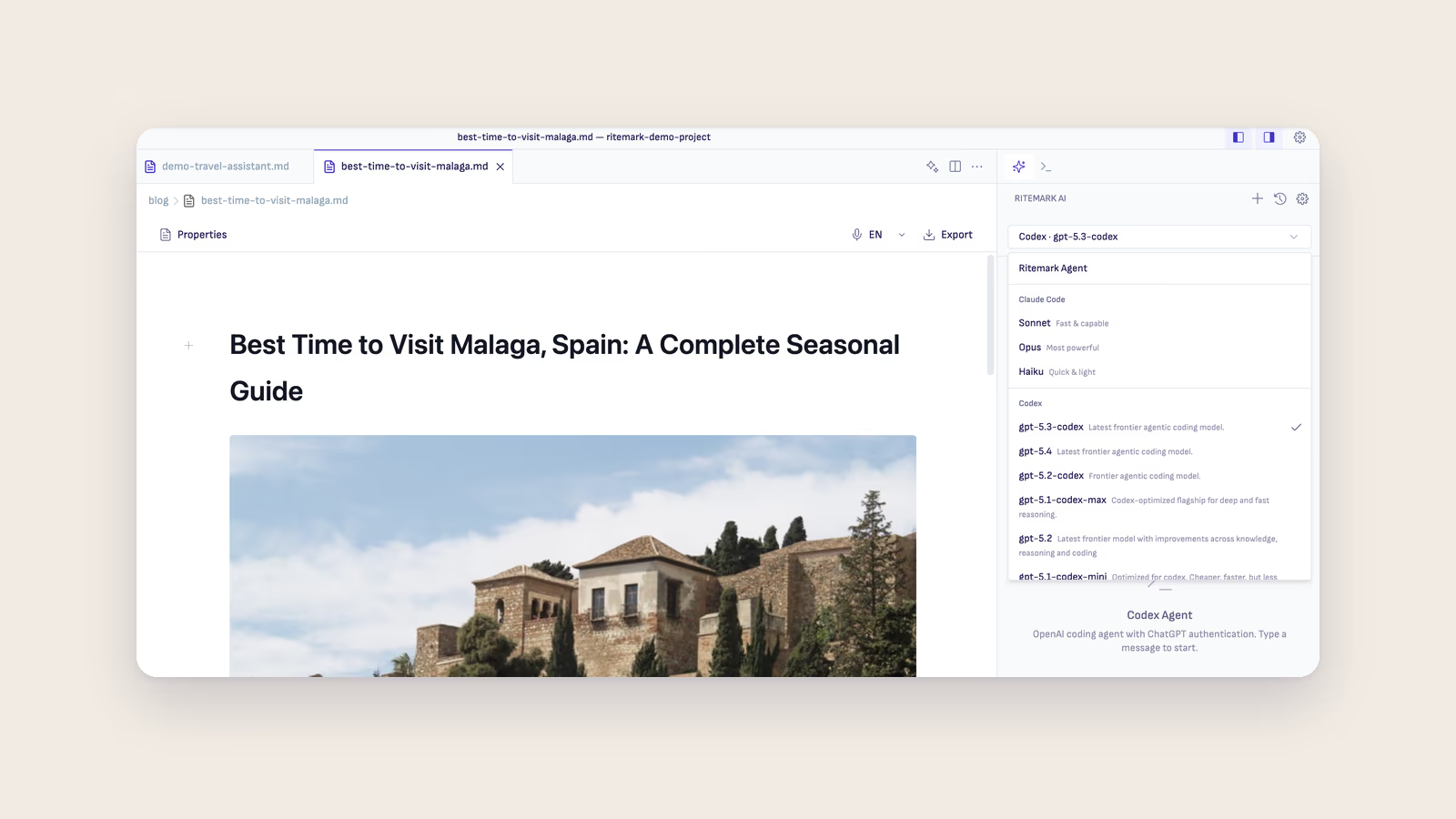
Of the AI coding agents that run in a terminal and edit files, Claude Code handles multi-file edits best for markdown writing: it changes files in place, works across a whole folder in one instruction, and keeps markdown formatting intact during translation and restructuring. Gemini CLI also reads and writes files, asks before each change and has a free tier. The llm library does not edit files at all; you pipe text in and save what comes out. Ritemark's AI sidebar has three agents built in: Claude Code, Codex and OpenCode. Claude Code and Codex need no install; sign in with a paid Claude plan or ChatGPT account. OpenCode uses your own API keys. Gemini CLI and the llm library are command-line tools with different tradeoffs on cost and file access that you can install yourself and run in Ritemark's built-in terminal alongside your documents.
Here are the three options for Mac writers who want AI agents editing their files directly.
1. Claude Code
Best for: Writers who need direct file edits and multi-file operations
Claude Code by Anthropic reads your markdown files, edits them in place, and saves changes that appear in Ritemark's editor immediately. It handles complex multi-step tasks, such as restructuring a document, translating to another language, or updating terminology across a whole folder, in one instruction.
Setup: Claude Code is built into Ritemark's AI sidebar. Pick Claude in the sidebar and sign in with your Claude account, or paste an Anthropic API key. To run it in the terminal instead, install it yourself:
npm install -g @anthropic-ai/claude-code
claude
You need a paid Claude plan or an Anthropic API key.
Pricing: A paid Claude plan (monthly) or an Anthropic API key billed by usage.
Privacy: Files stay local. Content is sent to Anthropic's API only when Claude Code runs.
2. Gemini CLI
Best for: Research queries and content analysis on a free tier
Gemini CLI gives you Google's Gemini models from the command line. It reads your files, answers questions about them, and can write and edit files too, asking for your approval before each change by default.
Setup:
npm install -g @google/gemini-cli
gemini
The first run asks how to sign in. Choose Sign in with Google for the free tier, or set a Gemini API key.
Pricing: Free tier with usage limits. Paid API access scales with usage.
Privacy: Content is sent to Google's Gemini API when the tool runs.
3. llm Library
Best for: Quick one-off text processing across any AI provider
The llm library by Simon Willison is a pipe-based command-line tool that connects to OpenAI, Anthropic, Google, and other providers through one interface. It doesn't edit files directly. You pipe content in and redirect output to a file.
Setup:
pip install llm
llm keys set openai
Pricing: Depends on the configured provider; OpenAI usage is typically a few cents per request. Free/local models are available via plugins like llm-ollama.
Privacy: Depends on the configured provider's API.
Comparison Table
| Agent | File Access | Multi-File Operations | Setup | Price | Best For |
|---|---|---|---|---|---|
| Claude Code | Direct (reads and writes) | Excellent | Built into Ritemark's AI sidebar | Paid Claude plan or Anthropic API key | Complex editing, translation, restructuring |
| Gemini CLI | Direct, asks before each change | Good | npm install -g @google/gemini-cli |
Free tier available | Research, analysis, generation |
| llm Library | Pipe-based (input/output) | Manual scripting | pip install llm |
Depends on provider | Quick one-off tasks |
How to Choose
If you want an AI agent that edits your markdown files directly and handles multi-file operations, Claude Code is the strongest option. It is built into Ritemark's AI sidebar, next to Codex and OpenCode, and you can also run it in Ritemark's terminal. If you want a free tier for research and analysis, Gemini CLI works well alongside Claude Code rather than instead of it. If you need a quick one-line text transform without installing a full agent, llm gets the job done. All three run in the same terminal, and many writers install all of them and switch based on the task.
Frequently Asked Questions
Which AI agent should I use for markdown writing?
Claude Code, if you want direct file edits and multi-file operations. It reads your files, makes changes in place, and preserves markdown formatting during translation and restructuring. It is the closest match to a writing-focused terminal workflow.
Does Gemini CLI edit files directly like Claude Code?
Yes. Gemini CLI can write new files and edit existing ones, and by default it asks you to approve each change. For markdown writing across many files, Claude Code is still the stronger choice, and it is built into Ritemark's AI sidebar.
Can I use AI agents without an API key?
In Ritemark's AI sidebar, Claude Code needs a paid Claude plan or an Anthropic API key, Codex signs in with your ChatGPT account, and OpenCode uses your own API keys. OpenAI includes Codex in every ChatGPT plan, the free one with tighter limits. In the terminal, Gemini CLI offers a free tier, and the llm library supports free local models via plugins like llm-ollama.
Do these AI agents work offline?
Cloud-based agents (Claude Code, Gemini CLI, OpenAI via llm) need an internet connection. For offline use, install Ollama (brew install ollama) and run the llm library with the llm-ollama plugin.
Can I run multiple AI agents in the same terminal?
Yes. Claude Code, Gemini CLI, and llm are separate commands. Many writers use Claude Code for substantial editing, Gemini CLI for research, and llm for quick one-line transforms, switching between them in the same session.
How much does Claude Code cost compared to Gemini CLI?
Claude Code has no free tier: it needs a paid Claude plan or an Anthropic API key billed by usage. Gemini CLI has a free tier with usage limits, making it cheaper for light, occasional use, though Claude Code's stronger file-editing capabilities often make the cost worthwhile for regular writing work.
Which agent handles translation best?
Claude Code. It preserves markdown formatting, creates new files, and maintains context across long documents. It understands that code blocks, links, and image paths should stay untranslated while prose gets translated.
How do I update these AI agents?
The Claude Code inside Ritemark updates with the app. If you installed tools yourself for the terminal, update Claude Code with npm update -g @anthropic-ai/claude-code, Gemini CLI with npm update -g @google/gemini-cli, and the llm library with pip install --upgrade llm.
Start writing with Ritemark.
Free and open source.