Transcribe
A recording becomesa working document.
Add the audio from a workshop or an interview. Read it back with speakers and timestamps, then take the decisions straight into your draft.
On-device it runs on your own computer, Mac or Windows. Through ElevenLabs, with your own key, the audio is uploaded.
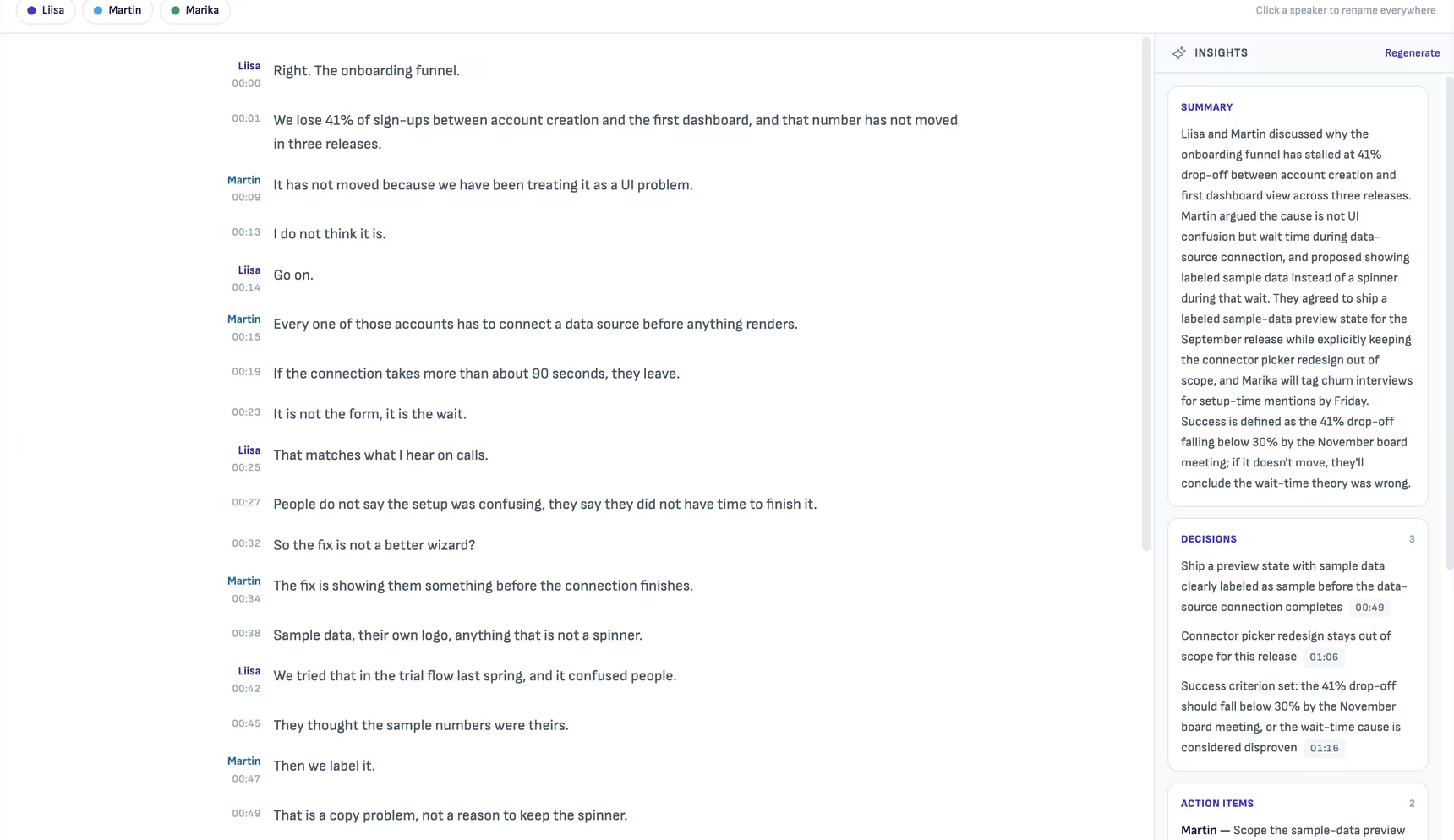
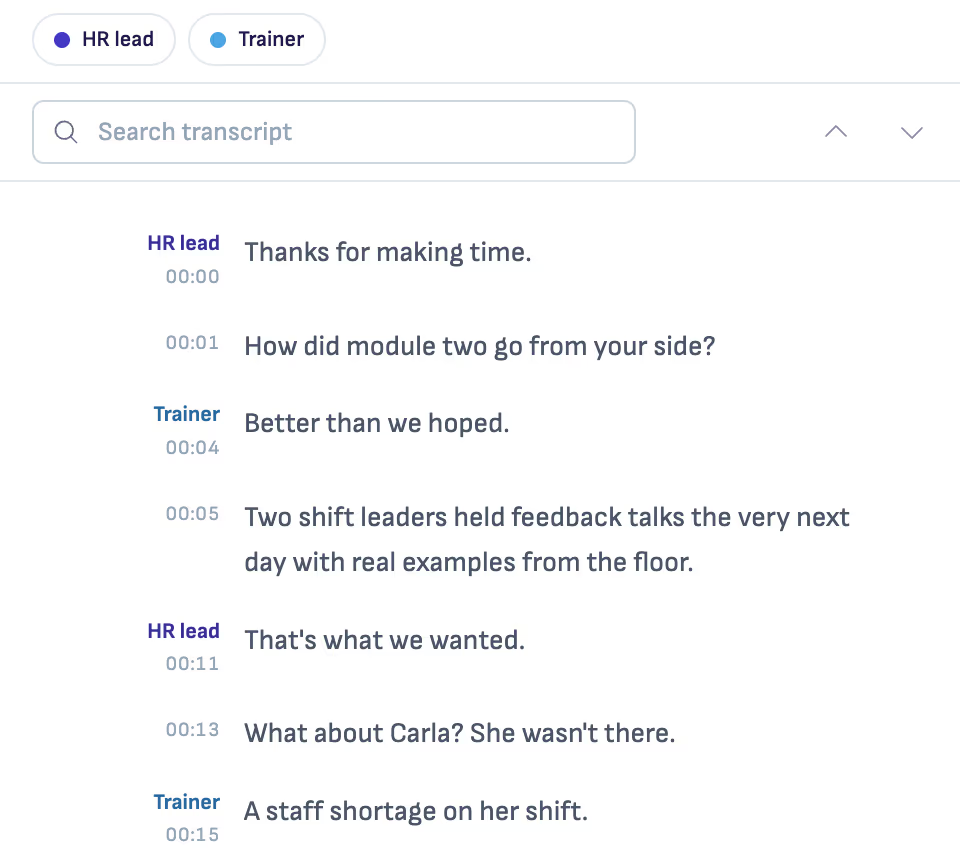
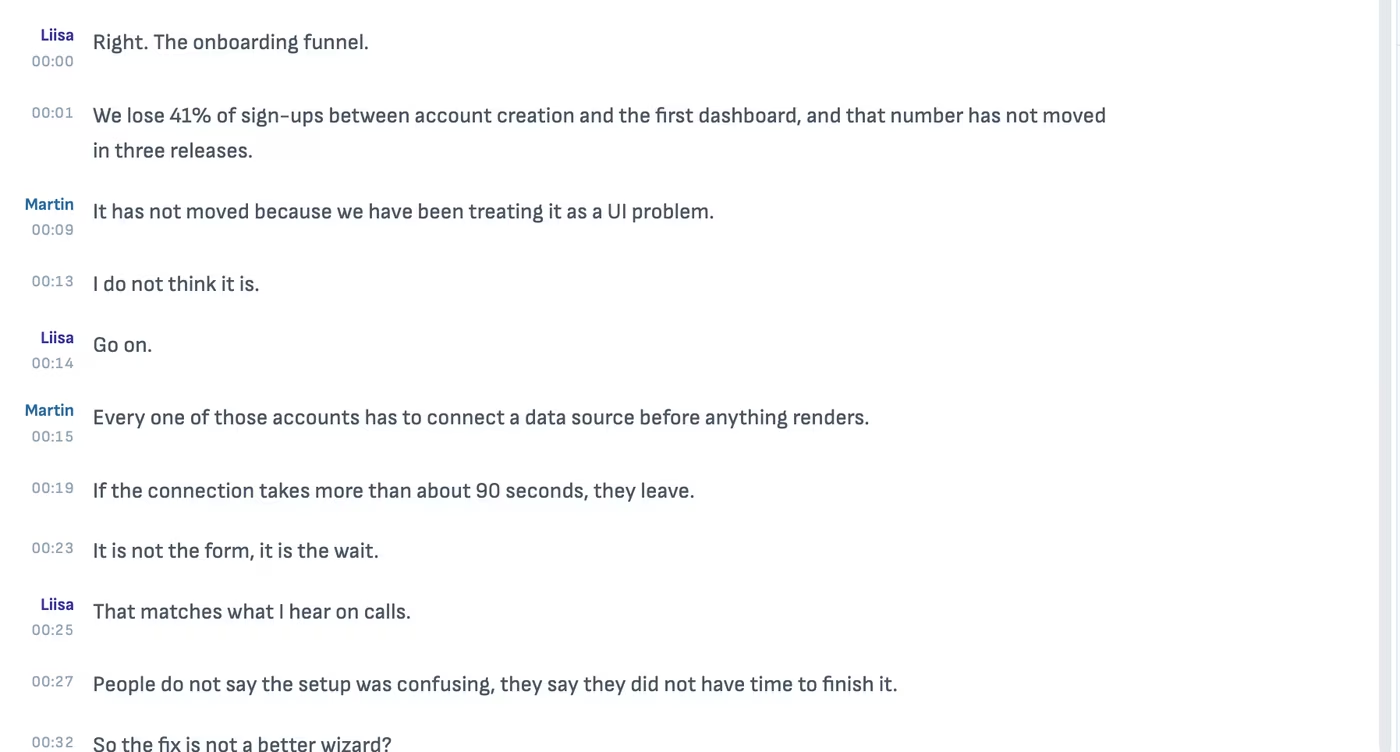
Who said what, and when.
Speaker labels and a timestamp on every line, so you can find the moment instead of scrubbing for it. On this computer it is private and free, without speakers. ElevenLabs separates the speakers, sends the audio and costs a little.
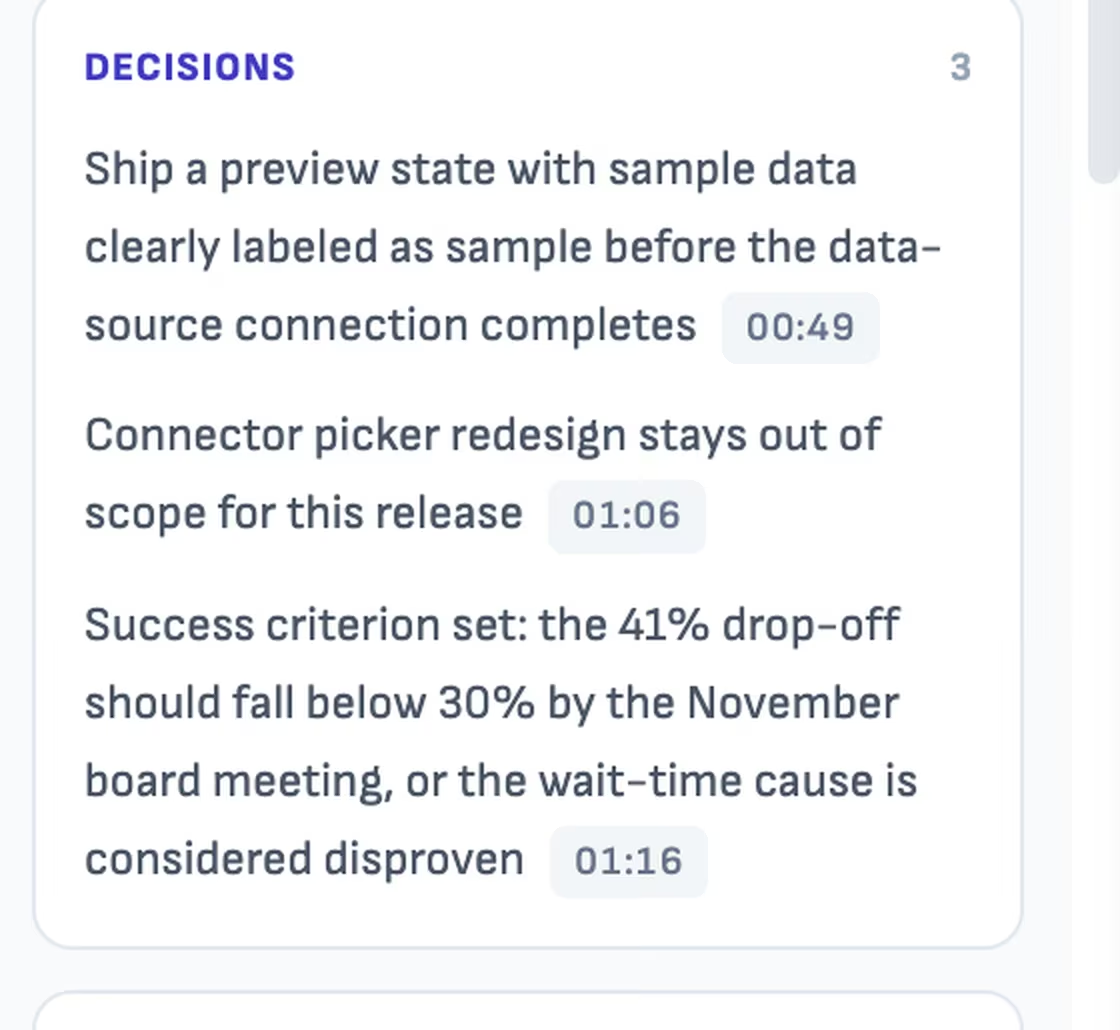
Decisions, with the minute they were made.
When someone asks what was agreed, you can play the twelve seconds where it was agreed.
Good to know
On your computer, or uploaded
On-device works on Mac and Windows and does not separate speakers. ElevenLabs does, with your own key, and uploads the audio.
It lands as a file
The transcript is a document in your folder, like everything else.
The agent can use it
Ask it to turn the decisions into a findings draft or a follow-up, in the same window.
Questions
- Does my recording leave my computer?
- Only if you pick ElevenLabs, which uploads it under your own key. On-device transcription keeps the audio on your Mac.
- Does it know who is speaking?
- Through ElevenLabs, yes. On-device transcription does not separate speakers.
- What does it cost?
- On-device is free. ElevenLabs is charged to your own account, and Ritemark shows the estimate before it starts.
Turn your next recording into a document.
Free and open source.