Hand work over without losing track of it
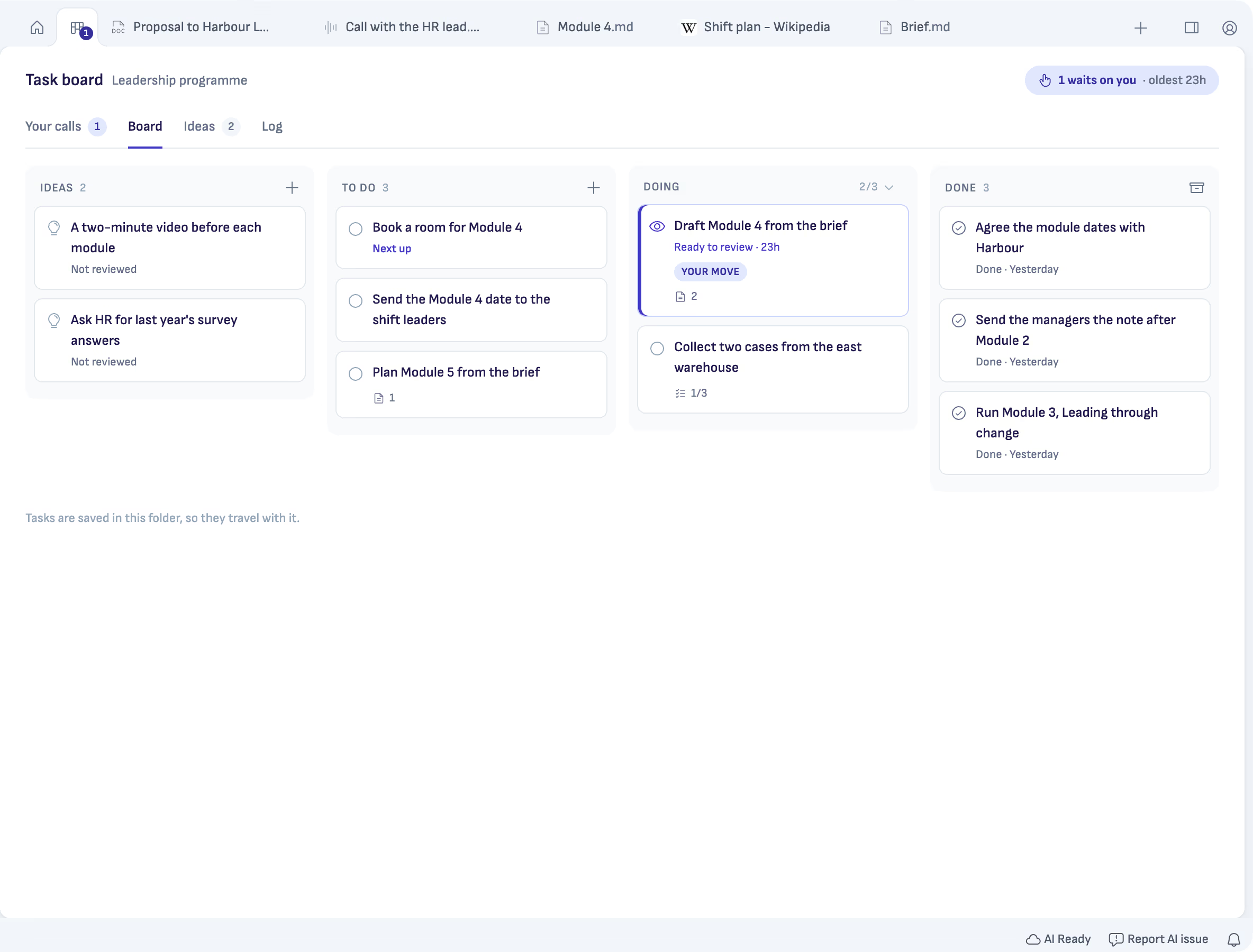
When you ask an AI to do something in a chat, the request scrolls away and so does the answer. A task board keeps the work where you can see it. Every Ritemark project has one, with four columns: Ideas, To do, Doing and Done.
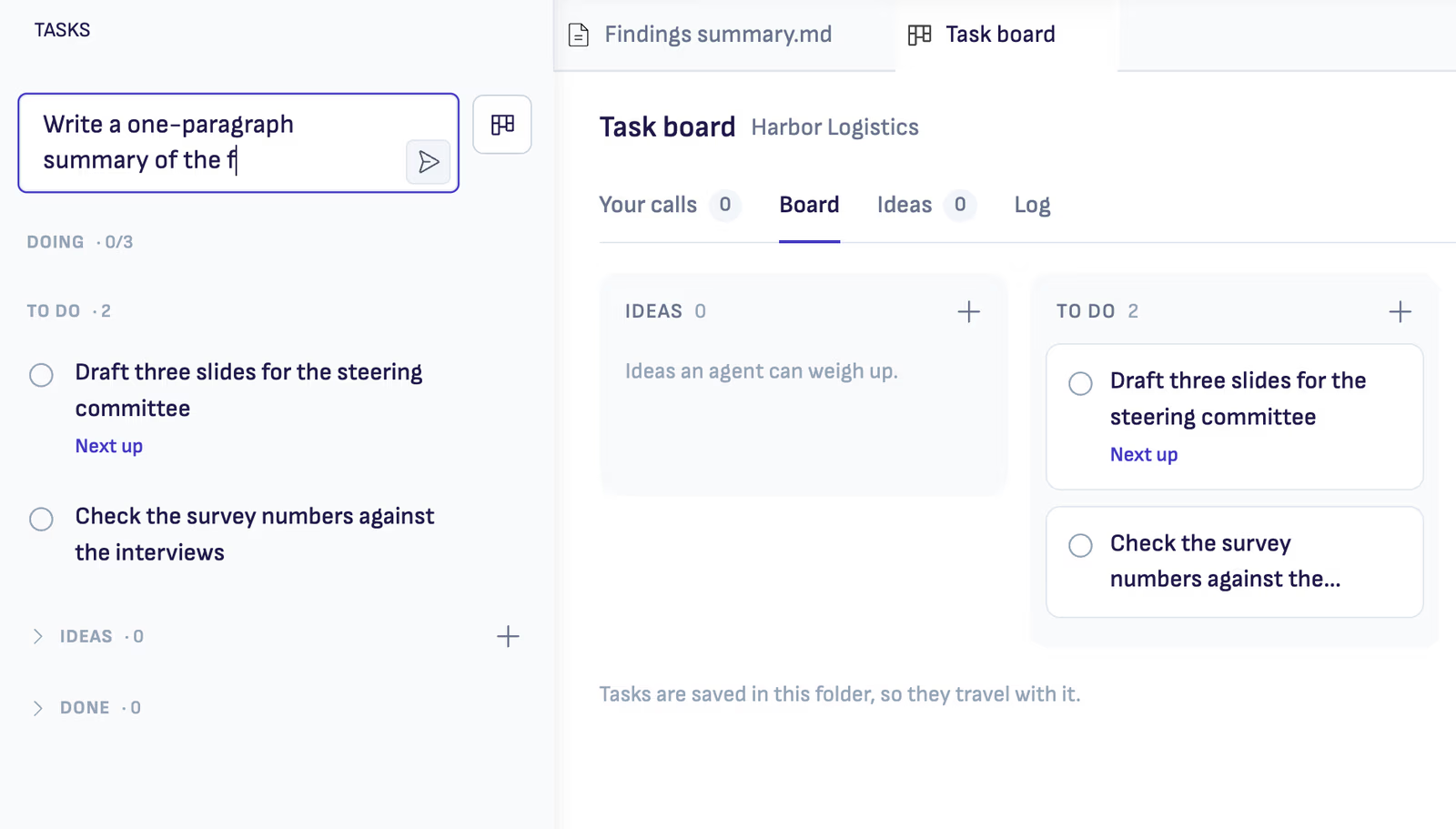
Write a task down in a few words. When it is something your AI can do, such as drafting the next module from the brief, press Give to Claude, or pick ChatGPT or OpenCode from the arrow beside it. The task moves to Doing and the work runs in its own chat, while you keep writing in your document.
You decide when it is done
The AI does not close the task. It brings it back as Ready to review, with a short account of what it changed and which files it touched. Read it, then choose Mark done, or Ask for changes… and say what you want different. The task goes back to the AI with your note.
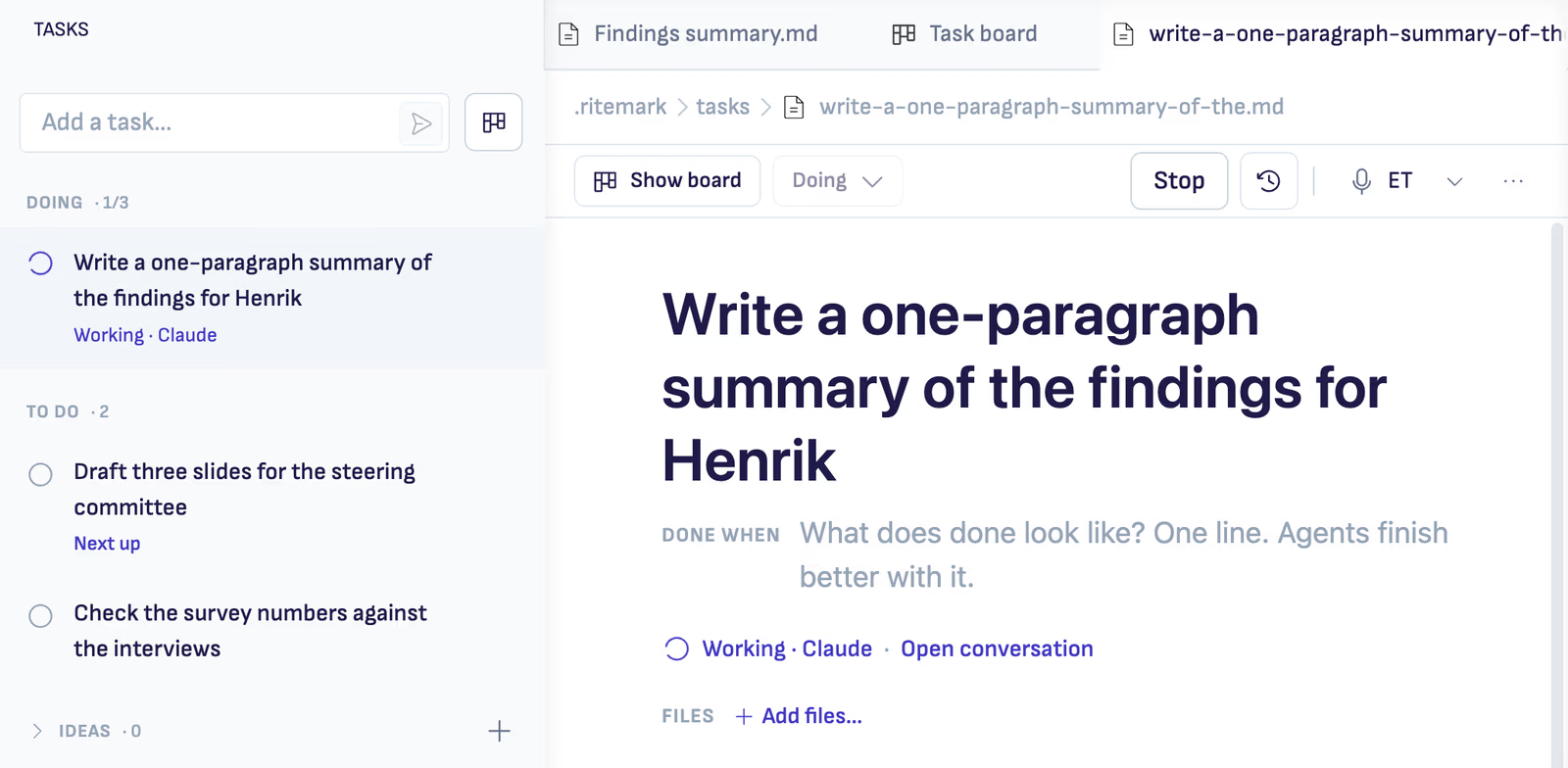
What waits for you is counted on the Tasks tab and on the project's Home, the longest waiting first, so nothing sits unseen.
Plain tasks too
Not every task is for the AI. The board is also an ordinary list for the project, and its tasks are saved in the project's folder, so they travel with it.
Claude needs a paid Claude plan, ChatGPT works with any ChatGPT account, and OpenCode uses your own API key. The task board guide covers every button.
Start writing with Ritemark.
Free and open source.