A place to come back to
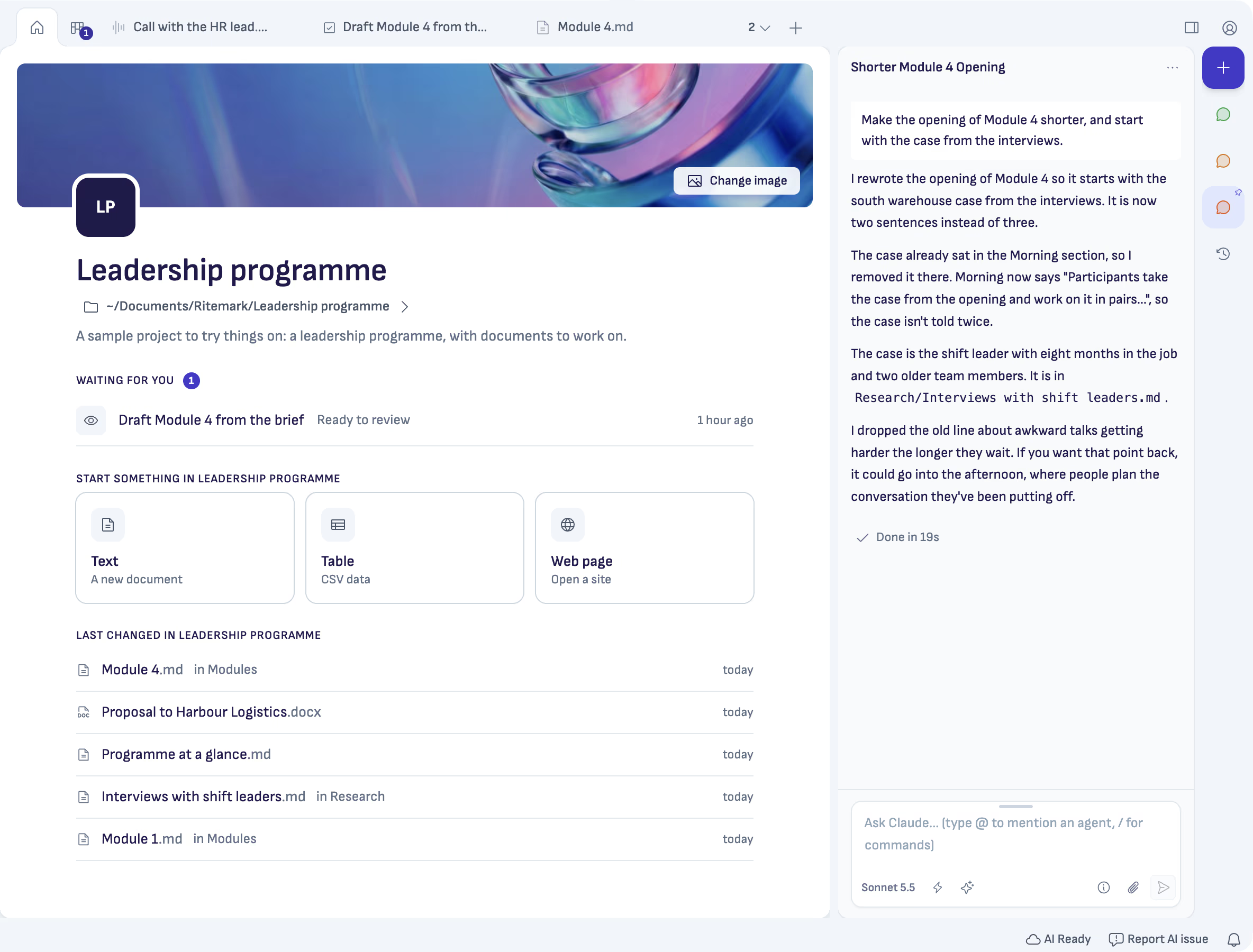
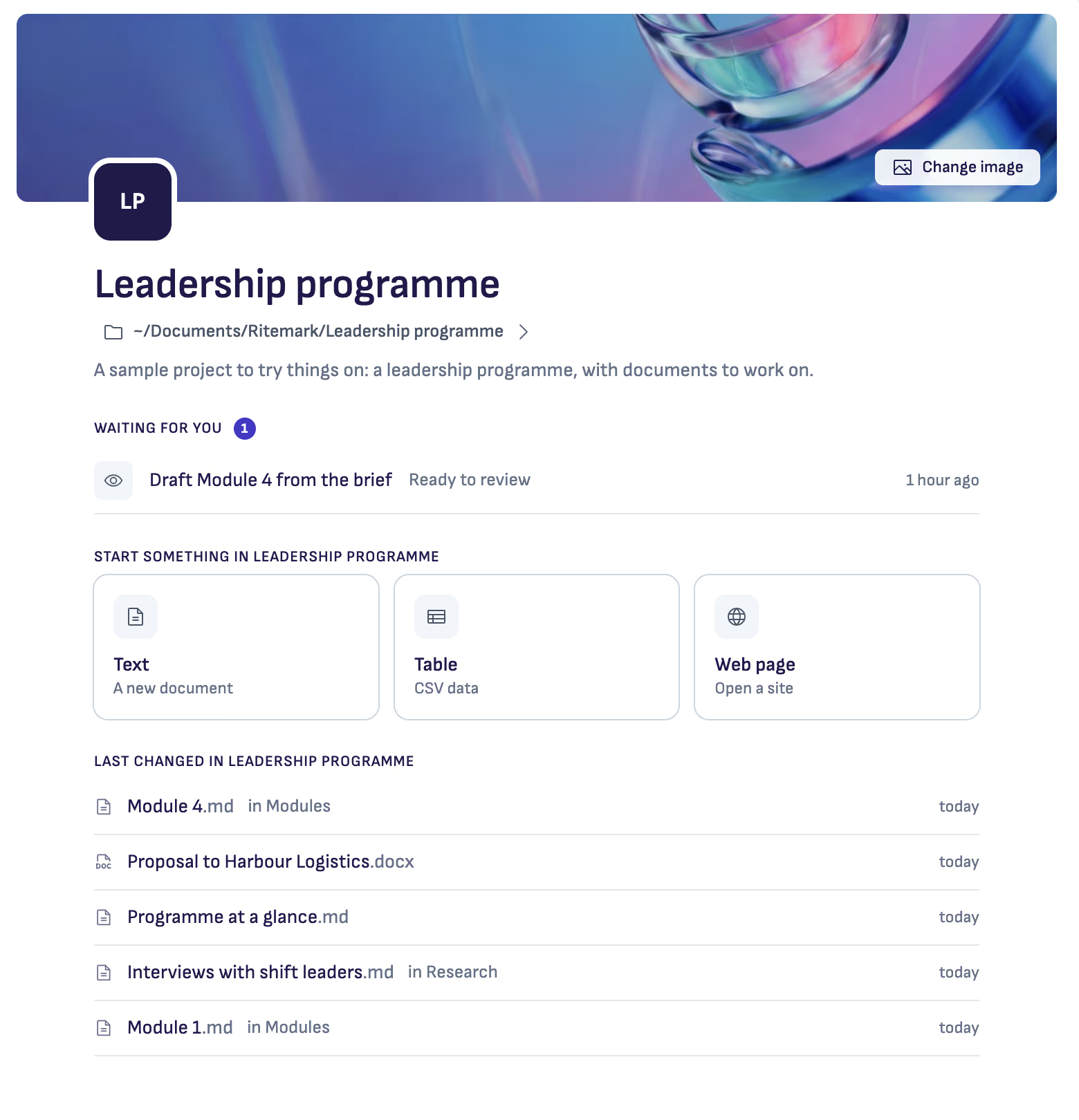
Most of us work on a few things at once: a proposal, a training programme, a report that is due on Friday. Each lives in its own folder, and each has its own loose ends. In Ritemark 2.0 that folder is a project, and the first thing you see when you open it is its Home.
Home answers the questions you have when you sit back down. Waiting for you lists what needs you in this project: a task your AI has finished and wants you to review, or a chat where it asked you something. Last changed lists the documents changed last, with their folder and when, so the file you had open yesterday is one click away. Start something makes a new text, table or web page in the project.
Switching without losing your place
With Home chosen, the left column lists all your projects, each with what waits in it. Click one to switch in the same window. Each project keeps its own tabs and chats, so when you come back they are as you left them. If you want two projects side by side, Option-click one (Alt-click on Windows) and it opens in a new window.
If your AI is still working when you switch, Ritemark asks first. Open in a new window lets it finish, and that is the default.
It is still just a folder
A project is a folder on your computer. You can give it a short line about what it is and a cover picture, and both travel with the folder. There is no Ritemark account and no Ritemark cloud behind it.
To add one, choose Add a project… on Home. If you are new, the first start offers a sample project to try. The Getting started guide walks through it.
Start writing with Ritemark.
Free and open source.