The week before I run a training day always looks the same. The course itself is ready, more or less, because I have taught it before. What is not ready is a list of small things. The exercise in module three still uses last year's numbers. The group this time is from a bank, so the examples should be about banking and not about retail. Someone asked for a short quiz to open the second day. The handout has a typo that two people pointed out in March and I never fixed.
None of these jobs is hard. Together they eat two evenings, and I usually do them in the wrong order, because the list lives on a sticky note or in my head.
The list moved into the folder
Ritemark 1.14.0 gave every project folder a task board, and the course folder is where I tried it first. I wrote the jobs down as tasks, one line each. "Update the module three exercise with this year's figures." "Rewrite the retail examples for a banking group." "Five-question quiz for the start of day two." "Fix the handout typo on page four."
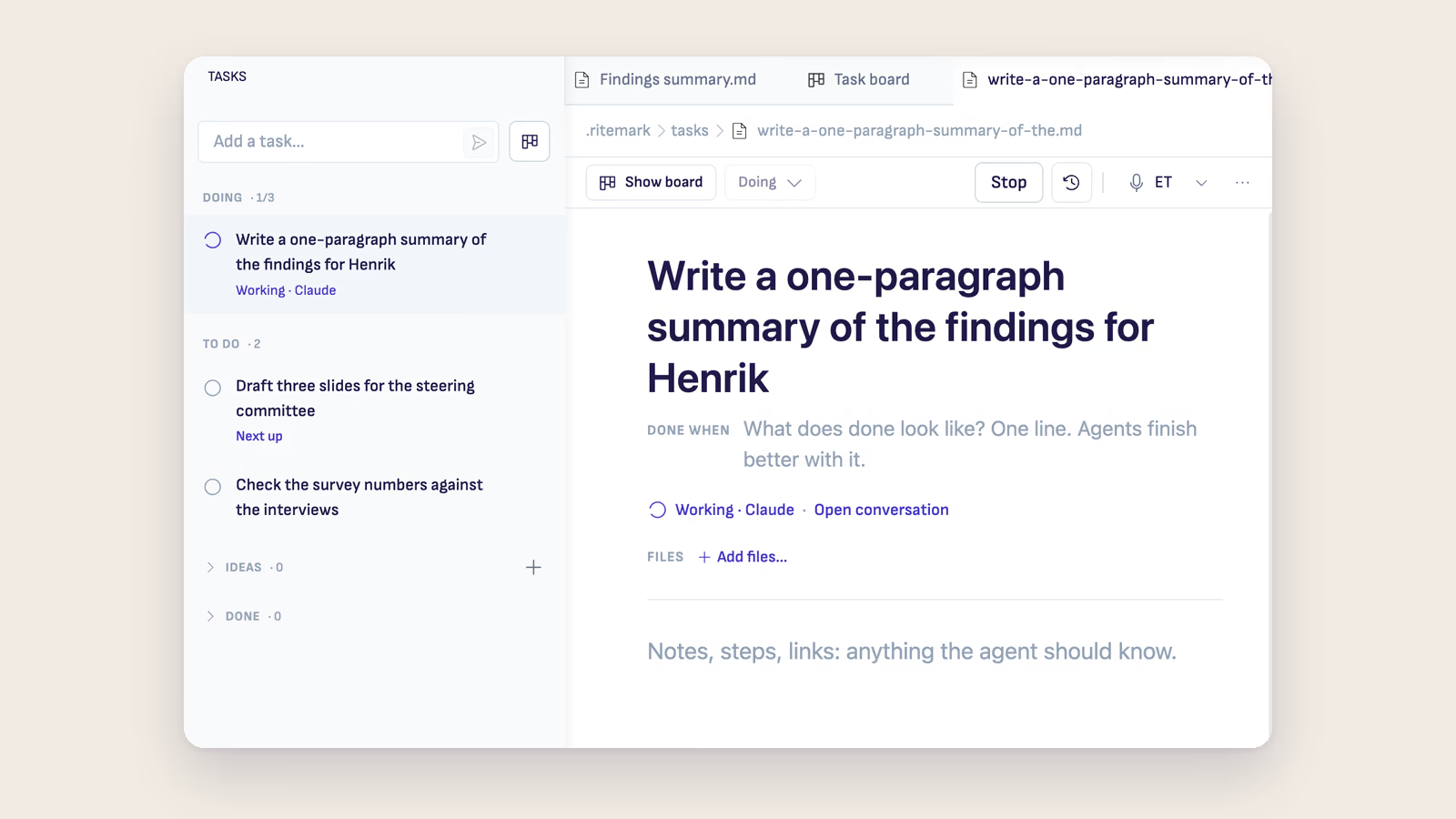
Each task opens as a page, and the page has a line called Done when. It took me a few tries to see why it matters. "Write a quiz" gets you some quiz. "Five questions, one per module, answers on a separate page, nothing we did not cover" gets you the quiz you would have written. Under Files you list the documents the task is about, so the agent reads the right lesson plan and not the one from 2024 sitting next to it.
The screenshot above is from a consultant's folder, so the tasks are about a client report. In my course folder the same list held the quiz and the banking examples.
Handing a job over
Next to each task is a button that says Give to Claude, and the arrow next to it lets you pick Codex or OpenCode instead. The agent starts its own conversation in the sidebar and works on the files while I keep editing whatever I had open. I gave it the quiz first, then the banking examples.
Ritemark does a couple of sensible things here that I only noticed because they happened to me. When I gave a third and a fourth task at once, it asked whether to queue the extra one, because by default only three run at the same time. And when two tasks named the same handout, it held the second one until the first agent had finished with the file, so they did not overwrite each other.
Checking is still my job
When an agent finishes, the task does not move to Done. It stops at Ready to review and lists what it did, plus up to three things it wants me to check. For the quiz it asked whether question four was too easy for people who had already done the course. It was right, and I said so with Ask for changes. The answer went back into the same conversation and the agent rewrote the question.
Only I can mark a task done. The agent cannot, and it cannot delete one either. For course material that is the right split. I am the one standing in front of the group, so I am the one who decides the exercise is good enough.
Why it lives in the folder
Every task is a small markdown file inside the course folder, in a hidden folder called .ritemark/tasks. When I copy the folder for the next run of the course, the board comes along. Last year's finished tasks are a decent record of what changed between runs, which is the kind of note I always mean to write and never do.
There is also an Ideas column for things that are not tasks yet. Mine says "an exercise where they fix a bad prompt". An agent can review an idea and tell you whether it is clear enough to become a task. That one came back as needing more detail, which is fair.
The week before a course is still a week of small jobs. The difference is that the list is where the files are, and most of the jobs are done by the time I open the board in the evening. I just have to read them.
The task board guide explains every column and button, and the trainers page shows the rest of the course folder, from recording to handout.