Every documentation team I have met has a style guide. Some are a forty-page PDF from a previous owner, some are a wiki page that grew one argument at a time. They all say roughly the same kind of thing. Headings in sentence case. "Select", never "click on". The product is called Launchpad, never "the Launchpad app" and never "LP". Warnings go before the step, not after it.
A new writer on the team learns these in a month, mostly by getting review comments. An AI assistant never learns them at all, and that is where a lot of the disappointment with AI drafts comes from.
Why the draft sounds like someone else
Ask a chat assistant to turn a changelog into release notes and you get something that reads well and sounds like nobody you work with. Title Case headings. "Click the button". The product name spelled three different ways across one page. None of that is the model being bad at writing. It simply was never told, and it has no reason to guess your house rules over the thousand other house rules it has seen.
So writers do the obvious thing and paste the style guide into the chat. That works for a conversation or two. Then the chat gets long and the early instructions carry less weight, or you start a new conversation on Thursday and forget to paste it, and the review comments come back. The style guide becomes something you remember to attach, which is exactly the job it was supposed to take off your hands.
Most of a style guide does not need to reach the agent
It helps to be honest about which rules matter here. A long style guide covers things an agent rarely touches: how to name screenshot files, who approves a new term, when to open a ticket with localisation.
The rules that end up in a draft are fewer and more concrete. The product and feature names, spelled exactly. The handful of words you always avoid and what you say instead. Heading case. How you write UI labels (bold, quoted, or plain). Whether you address the reader as "you". Where notes and warnings go. The audience for this set of docs, in one sentence. That is usually a page, sometimes less.
A file at the root of the docs folder
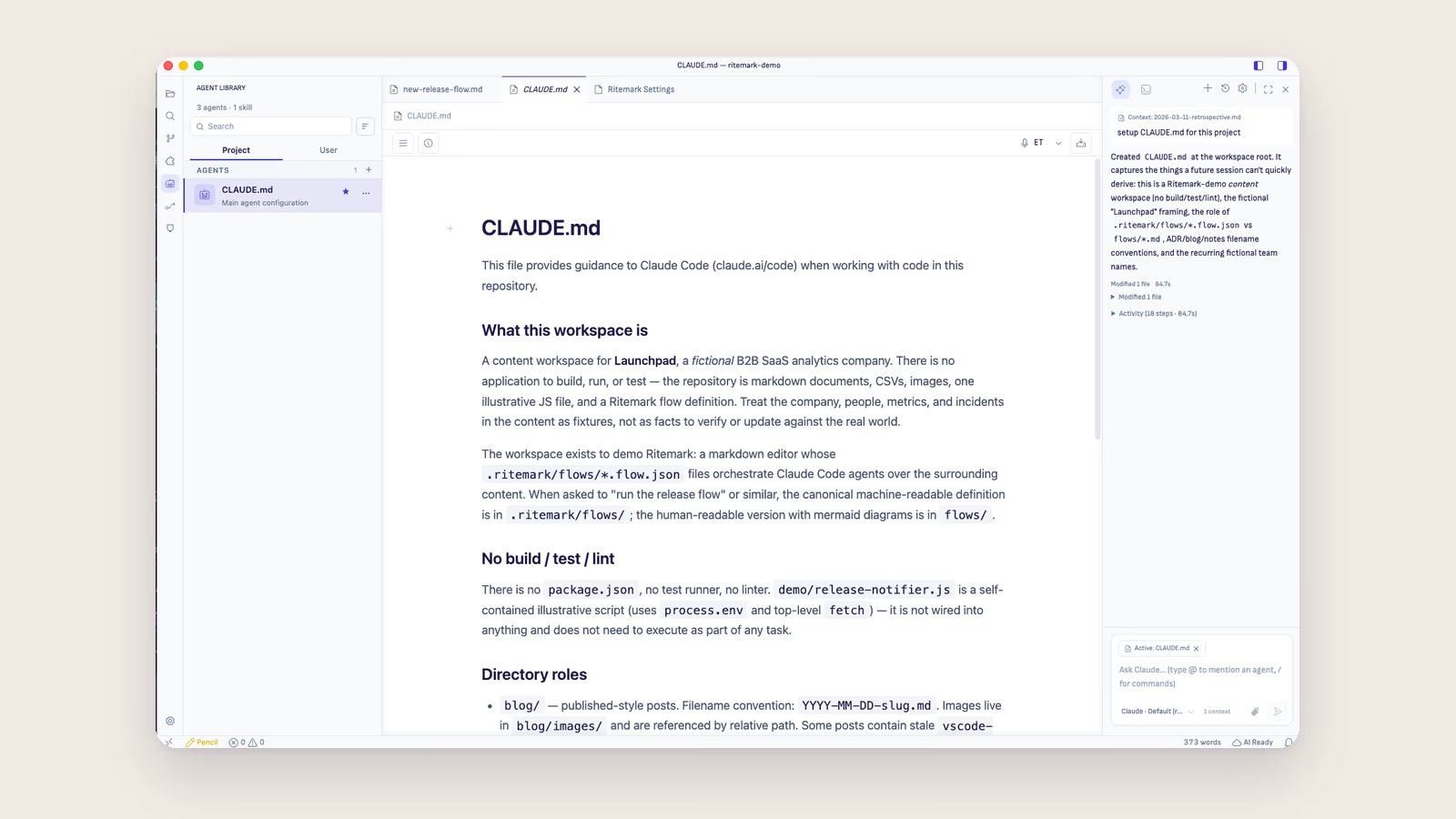
Coding agents already look for a plain text file at the root of the folder they work in. Claude Code reads CLAUDE.md, and Codex and OpenCode read AGENTS.md. Whatever is written there is part of the context before you type the first question. Developers use it for build commands and code conventions. For a technical writer, it is the natural home for that one page of house rules.
In Ritemark the file sits in the folder next to your docs, and the Agent Library lists it under the project as the main agent configuration, so you can open it and edit it like any other document. If you do not have one yet, you can ask the agent to write a first version from what it finds in the folder, then cut it down to what you actually care about. The window is the folder, so every conversation you start in it, with Claude Code, Codex or OpenCode, starts with the same rules. A second product with a different style guide gets its own folder and its own file, in its own window.
After that the request can be short. "Draft release notes for 3.2 from the changelog, same structure as the 3.1 notes." The product names and the "select, not click" come along without being asked for.
Plan first when the change is wide
Style rules matter most when the agent touches many pages at once, which is also when a mistake is most expensive. A rename across forty pages, or moving every warning above its step, is not something you want applied and then reviewed.
With Claude Code and Codex you can switch the agent to Plan only. It reads the files and your style file, then shows what it intends to change and in which files, and nothing is edited until you approve the plan. Reading a plan is quicker than reading forty diffs, and it is the moment to say "leave the API reference alone, those names come from the code".
What the file does not do
A style file is guidance, and it would be easy to oversell it.
The agent will follow it most of the time and will still miss things, especially rules that depend on judgment, like when a warning is serious enough to be a warning. It is not a linter. If your team relies on automated checks for terminology, keep them, and run them on what the agent writes like on anything else. The file also does not replace the real style guide. Onboarding, reasoning behind the rules and the long tail of edge cases still live there. The file is the short version that has to be in the room for every draft.
What changes is the kind of review you do. Instead of fixing "click" to "select" for the fifth time this week, you spend the review on whether the explanation is right, which is the part only you can do.
If you want to see where this fits in a whole documentation workflow, the technical writers page walks through release notes, API docs and knowledge base work, and the New Window guide shows how each folder gets its own window.