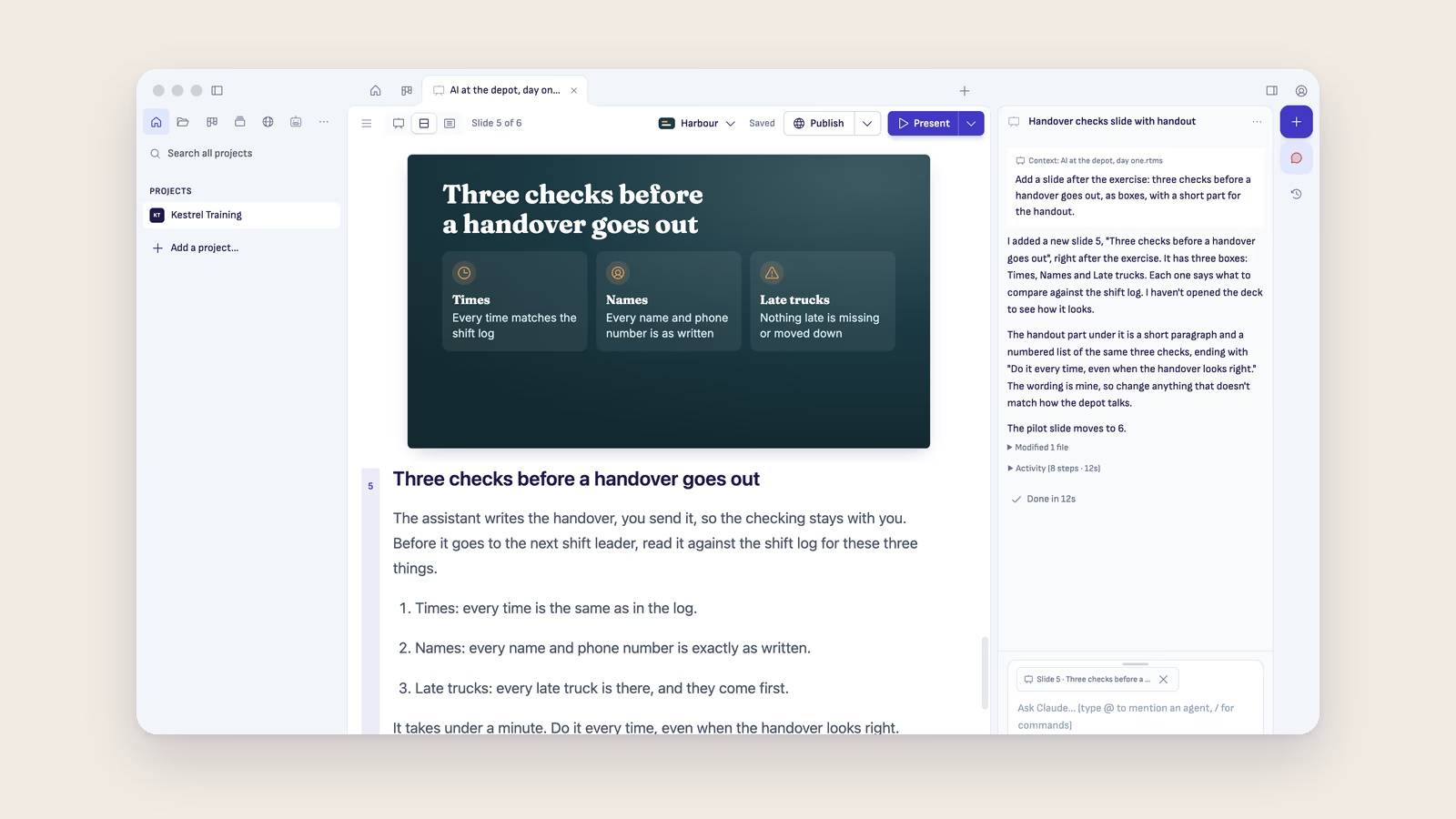
Ritemark 2.3 is out. You can now make slides in Ritemark, present them, and give every participant a page to work through. They copy the prompts and tick off the exercises on their phone or computer.
Make a deck
Choose New → Deck and write on the slide as in a document, with no layout to choose. Type / to add columns, boxes, steps, tabs, a picture or a table.
Beside the slides you write the handout that participants read. Your comments stay with you. Ask ChatGPT or Claude about a slide, and the AI knows which one you're on.
Present it
Present shows only the slide on the projector. With a second display, your laptop shows this slide, the next one, your comments and the clock. Show a timer for an exercise, or a QR code people scan to open the page. If a slide has tabs, click one to show it. With a second display, you click it on your laptop, and the projector follows.
Give every participant a page
Your deck can go online as one page. People open it on a phone or a computer, copy each prompt with Copy and tick off an exercise's steps.
- Open the deck and choose Publish.
- Check what goes on the page and what stays with you, such as your comments.
- Publish, then send the link or show its QR code.
For a PDF, open the arrow next to Publish. It saves what you see: the slides, each slide with its handout, or the handout alone.
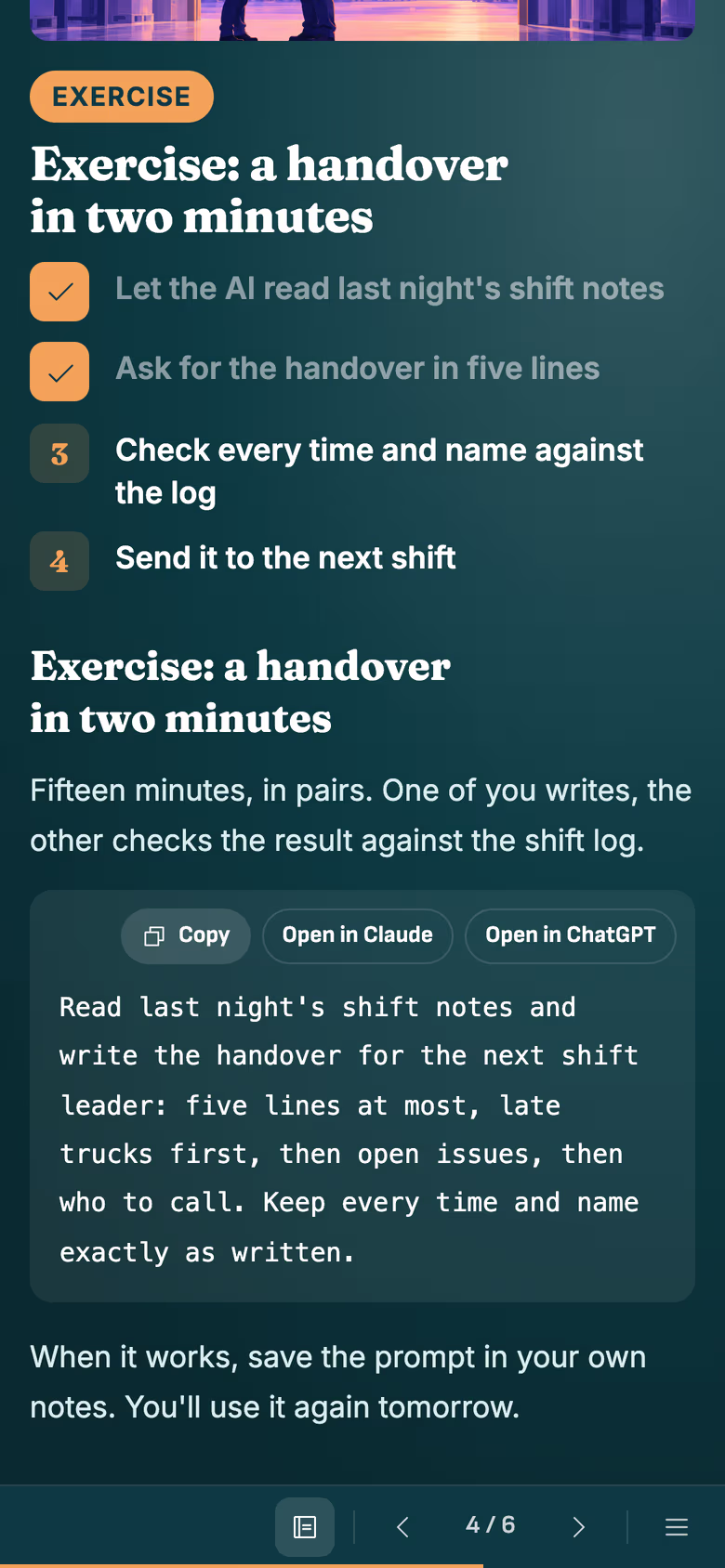
Reuse slides from earlier decks
Click + by the slide thumbnails and choose From the library…, or choose Slide library in the sidebar. It lists your other decks by folder. Open one, and Take section puts a whole section after the slide you're on, with its handout and prompts.

Choose the deck's look
Pick a theme with Theme on the deck's bar and change its colours, fonts and logo, or ask the AI to match your brand guide.
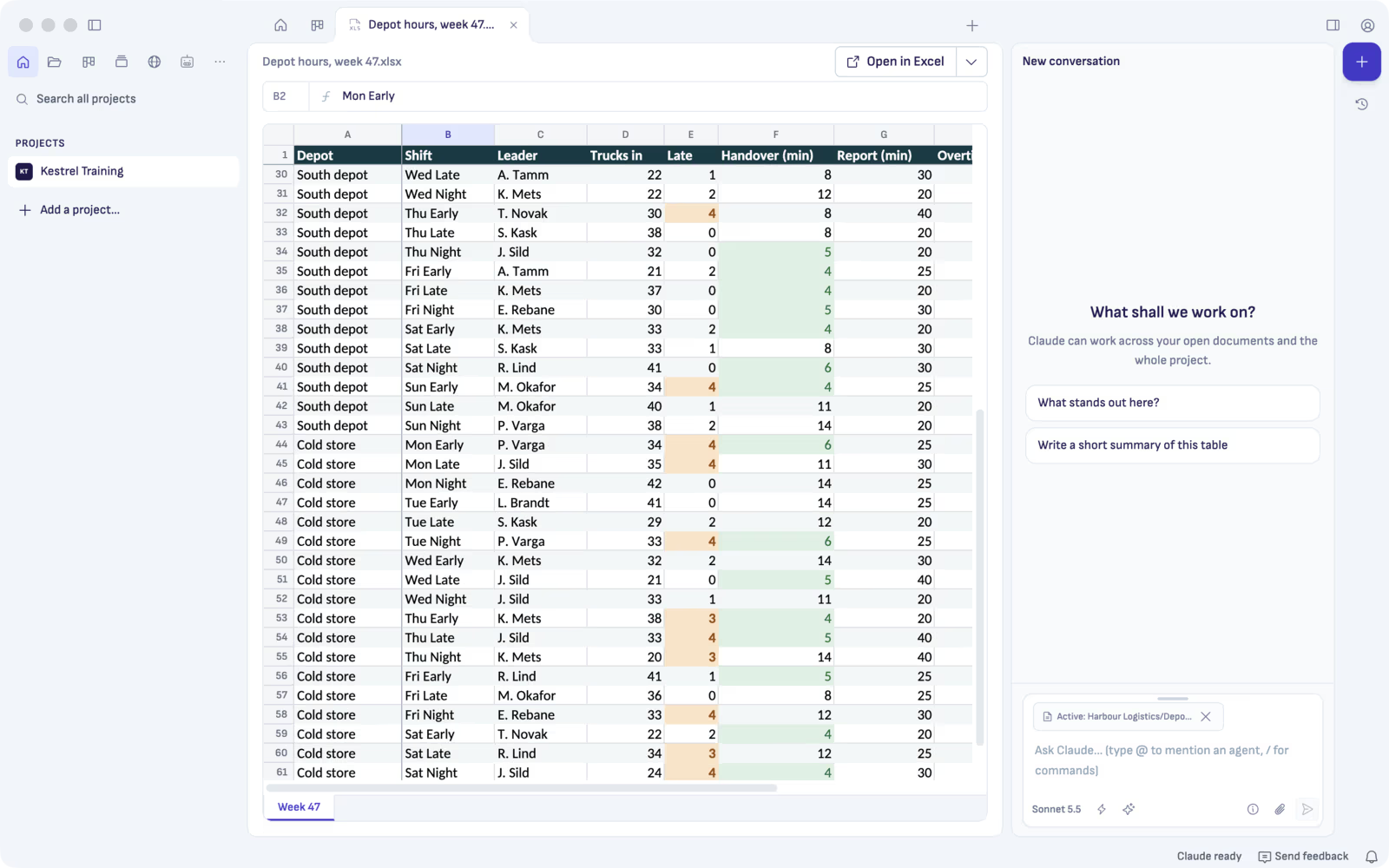
Excel files keep their look
Edit an Excel file in Ritemark and save it, and only the cells you typed in change. Colours, borders, frozen rows, charts and drop-down lists stay. Before, one save removed them. It also looks as it does in Excel.
Change pictures yourself or with ChatGPT
Click a picture to resize, crop or swap it. To make or change one with ChatGPT, open ChatGPT on the picture's bar and say what you want. Undo puts the old one back. This needs a ChatGPT sign-in, not an API key.
Change tables with the mouse
In a document, drag a table's row or column by its grip to move it. The + bars at the edges add a row or a column, and dragging the line between two columns sets the width.
Also in 2.3
- A document can have tabs, and a button that opens a web page. Type / and choose Tabs or Button.
- Claude works with an Anthropic API key alone, with no Claude.ai sign-in.
- When an AI reaches its usage limit, the chat says when it can answer again.
- New models to pick: with ChatGPT, GPT-6.2 Sol, now the default, or GPT-6.2 Astra. With Claude, Fable 5.2.
- Double-click a deck in Finder or Explorer while Ritemark is closed, and it opens in Ritemark's editor. So does a Markdown file that opens with Ritemark. Before, it could open as plain text.
Updating from 2.2
On the Mac, Ritemark tells you that 2.3 is out. Choose Download Installer, open the file and drag Ritemark to Applications. On Windows, a version from our download does the same, and 2.3 is coming to the Microsoft Store shortly. Your projects, chats and settings stay.
If an earlier version removed colours or charts from an Excel file when you saved it, 2.3 can't bring them back.
The release notes list every change.
Download
| Platform | File |
|---|---|
| macOS Apple Silicon | Ritemark-arm64.dmg |
| macOS Intel | Ritemark-x64.dmg |
| Windows x64 | Microsoft Store |
Ritemark is open source. If it helps you, star it on GitHub. Stars help other people find it.
Start writing with Ritemark.
Free and open source. Mac and Windows.