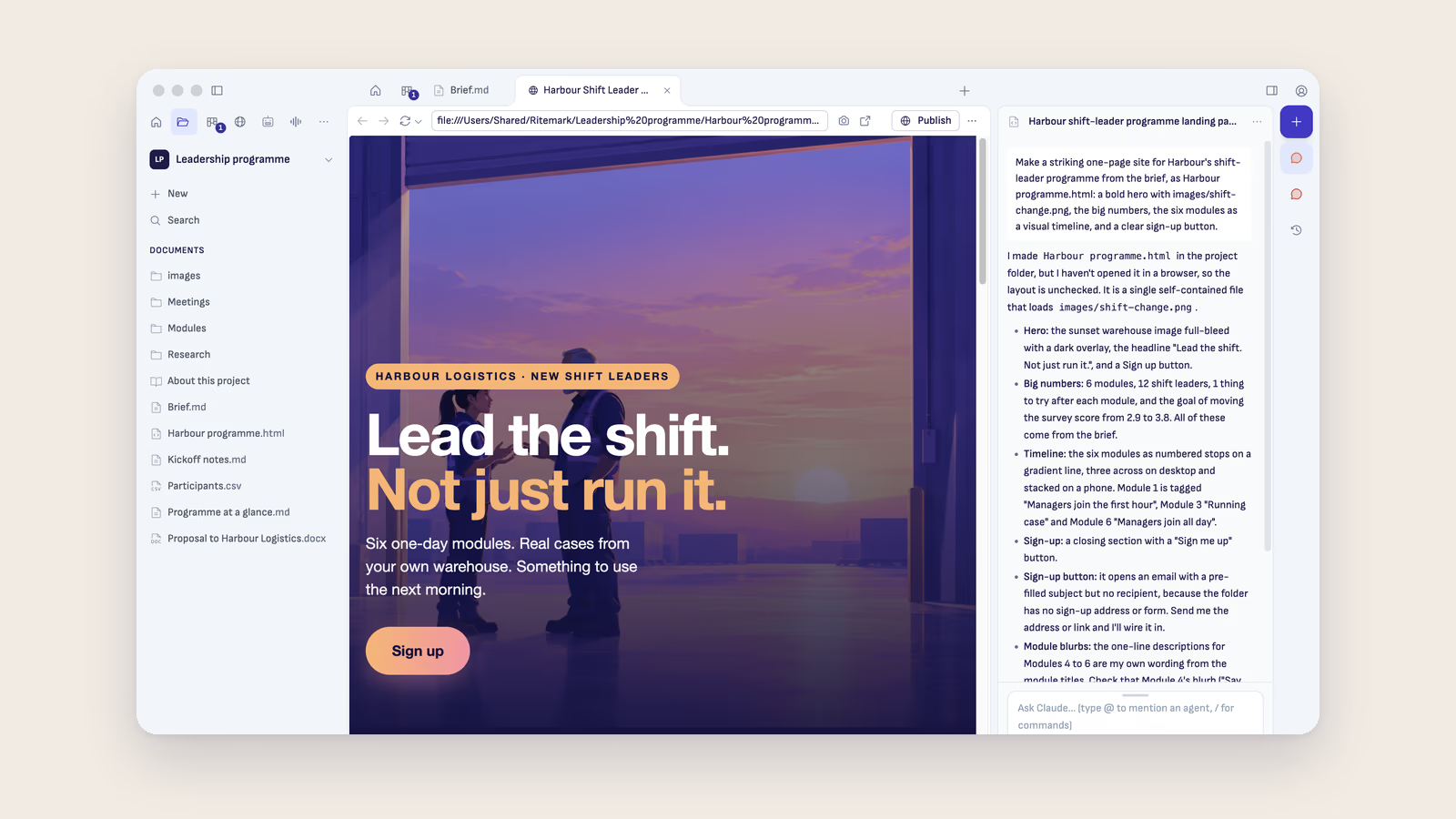
Ritemark 2.2 is out. Here's what changed.
Share a web page
Ask ChatGPT or Claude to make a web page in your project, or write one yourself. Ritemark opens it as the page, not as code, and Open in your browser shows it in Safari, Chrome or whichever browser you use. Then you can put it online.
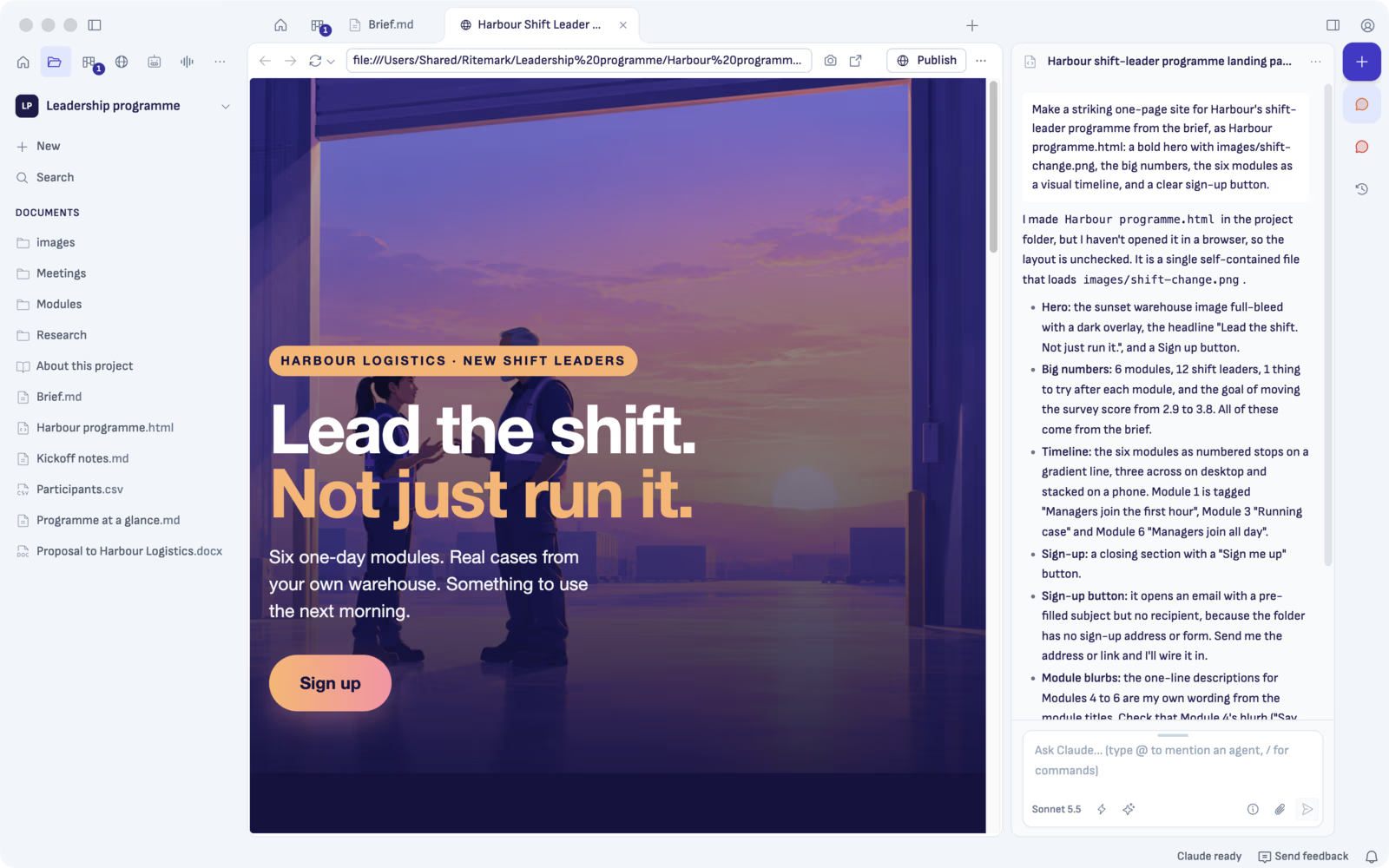
Claude made the page above from the project's brief, in one go. Its illustration was made with AI too. Harbour and its programme are made up for this example, but the page is online: open it in your browser.
How publishing works
Ritemark puts your page on Cloudflare, a free service that keeps web pages online. You need a free Cloudflare account. The first time, Ritemark asks for one key from that account: Set up opens the right Cloudflare page, and you copy the key into Ritemark. You do this only once. After that, publishing a page takes one click.
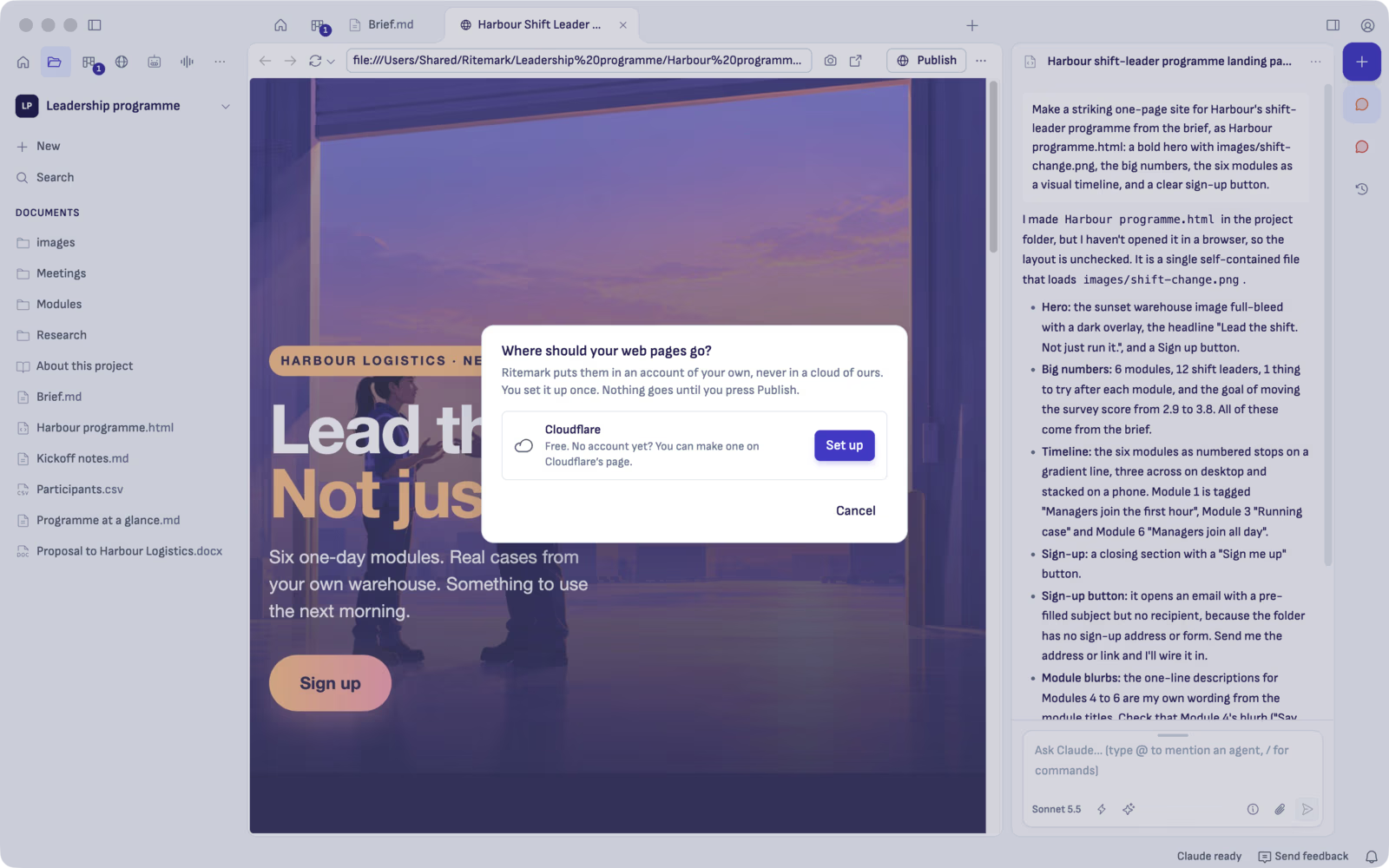
- Open the page and press Publish.
- Check what goes. Ritemark lists the page and the files it uses, and nothing else from the project goes. If a file looks like it holds a key or a password, Publish waits until you choose Publish anyway.
- Press Publish. The page is online, and Copy link gives you its address to send.
- Changed the page? Press Update the page. Want it gone? Press Unpublish.
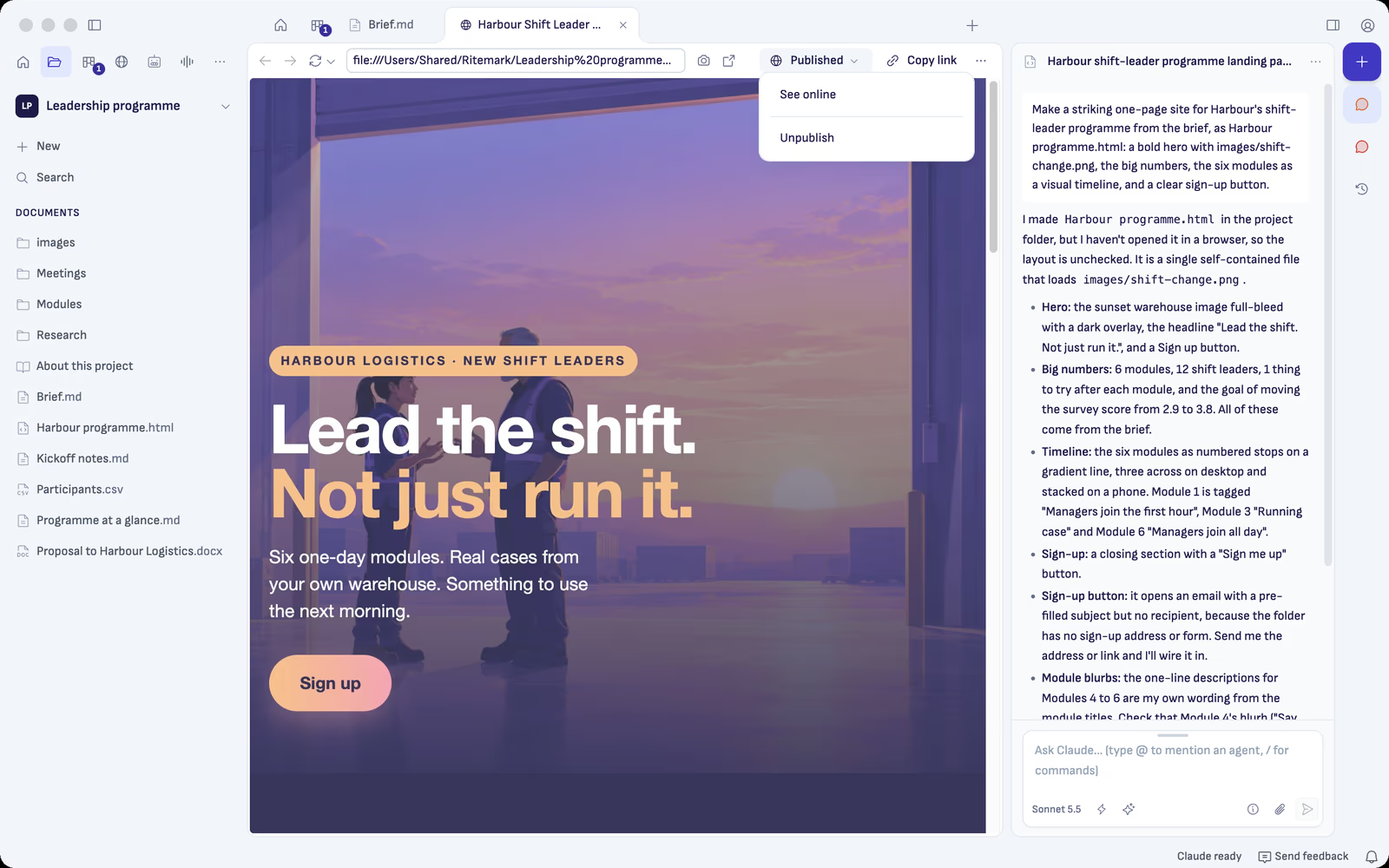
Anyone with the link can open the page. Search engines are asked not to list it, but it isn't secret. Your first page on a new address can take a couple of minutes to open, and Ritemark tells you while you wait.
Find anything in your project
Type in the Search box at the top of Documents. Results show as you type, with no AI. Search reads your Markdown, Word, PDF and spreadsheet files, your chats in this project and your tasks.
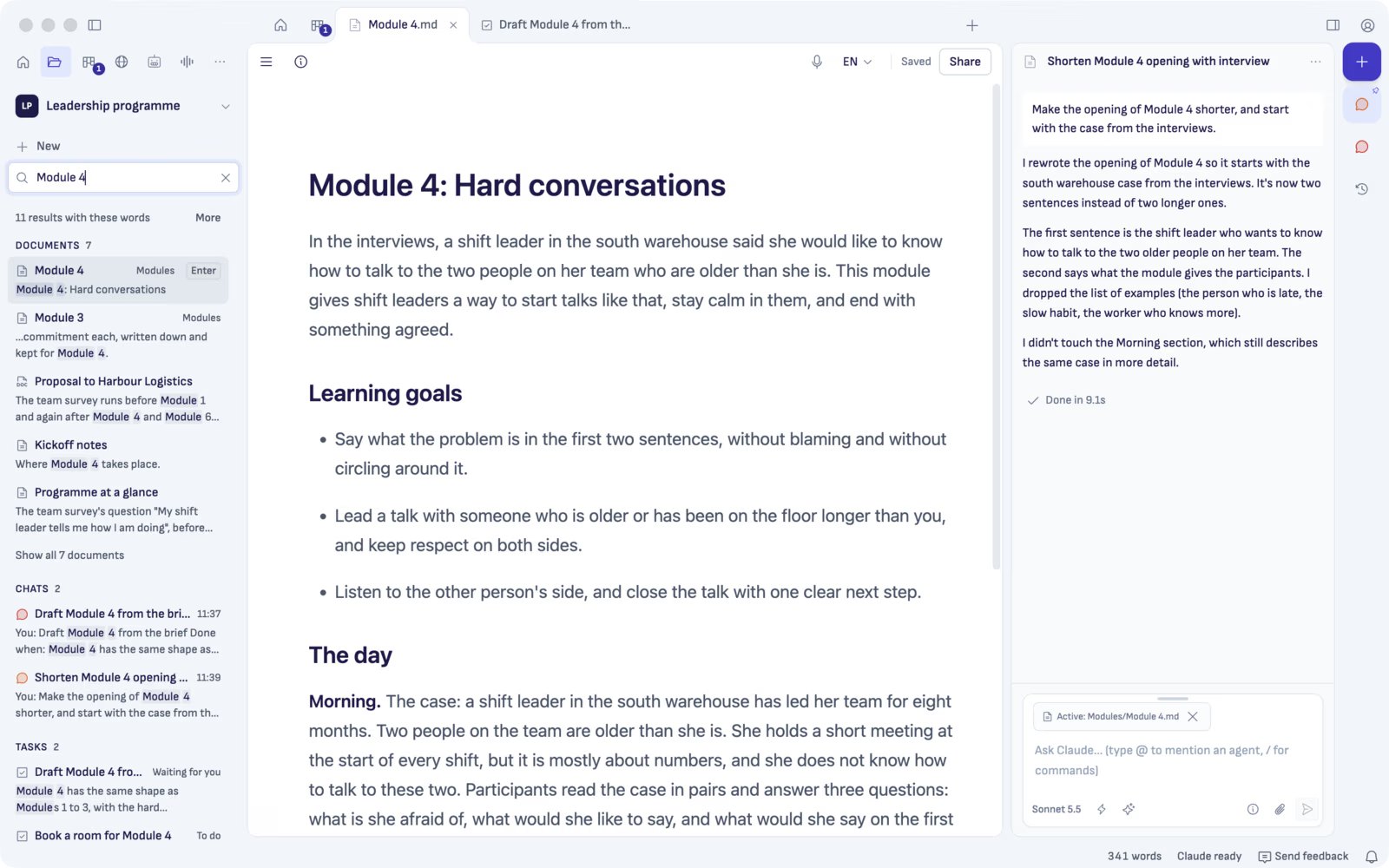
A document opens at the words you found. A chat opens at the matching message. Press ⌘⇧F (Ctrl+Shift+F on Windows) to search, and use the arrow keys and Enter to open a result. Accents don't get in the way: "kasi" also finds "käsi", and the exact spelling comes first.
A simpler Settings
Settings now has six plain sections: AI accounts, Appearance, Sharing, Usage data, Updates and Advanced. Every setting you had is still there.
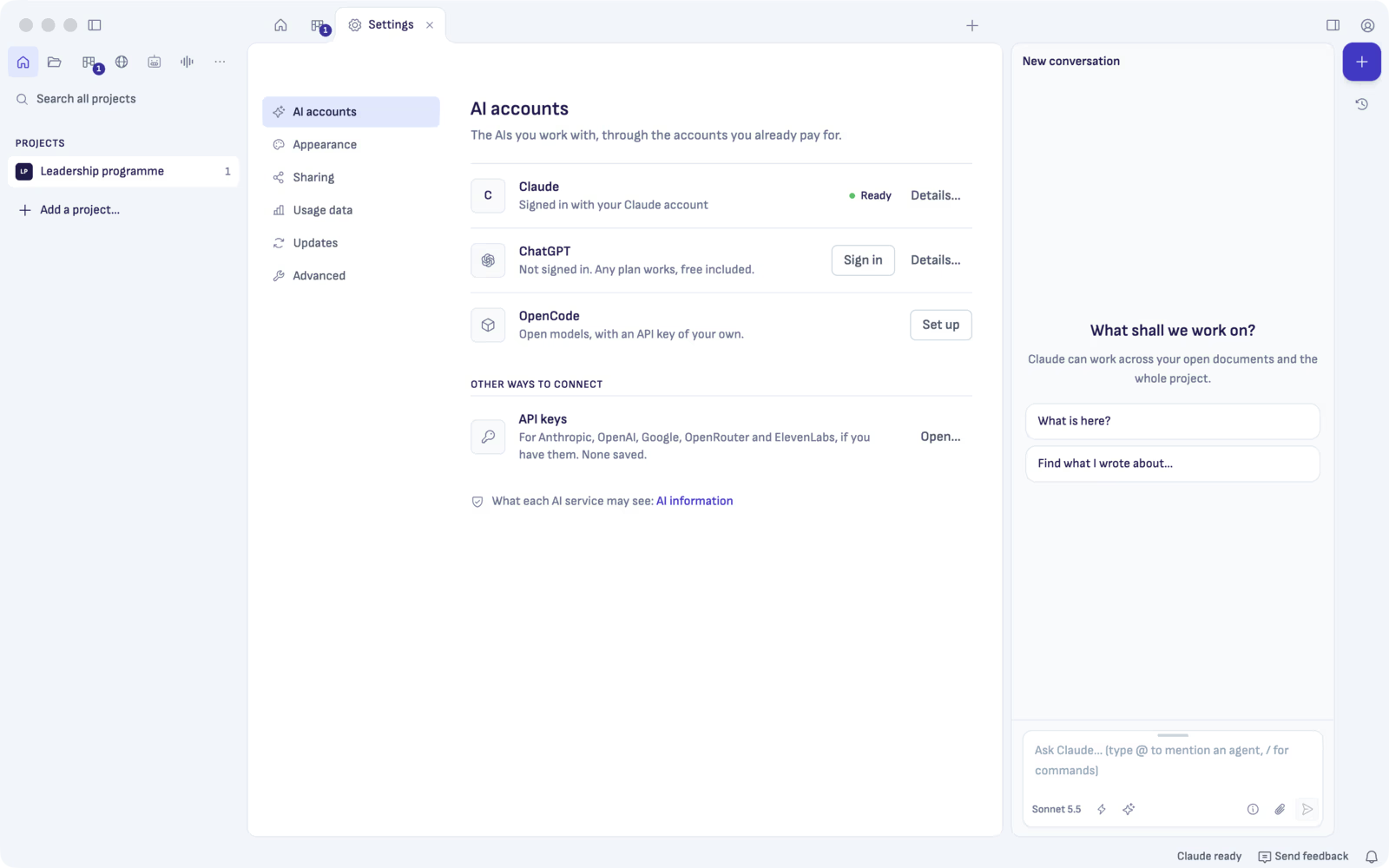
Claude, ChatGPT and OpenCode each have one line and one button, such as Sign in or Repair. API keys lists every service and whether its key is saved. Settings opens at once, and it stays current when you sign in somewhere else.
Your words stay
Did an AI or another app save the document while you typed? Your words and its changes both stay. If both changed the same paragraph, Ritemark keeps yours and shows Review changes, so you can compare the two and pick one. One Undo takes back the other app's changes.
In rare cases, such as a near-whole rewrite, Ritemark can't merge the two. The release notes say what happens then.
Smaller changes
Each chat now shows its document: click the icon before a chat's name to bring forward the document it changed last. No AI yet? Home's first card signs you in, and ChatGPT works on any plan, free included. Transcribe tells you when the microphone hears nothing. And Ritemark has the newest security fixes for its built-in browser.
How to update
On the Mac, Ritemark tells you that 2.2 is out. Choose Download Installer, open the file and drag Ritemark to Applications. On Windows, a version installed from our download does the same, and 2.2 is coming to the Microsoft Store shortly. Your projects, chats and settings stay.
The first search reads your project once. Results come while it reads, and after that search starts quickly. The release notes list every change.
Download
| Platform | File |
|---|---|
| macOS Apple Silicon | Ritemark-arm64.dmg |
| macOS Intel | Ritemark-x64.dmg |
| Windows x64 | Microsoft Store |
Ritemark is open source. If it helps you, star it on GitHub. Stars help other people find it.
Start writing with Ritemark.
Free and open source. Mac and Windows.