Ritemark 2.1 is out. Here's what changed.
Add formulas yourself or with AI
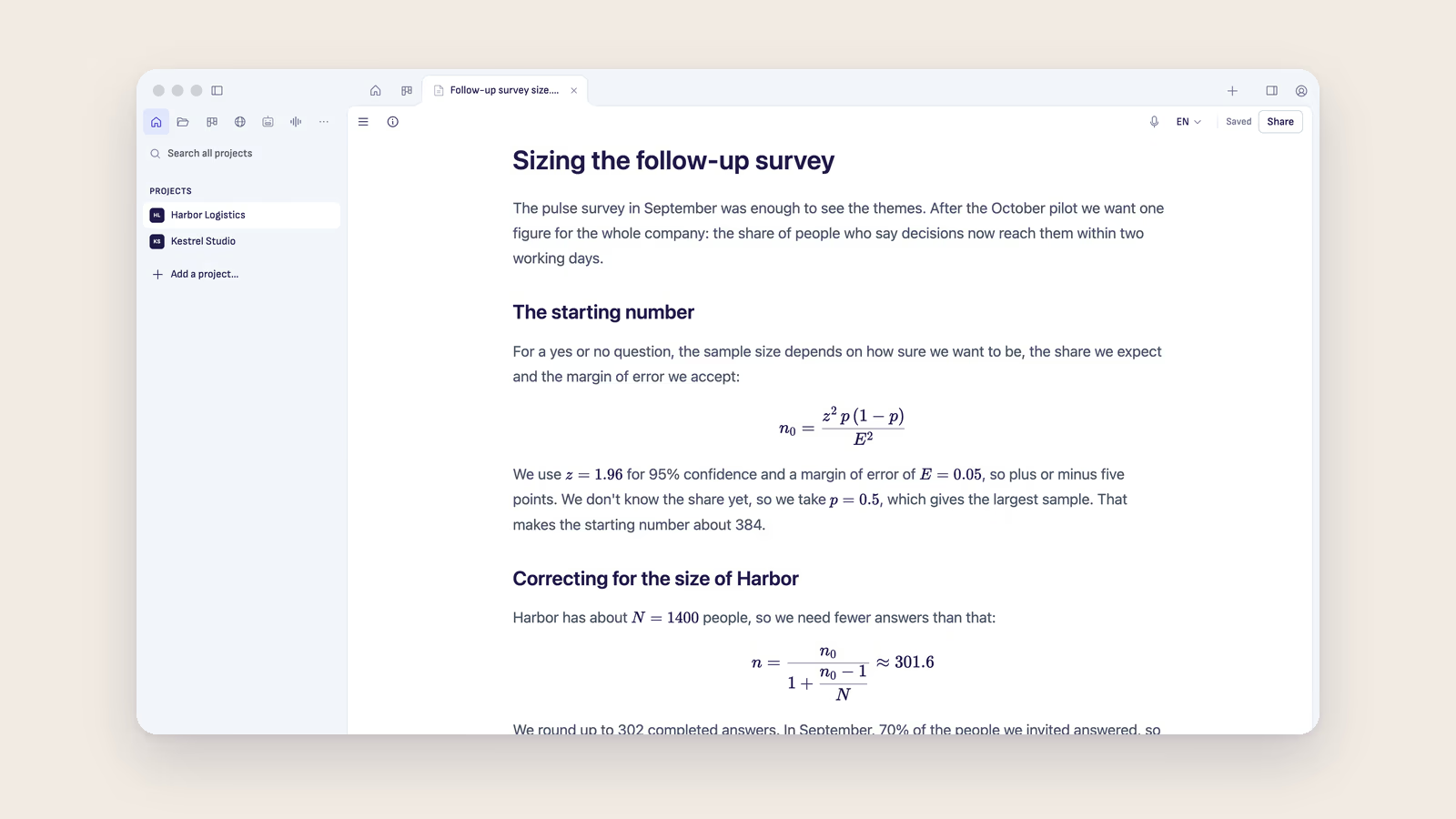
Ask ChatGPT or Claude to work out a price or a sample size, and the answer often has formulas in it. Until now you saw them as code, full of backslashes and brackets. So you had to tidy them up before anyone else could read them. In Ritemark 2.1 they look like real formulas, the way you'd see them in a textbook.
To change a formula, click it. You see its code and the finished formula one above the other, and the formula updates as you type.
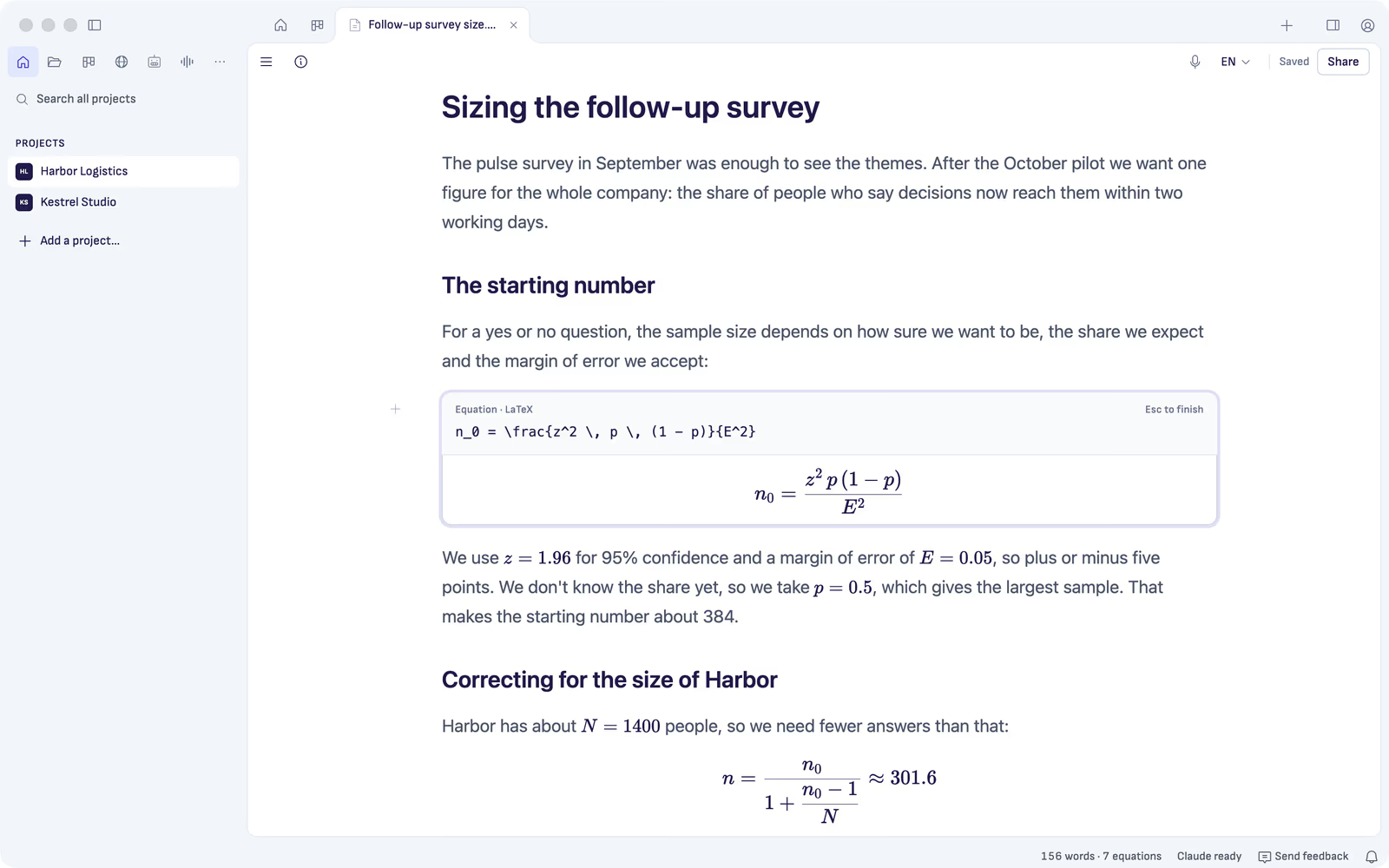
If you write formulas yourself, Ritemark understands the usual way, with dollar signs around them. Your file keeps them as plain text, so other Markdown apps can read them too.
Share formulas in PDF and Word
Share a document as a PDF or a Word file, and the formulas come along. In the PDF they're laid out properly. In Word they're real Word formulas, so you can still change them there.
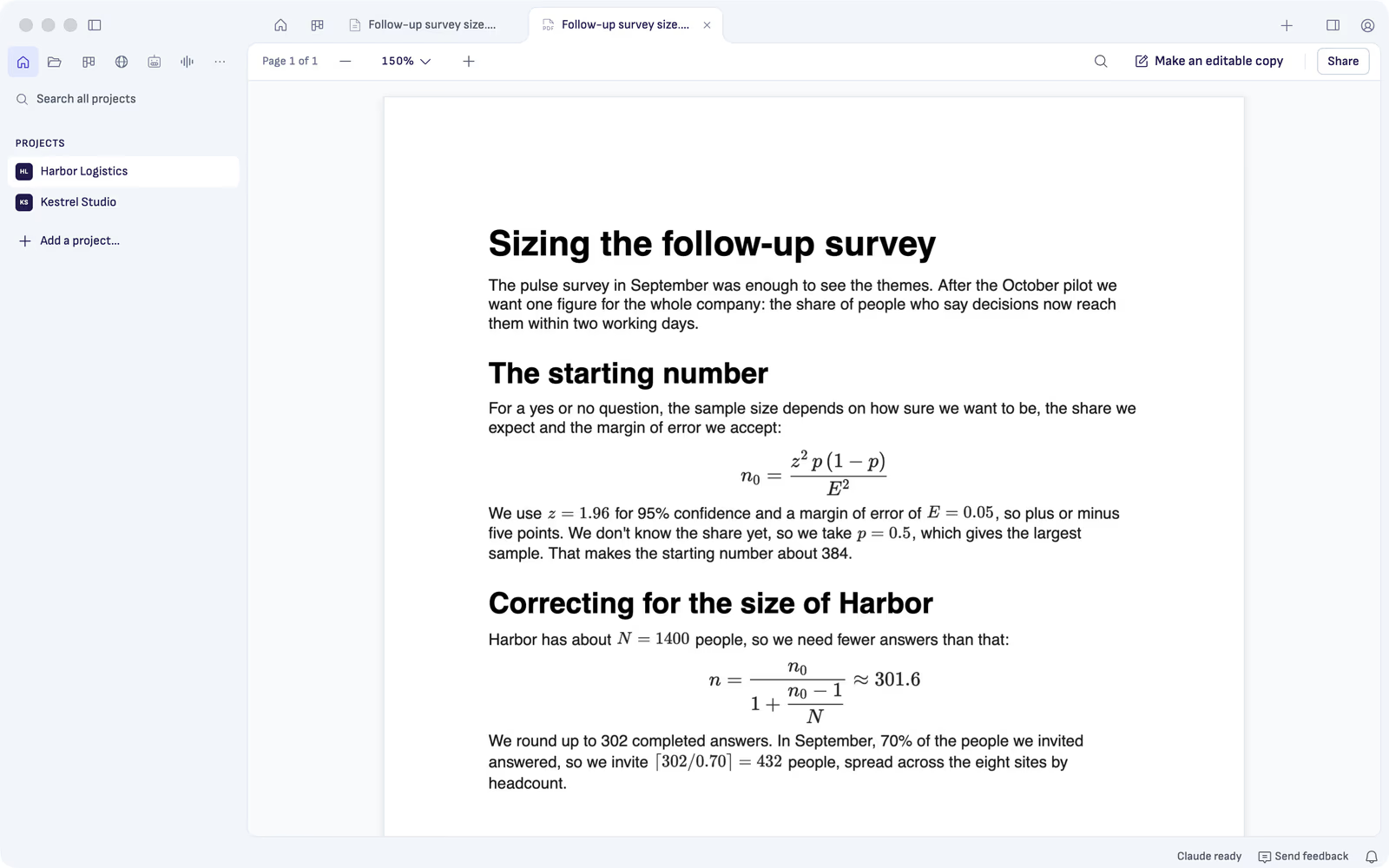
Google Docs can't take formulas from another app, so there they arrive as pictures. PDF copies also keep your bold and italic text now.
Saving now changes only what you changed
Almost always. Change one word and save, and only that word changes in the file. Before, saving could also tidy up other parts of the file, such as lists, spacing and tables. That matters when other people open your files in other apps.
When the AI changes a document you're working in, Ritemark usually asks you once which version to keep.
Ask the AI what's in a new folder
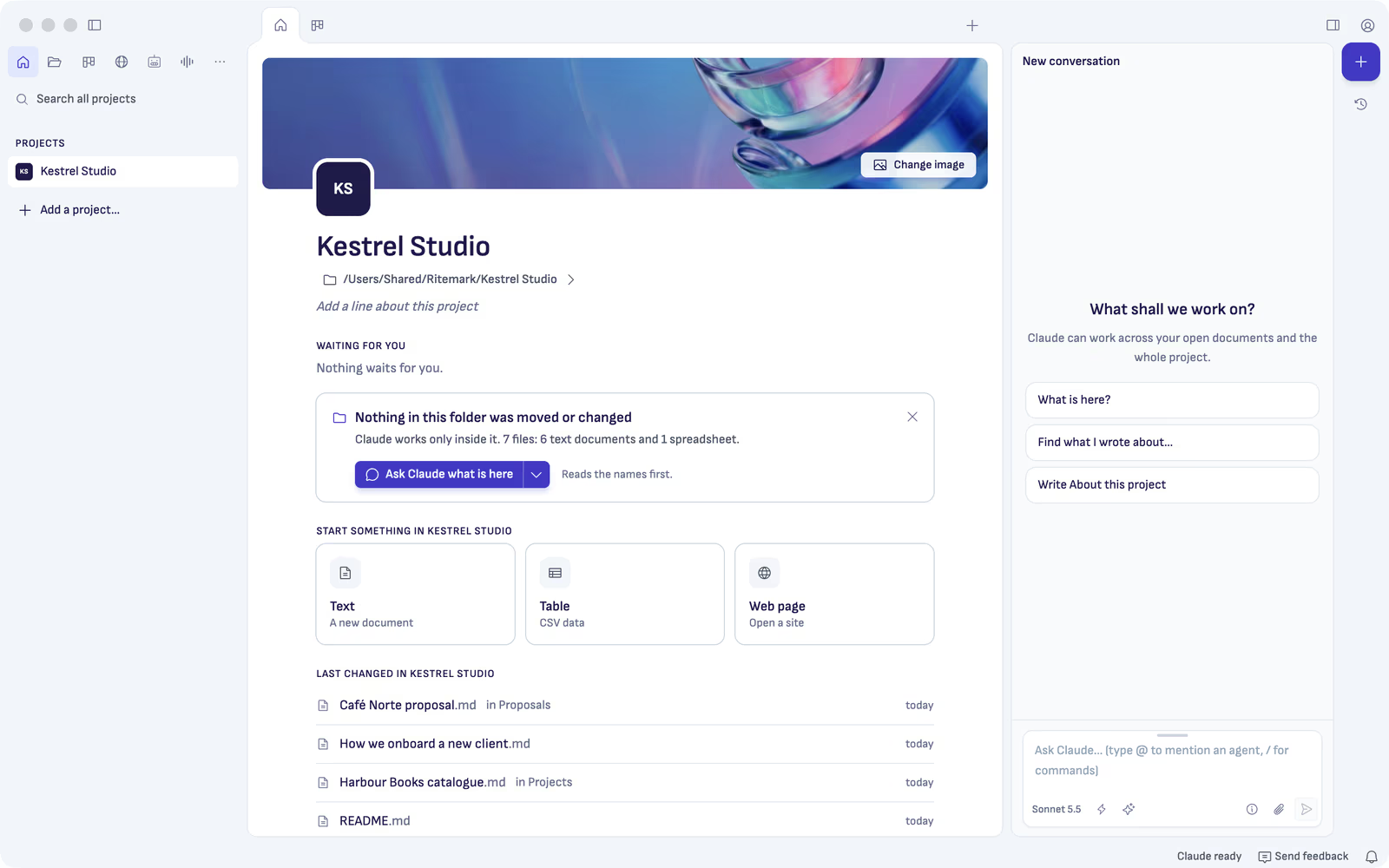
Open a folder in Ritemark for the first time, and its Home now offers one thing to try: ask the AI what's in the folder. The AI looks at the file names, tells you what's there and suggests what to do next. Nothing in the folder is moved or changed.
See which AI plans work
Before you sign in, Ritemark now tells you which plans work. Any ChatGPT plan works, Free included. Claude needs a paid plan. When the AI can't answer, Ritemark tells you why in one sentence and what you can do next.
Send us feedback from the app
There's now a Send feedback button at the bottom of the window. Write what worked or what got in your way, press Send, and it reaches the people who make Ritemark. Your documents and chats are never included.

How to update
On the Mac, Ritemark tells you when 2.1 is out. Choose Download Installer, open the file and drag Ritemark to Applications. Your projects, chats and settings stay. A new download for the Mac from ritemark.app is already 2.1. On Windows, 2.1 is coming to the Microsoft Store shortly.
The first time you save an older file in 2.1, Ritemark tidies it once. After that, it stays as you wrote it. The release notes list every change.
Download
| Platform | File |
|---|---|
| macOS Apple Silicon | Ritemark-arm64.dmg |
| macOS Intel | Ritemark-x64.dmg |
| Windows x64 | Microsoft Store |
Ritemark is open source. If it helps you, star it on GitHub. Stars help other people find it.
Start writing with Ritemark.
Free and open source.