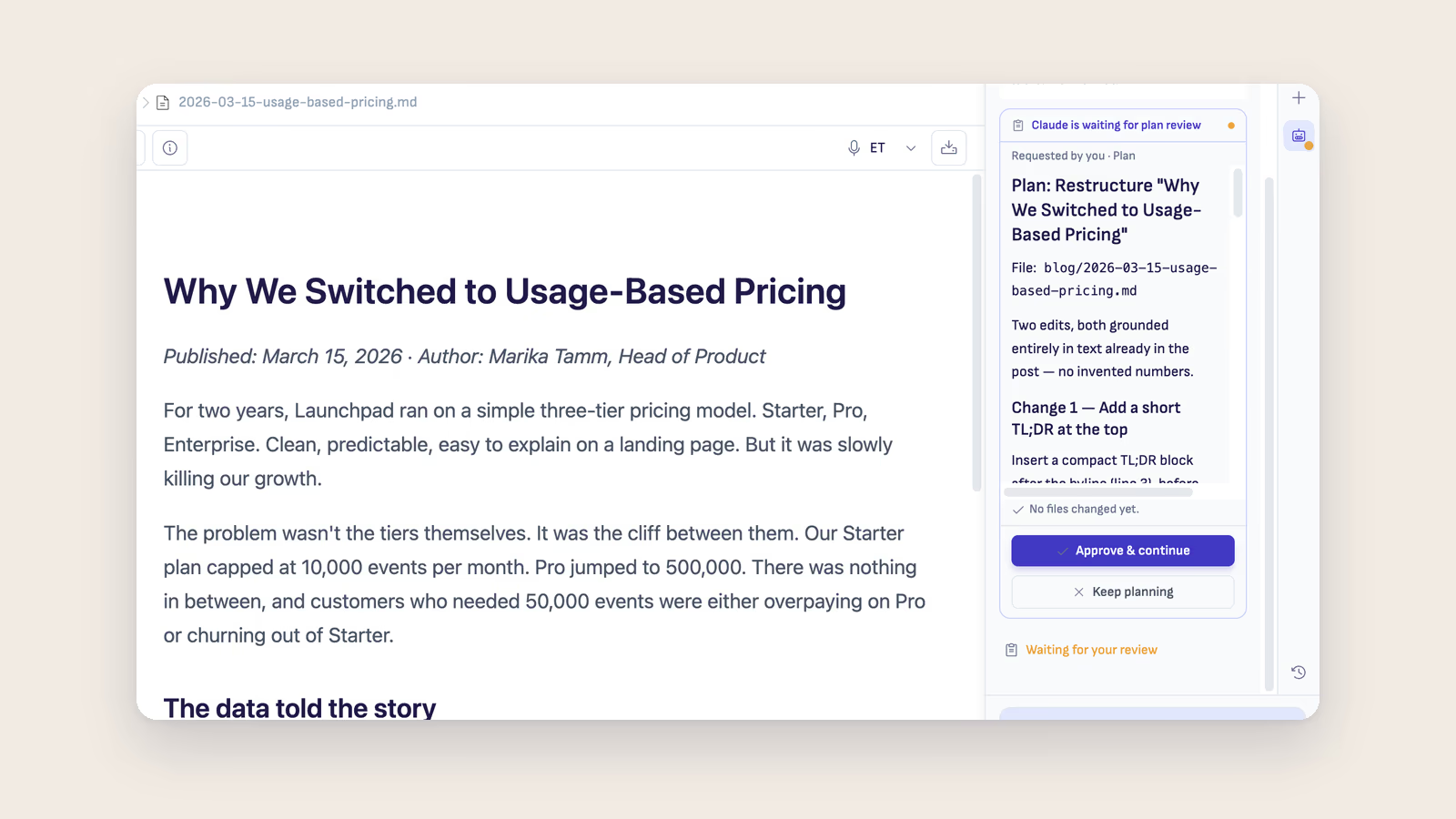
Nearly every agent tool has a plan mode now. In most of them, including Ritemark until this release, "plan only" is a polite instruction to the model. You tick the box, the model reads it, and usually it behaves. Sometimes it doesn't. It gets halfway through explaining what it would do, decides the first step is obvious, and writes the file. You find out afterwards.
That gap between what the checkbox promises and what the runtime actually allows is the thing v1.8.6 fixes. While an agent is planning, it has no write capability at all. Not "it was asked not to write". It cannot.
The plan that changed nothing
When the agent finishes thinking, the plan comes back for review. Every time, on every path. The card tells you plainly that no files have been touched yet, and gives you two ways out: approve it, or send it back to keep planning.
Approving hands control to exactly the autonomy you picked, Manual or Auto. There is no quiet promotion from one to the other because the agent decided the work was simple. And when the model chooses to plan on its own, without you asking, the card says that too, so you can tell the difference between your instruction and its judgement.
The model you pick is the model that runs
The same thinking applies to the model badge in the corner. It used to be reliable in chat and less reliable everywhere else. Now your selection is pinned on every path an agent can run: chat, queued prompts, comment tasks, flows, and scheduled agents. If the runtime ever ends up resolving something different, the conversation says so out loud instead of quietly swapping underneath you.
Scheduled agents got the same treatment from the other direction. Open a folder that defines them and Ritemark asks one clear question before anything is armed. You can change that decision any time from the Agent Library, and folders already using scheduling keep working as they were.
Comments become the way you drive agents
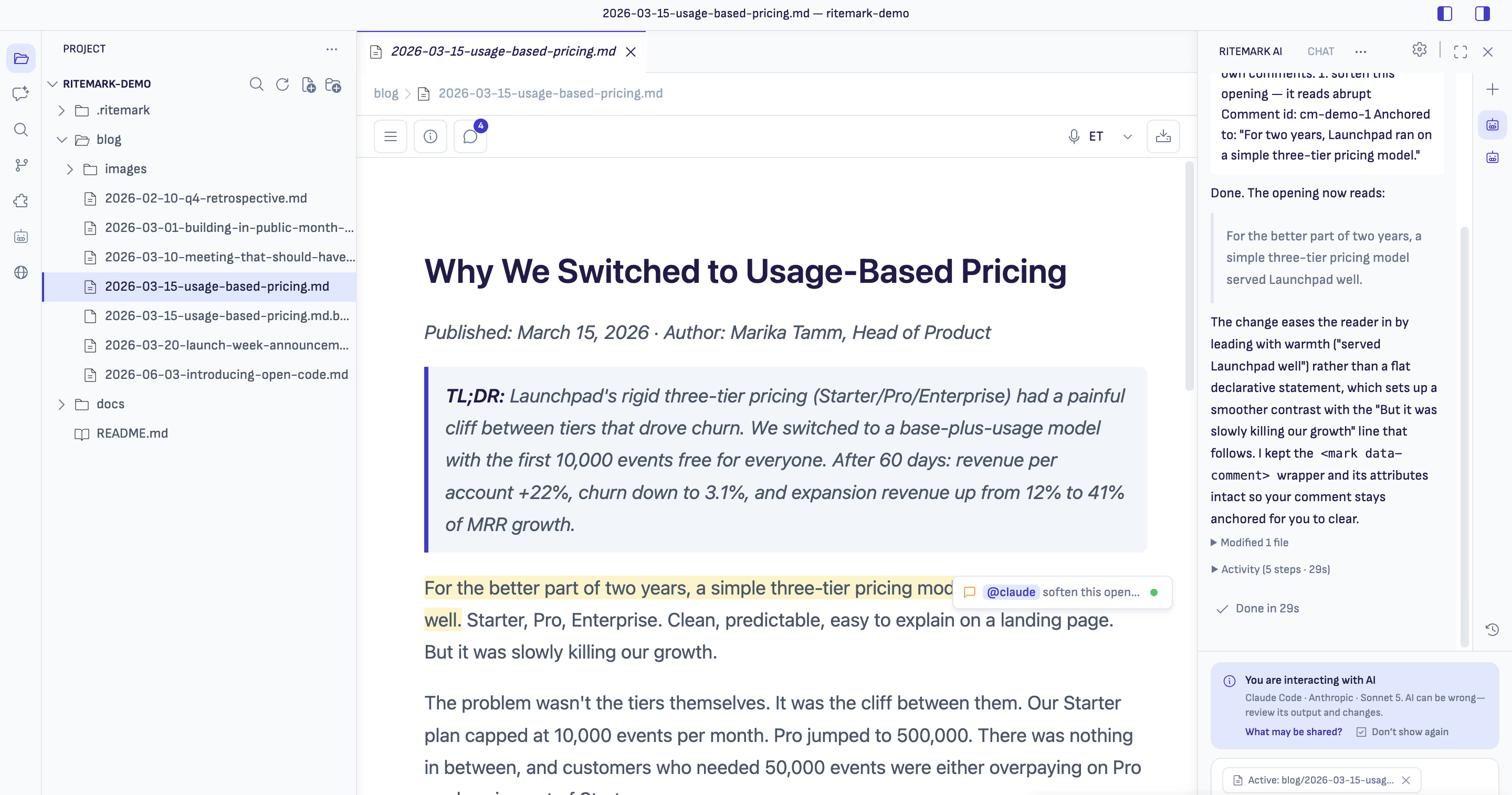
This is the part I expect people to use most. Margin comments are no longer just notes to yourself. Put @claude, @codex, or @opencode anywhere in a comment and it becomes a real task.
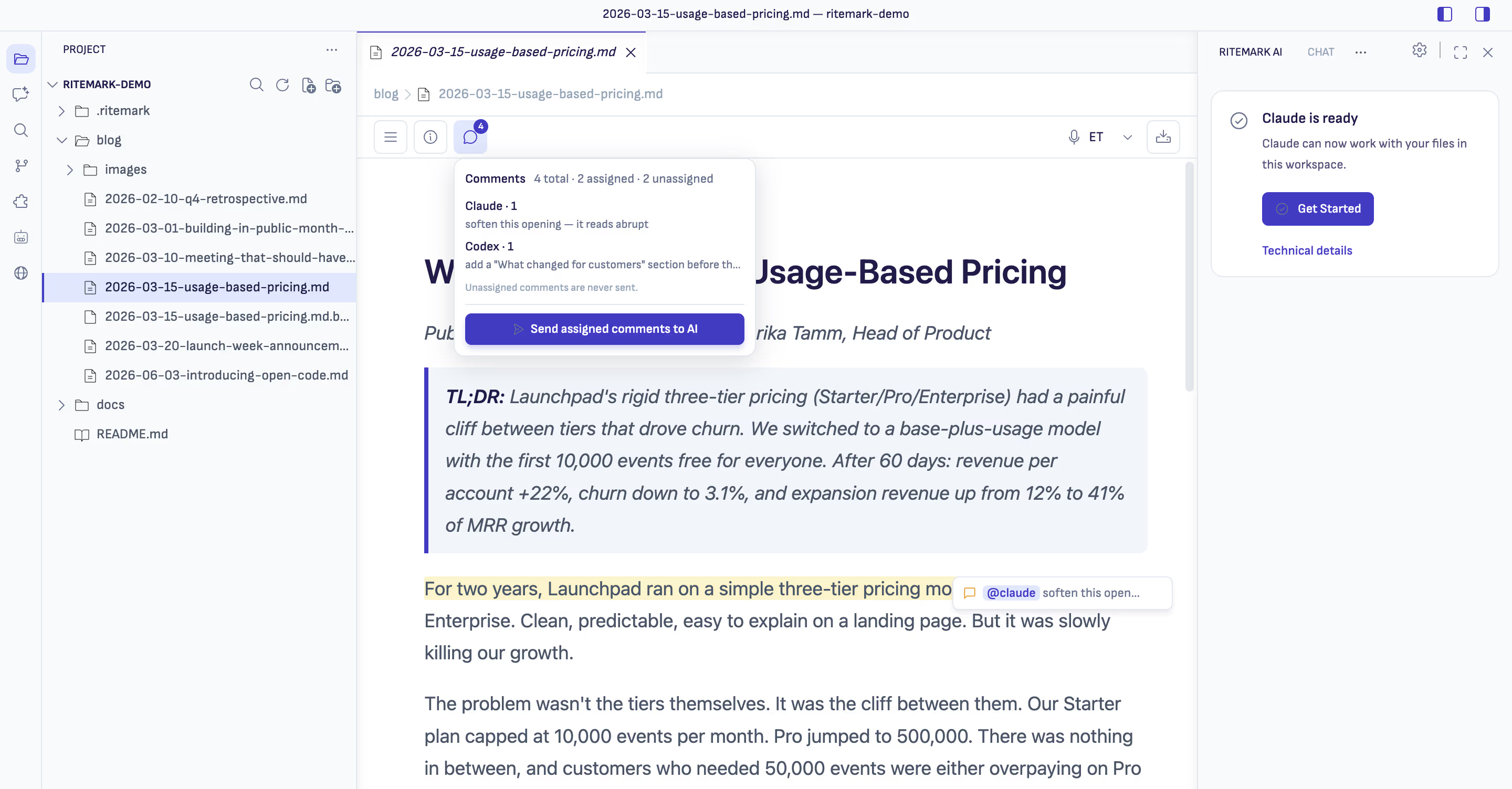
The toolbar count is now the document's true comment count. Assigned comments dispatch as ordered per-agent tasks through the prompt queue, one task per agent, in document order, and the confirm step tells you exactly that before anything starts. Comments with no agent in them are never sent anywhere. The mention also works anywhere in the comment body now, not only at the start, so you can write a normal sentence and drop the name where it reads naturally.
While the tasks run, status dots sit next to the comments in the margin, so you can watch which notes have been picked up without opening the sidebar.
A queue you can see
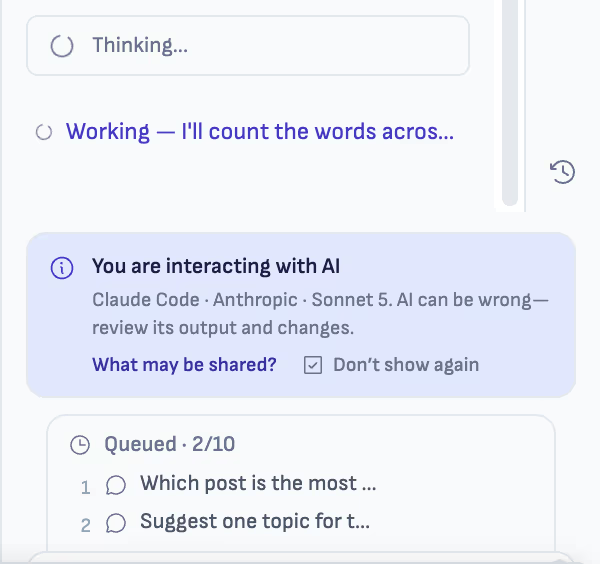
You can now line up to ten follow-up prompts per chat while an agent is busy. They sit in a visible list, you can edit them before they run, and they only drain when the agent is genuinely free rather than firing into a session that is still working.
Home, first
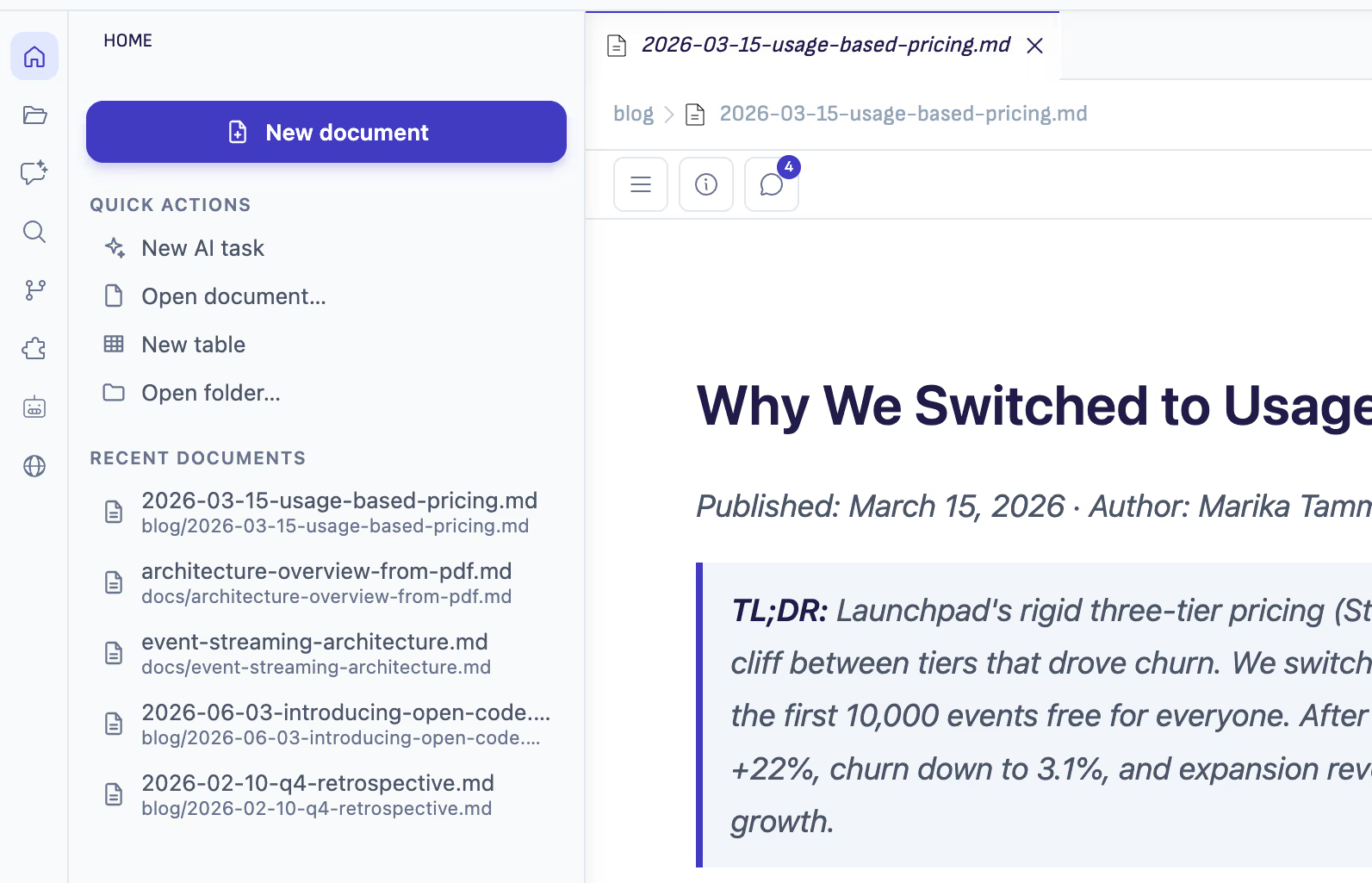
The sidebar opens on Home now. New document, a short list of quick actions, and your recent documents, or your recent folders when nothing is open yet. It is one click back into whatever you were last working on.
A clean first open
Double-click a markdown file on a brand-new install and it opens in the Ritemark editor. That sounds like it should always have been true, and it wasn't. A fresh profile could land you in a "do you trust the authors of this folder?" dialog, or show your document as plain-text code, or hang a Restricted Mode banner across the top. Installs that were bitten by this repair themselves on first launch.
Smaller things
The "Offline, AI features require internet connection" banner no longer flickers when your connection is fine. Connectivity checks now race several independent endpoints, any response counts as online, and only two consecutive failed rounds count as offline. Recovery is instant.
The File menu speaks Ritemark now, with New Document and New Table, and the app is settling on one word, Folder, for what it used to call a Workspace or a Project. The Selection menu is gone, preview tabs no longer surprise you, the folder tree lost its chevrons and marks the selected file in indigo, and Sofia Sans is in every corner.
Finder used to report the app as "Ritemark.app (1.117.0)", which was an internal build number leaking out. It now shows the real version. Chat links to workspace files open in Ritemark, including the README.md:12 line-number form. And the AI info banner shows until you dismiss it, then stays gone across restarts.
Two things I know are still rough. Home's recent documents list is built from the first 200 markdown files the folder scan returns, so in a folder with more than 200 of them the newest files can be missing. And the browser's Recent list only records pages opened by command, not ones you navigate to yourself in the address bar. Both are tracked and will be fixed.
Download
| Platform | Download |
|---|---|
| macOS Apple Silicon | Ritemark-arm64.dmg |
| macOS Intel | Ritemark-x64.dmg |
| Windows | Microsoft Store |
Both macOS builds are signed and notarized by Apple, so there are no Gatekeeper warnings. The Windows x64 installer is on the same release page. Auto-update will offer v1.8.6 on next launch, and your settings, documents, and conversation history are preserved.