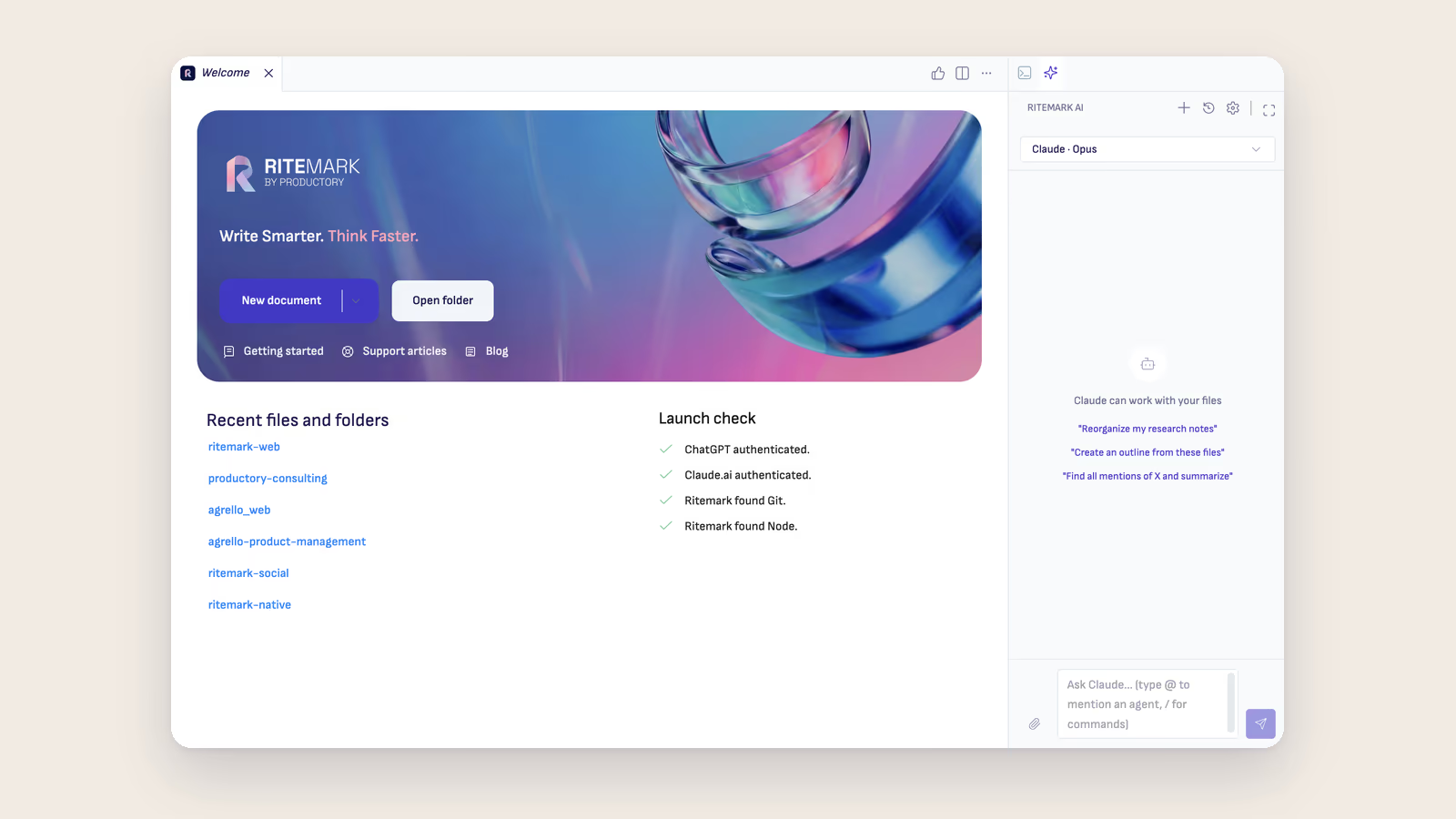
Setting up AI agents in a writing app should not feel like configuring a server. In earlier versions of Ritemark, installing Claude Code and Codex meant navigating separate setup screens for each agent, with no clear order and no single place to see what was missing. That changes with v1.5.2.
This release ships a unified onboarding wizard for the AI sidebar, adds OpenAI Codex as a proper node in the Flow Editor, introduces scheduled flow runs, and includes a few smaller things worth knowing about.
One Wizard for Everything
The AI sidebar now opens with a single onboarding wizard instead of per-agent setup screens. You see one checklist: Git, Node.js, Claude CLI, Codex CLI. Install what's missing from that list, authenticate with the providers you want to use, and Ritemark takes care of the rest.
The three-step structure is simple. First you install dependencies from the checklist. Then you authenticate with Claude, Codex, or both. Then you're ready. One-click installs handle the terminal commands, including winget on Windows and npm/nvm on macOS. The wizard works consistently across both platforms.
After setup, the sidebar auto-selects the best available agent in this order: Claude, then Codex, then Ritemark Document Agent. You can switch between them at any time. The agent selector itself has been reordered to match this priority, and "Ritemark Agent" has been renamed to "Ritemark Document Agent" for clarity.
Claude and Codex authentication cards appear side by side in the wizard regardless of which dependencies are installed. This matters because some users already have one provider set up and need to add the other. The wizard doesn't make you repeat work or restart the process.
Codex in the Flow Editor
Flows already had a Claude node. Now they have a Codex node too.
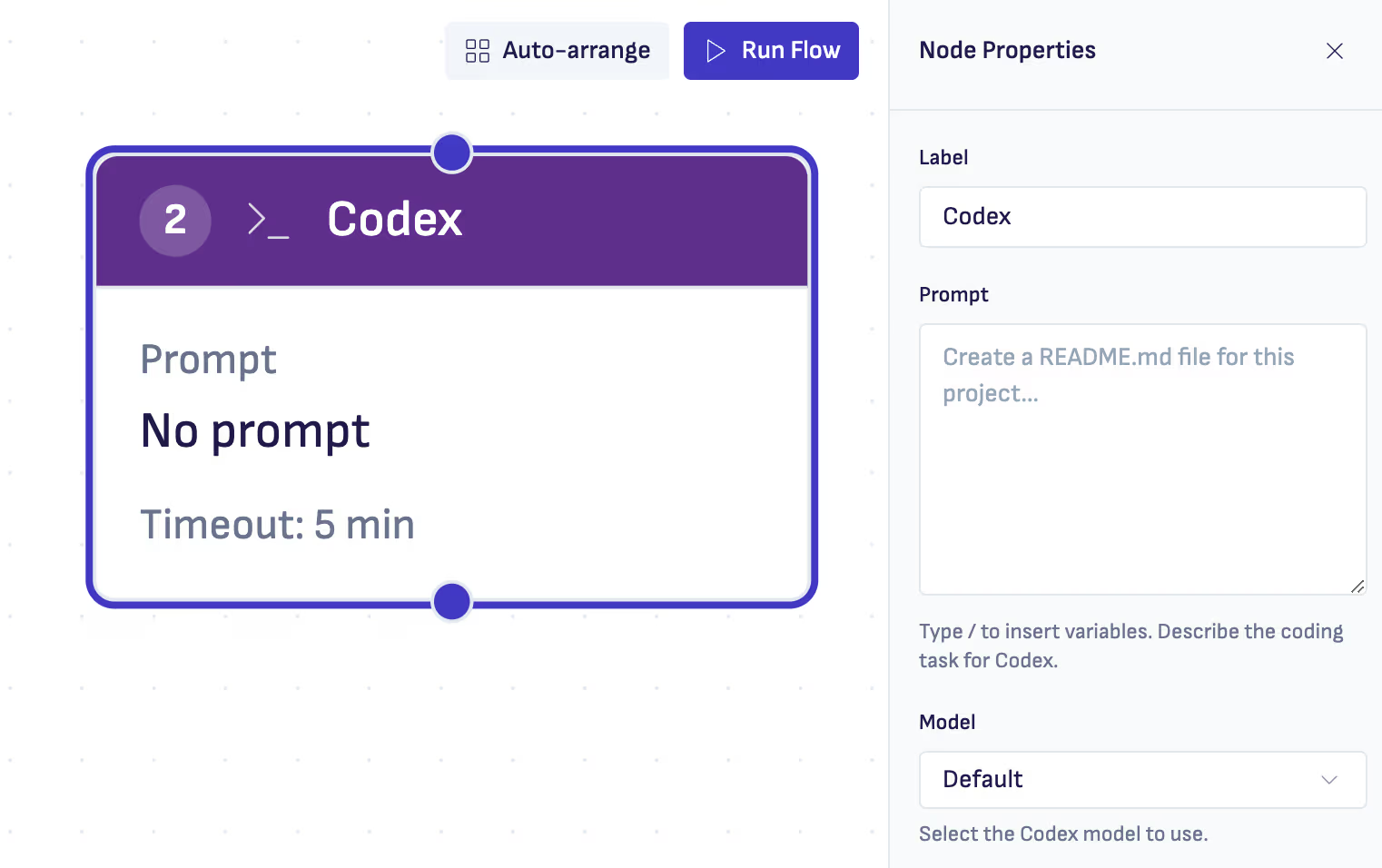
You'll find it under the AI section in the node palette. It works the same way as the Claude node: add it to a canvas, configure the prompt, choose the model, set a timeout if needed, wire it to other nodes. Flow execution recognizes and runs Codex steps correctly. You can chain a Codex node after a Trigger input, feed its output to a Save File node, or mix it with other nodes in the same workflow.
The practical use case here is clear: teams that already run on ChatGPT subscriptions can now use Codex in Flows without switching to a different provider. Ritemark supports both. Claude may be stronger for some tasks, Codex for others. The point is that you get to choose based on the work, not based on what the app forces on you.
Scheduled Flow Runs
Flows can now run automatically while Ritemark is open for the relevant workspace.
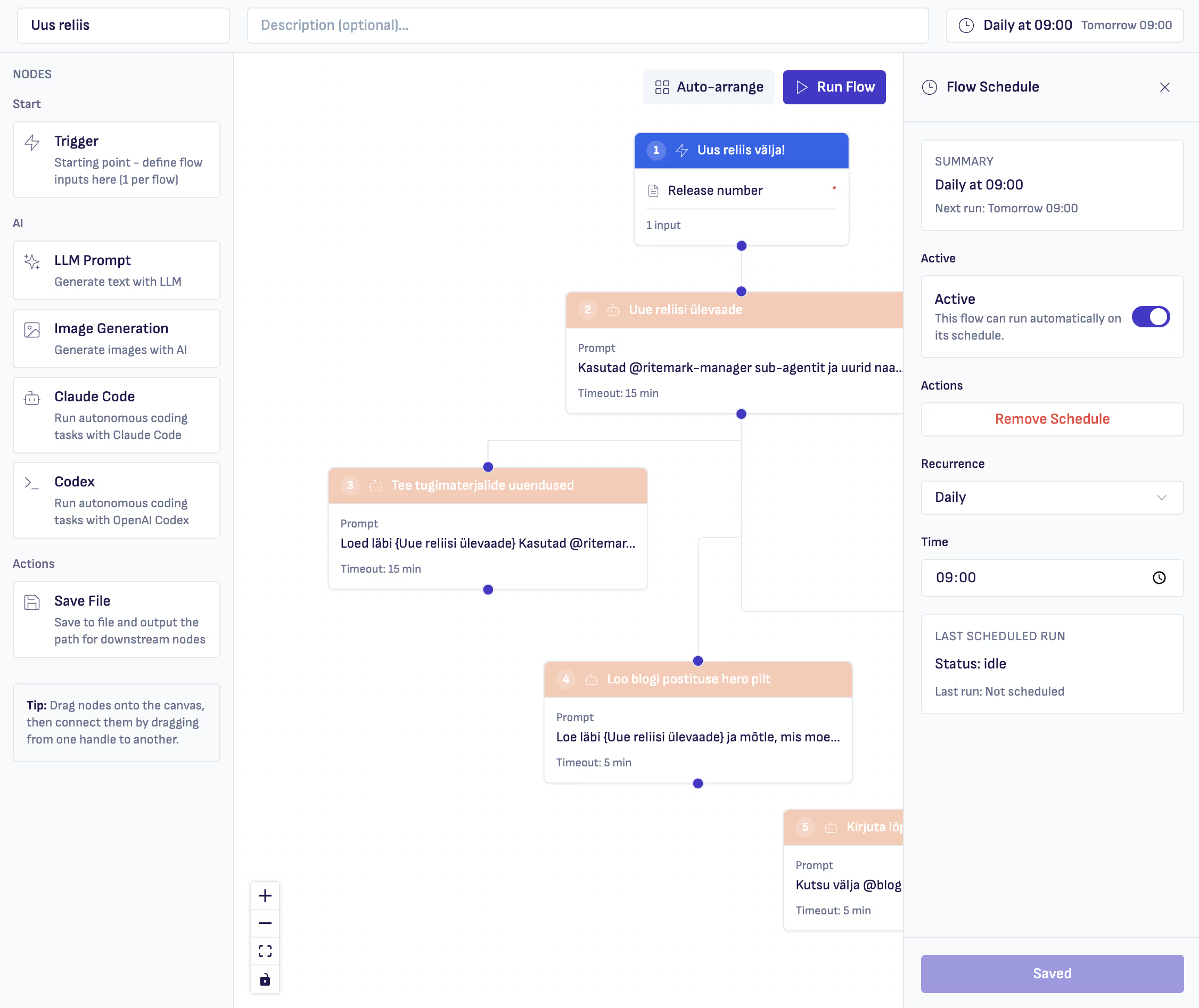
Scheduling is configured at the flow level. Open a flow, set a recurrence, save. Supported types are daily, weekdays, weekly, hourly, and every N minutes. The editor shows the next run timing and the status of the last scheduled run directly in the interface.
Runs are workspace-scoped, which means a flow only executes when that workspace is open in Ritemark. If you close the workspace, the schedule pauses. When you reopen it, scheduling resumes. Duplicate slots are suppressed and overlapping runs of the same flow are skipped instead of stacking up.
This is genuinely useful for recurring document workflows. A morning briefing that pulls structured notes from a folder. An end-of-day summary that assembles entries from a workspace. A weekly digest that runs every Monday at 9. These things are now possible without a separate automation tool.
Editor Reactions
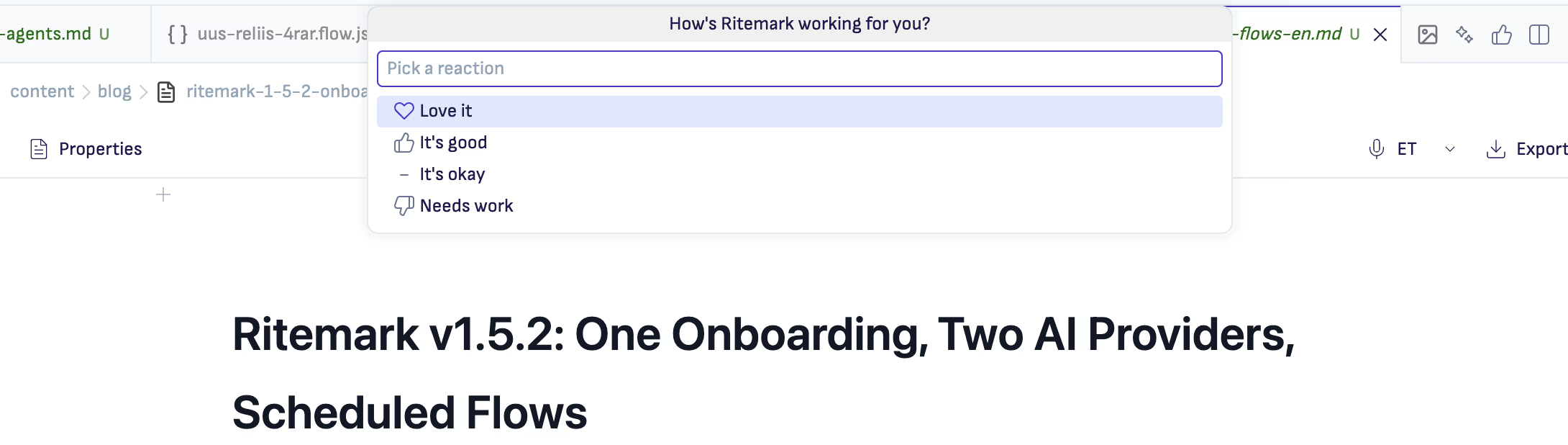
There's a small feedback action in the editor title toolbar now. You can send a quick reaction without leaving the document you're working in. Optionally add a short note when you want to say more.
Reactions are anonymous and collected via PostHog EU analytics. This is new in v1.5.2. Ritemark now collects anonymous usage analytics: session starts, feature usage by type, agent usage in flows, and reactions. No file contents, no API keys, no personal identifiers, no keystroke tracking. A random anonymous UUID is generated on first launch and is not linked to any identity. If you'd rather opt out, go to Settings and disable Analytics. The change takes effect immediately.
The full event list is in the release notes on GitHub if you want to see exactly what gets sent.
Offline Send Guard
The AI chat input now correctly handles disconnected states. You can type and edit messages while offline. The send button is disabled when no network connection is available, so messages don't disappear into a void. A visual indicator shows when the connection is unavailable.
This sounds minor, but silent failures in AI chat are surprisingly frustrating. You type a message, hit send, nothing happens, you're not sure if it's working or broken. That's gone now.
Codex CLI Reliability
Codex installation and repair have been substantially hardened, especially for macOS users with nvm-managed Node versions.
The path resolution now scans ~/.nvm/versions/node/*/bin/ when Codex is installed under an nvm-managed Node version. Architecture detection checks the Node binary rather than the Codex script. Repair uninstalls from the install-time Node and reinstalls under the runtime Node. PATH is correctly set when spawning Codex to prevent native module errors. Version scanning uses semver sort so v22 ranks above v9.
If you've run into Codex installation issues before, v1.5.2 should resolve them.
Settings Updates
Two small additions to the Settings page. There's a "Switch to Claude.ai sign-in" button for users currently using an API key who want to switch auth methods. And there's a "Refresh Status" button for manually refreshing the auth state when the display feels stale.
Download
v1.5.2 is available now for all platforms:
| Platform | File |
|---|---|
| macOS Apple Silicon (M1/M2/M3) | Ritemark-arm64.dmg |
| macOS Intel | Ritemark-x64.dmg |
| Windows | Microsoft Store |
Windows users: Ritemark is now in the Microsoft Store, which installs it for you. (Updated September 2026.)
If you're already using Ritemark, the Update Center will notify you when v1.5.2 is available. New to Ritemark: download and install, then run through the new onboarding wizard.
FAQ
What's new in Ritemark v1.5.2?
The main changes are a unified onboarding wizard for the AI sidebar, a Codex node in the Flow Editor, scheduled flow runs with daily/weekly/hourly recurrence options, editor reactions for quick feedback, and an offline send guard for the AI chat input.
What is the unified onboarding wizard?
It's a single three-step setup flow that replaces the separate per-agent setup screens. You install dependencies from one checklist, authenticate with Claude and/or Codex, and then you're ready. One-click installs handle the terminal commands on macOS and Windows.
Can I use both Claude and Codex in the same workflow?
Yes. You can add both a Claude node and a Codex node to the same flow and chain them as needed. The sidebar also lets you switch between Claude, Codex, and the Ritemark Document Agent at any time.
How do scheduled flow runs work?
Scheduling is configured at the flow level. Set a recurrence (daily, weekdays, weekly, hourly, or every N minutes) and save. Flows run automatically while the relevant workspace is open in Ritemark. If the workspace is closed, runs pause until it's reopened.
What analytics does Ritemark collect?
Starting with v1.5.2, Ritemark collects anonymous usage analytics via PostHog EU: session starts, feature usage, agent usage in flows, and reactions. No file contents, API keys, personal identifiers, or keystroke data are collected. Opt out at any time in Settings under Analytics.
Is Ritemark free?
Yes, Ritemark is free. Using AI agents requires an Anthropic API key or Claude.ai subscription for Claude, or a paid ChatGPT subscription for Codex.
Where are previous release notes?
All releases are on the Ritemark blog. v1.5.1 added mermaid diagrams, v1.5.0 upgraded the VS Code foundation, v1.4.1 added Codex and plan mode, v1.4.0 brought Claude Code to the sidebar.