Every trainer I know has a phone full of files called "New Recording 14". They were made with the best intentions. The phone sat on the table next to the flipchart markers, somebody remembered to press the red button ten minutes in, and the file has been sitting there ever since, because getting it off the phone and into the right folder is one more small job at the end of a long day.
Last week I wrote about keeping every run of a course in one folder, so the agent can read across all of them before you change the lesson plan. That only works if the recording actually gets there. Most of them never do.
Record where the lesson plan already is
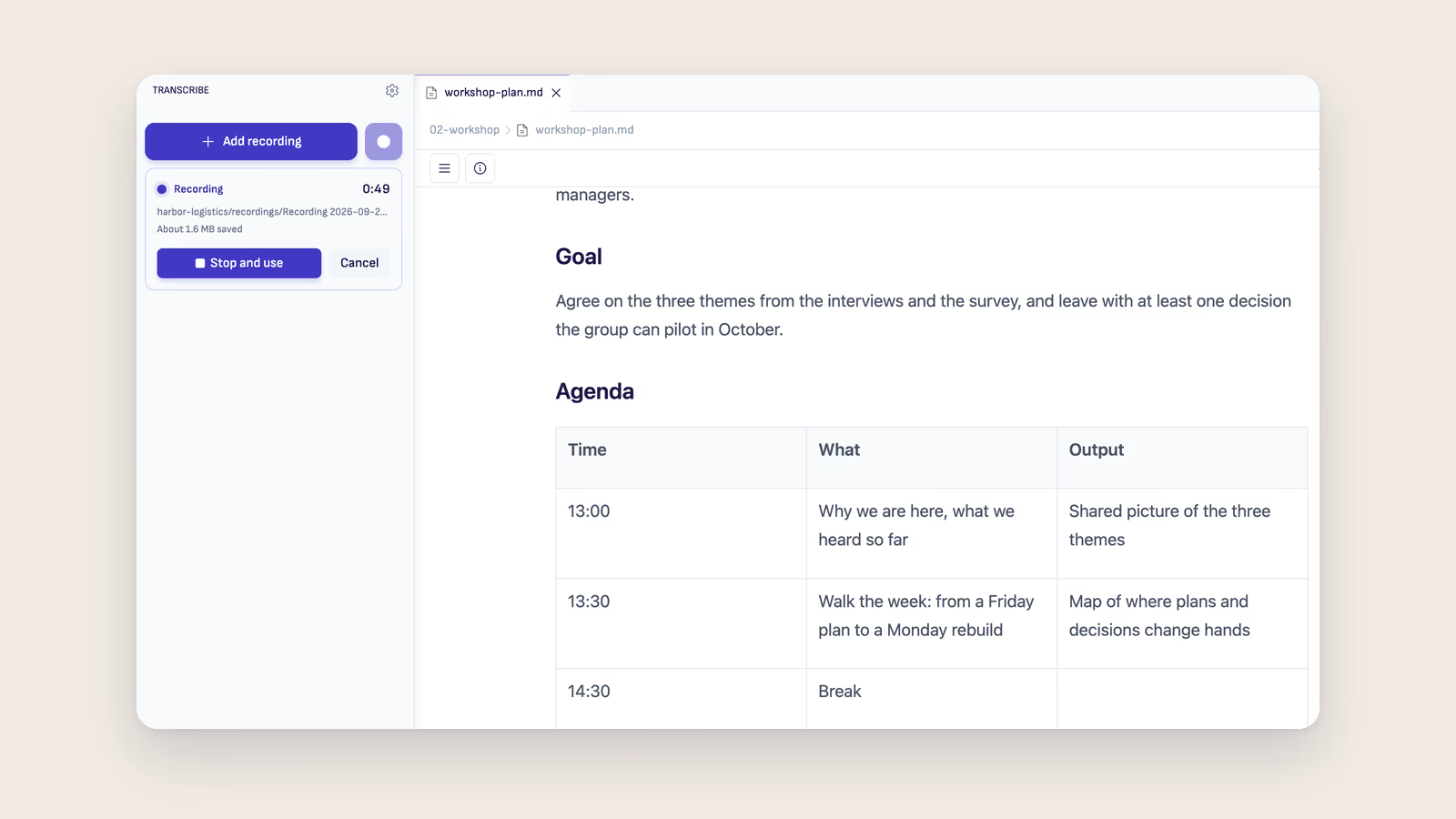
During a workshop the laptop is usually open anyway, with the plan or the slides on it. Ritemark 1.12.0 added a Record button to the Transcribe panel, the one with a dot next to Add recording. Press it and the panel shows the elapsed time and how much audio is saved so far. The first time, your computer asks whether Ritemark may use the microphone.
With the course folder open, the recording goes into a recordings folder inside it, named after the moment it started, like Recording 2026-10-08 13.02.wav. There is nothing to transfer and nothing to rename. When the session ends you press Stop and use, and the recording waits for you the same way a file you add by hand does. Nothing is transcribed or sent anywhere until you choose an engine for it.
When the laptop dies at half past three
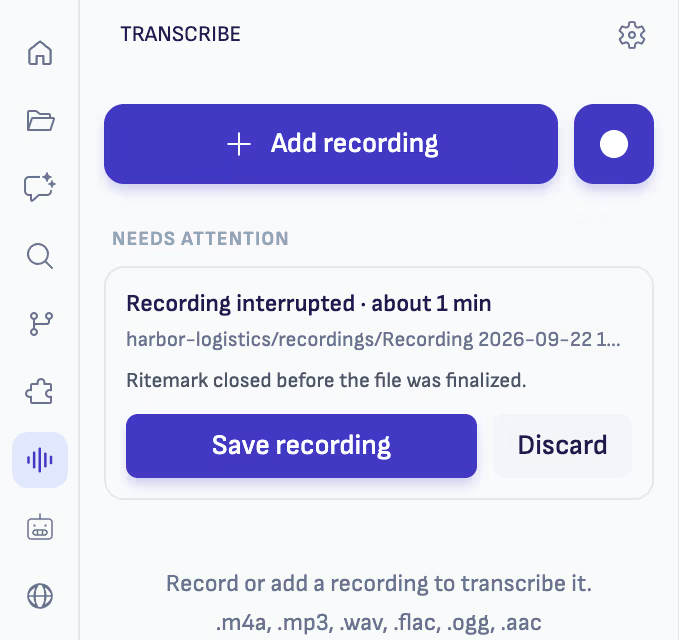
The worry with recording on a laptop is losing the lot. The battery runs out, or the computer decides this is a good moment to restart. Ritemark writes the audio to disk while you record, so if it closes or crashes in the middle, what was recorded up to that point is still there. The next time you open Transcribe it says Recording interrupted and offers Save recording or Discard.
A full-day workshop needs a little planning. A notice appears after two hours of recording, and at four hours the recording stops and saves itself. I record each block separately anyway, the morning and the afternoon, because a transcript per block is easier to work with than one six-hour file. An hour of audio is about 115 MB, a plain WAV file that any audio player opens.
What the microphone hears
Record keeps exactly what the microphone picks up. There is no noise suppression and no echo cancellation. In a training room that mostly means distance matters. The laptop at the front hears you clearly and the person asking a question from the back table a lot less. If the questions are what you want to keep, and for revising a course they usually are the most useful part, move the laptop closer to the group or use an external microphone.
An online session works the other way round. If you wear headphones, the recording has only your side of the call. If the call plays through the speakers, the other side is recorded too. Whichever it is, tell the group at the start that you are recording and what happens to the file. Here the answer is short: it stays on my laptop, in the course folder, unless I choose a cloud engine to transcribe it.
From the file to the follow-up
When you choose the engine, Ritemark shows what each one does with the audio before anything runs. On a Mac with Apple silicon, Whisper transcribes on your own machine and the audio does not leave it. On an Intel Mac or on Windows, or when you want the speakers told apart, ElevenLabs does it with your own API key, and the recording is uploaded only at that point. After that the transcript sits next to the lesson plan and the earlier runs, and the agent in the sidebar can work from it, whether you need the handout or notes for the next time you teach the course.
The change is small. The recording is made in the place where you will use it, so there is no device to remember to empty afterwards. For most trainers that is the difference between a course folder with every session in it and a phone with forty files nobody will ever play.
The Transcribe guide covers where recordings are saved and what happens when one is interrupted, and the trainers page shows how a recording becomes a handout.