Ask a consultant how they keep client work apart and they will look at you as if you asked how they keep their shoes on. There is a folder per client. Maybe a folder per engagement inside it. Interview notes go there, the workshop recording goes there, the proposal and the three drafts of the final report go there. Nobody has to be told.
Then the same consultant opens a chat window to get help with the report, and all of that discipline quietly disappears.
Where the mess actually happens
A chat assistant keeps one long history. On Monday you pasted the interview notes from a logistics client and asked for themes. On Tuesday you pasted a paragraph from a pension fund proposal and asked for a shorter version. On Wednesday you scroll up looking for the logistics themes and pass the pension fund's numbers on the way.
Nothing bad has happened yet. But the working context for two clients now lives in one place, sorted by date rather than by client, and the only thing keeping them apart is your attention on a busy afternoon. Memory features make this more comfortable and less visible at the same time: the assistant remembers what you told it, and it does not know which client you told it about.
Chat apps have noticed this, and most now offer projects or separate spaces. That helps. The friction is that the project in the chat app is a second filing system, next to the folder where the real files already are, and you have to keep the two in sync by hand.
What belongs to one engagement
It is worth listing what an engagement actually consists of, because it is more than documents.
There are the files, of course: notes, transcripts, sources, drafts. But there is also a layer of knowledge that never makes it into a single file. This client says "members" and never "customers". Their board wants findings before recommendations, never the other way round. The CFO's name is spelled with a double s. The report goes out as Word, with their headings, not yours.
In a chat window that layer lives in your head, and you retype pieces of it at the start of every conversation, or you forget to and fix the draft afterwards. Either way it is work you do again and again for no reason other than that the tool has no place to put it.
The folder as the boundary
The fix is almost boring. Let the folder you already have be the thing the AI starts from.
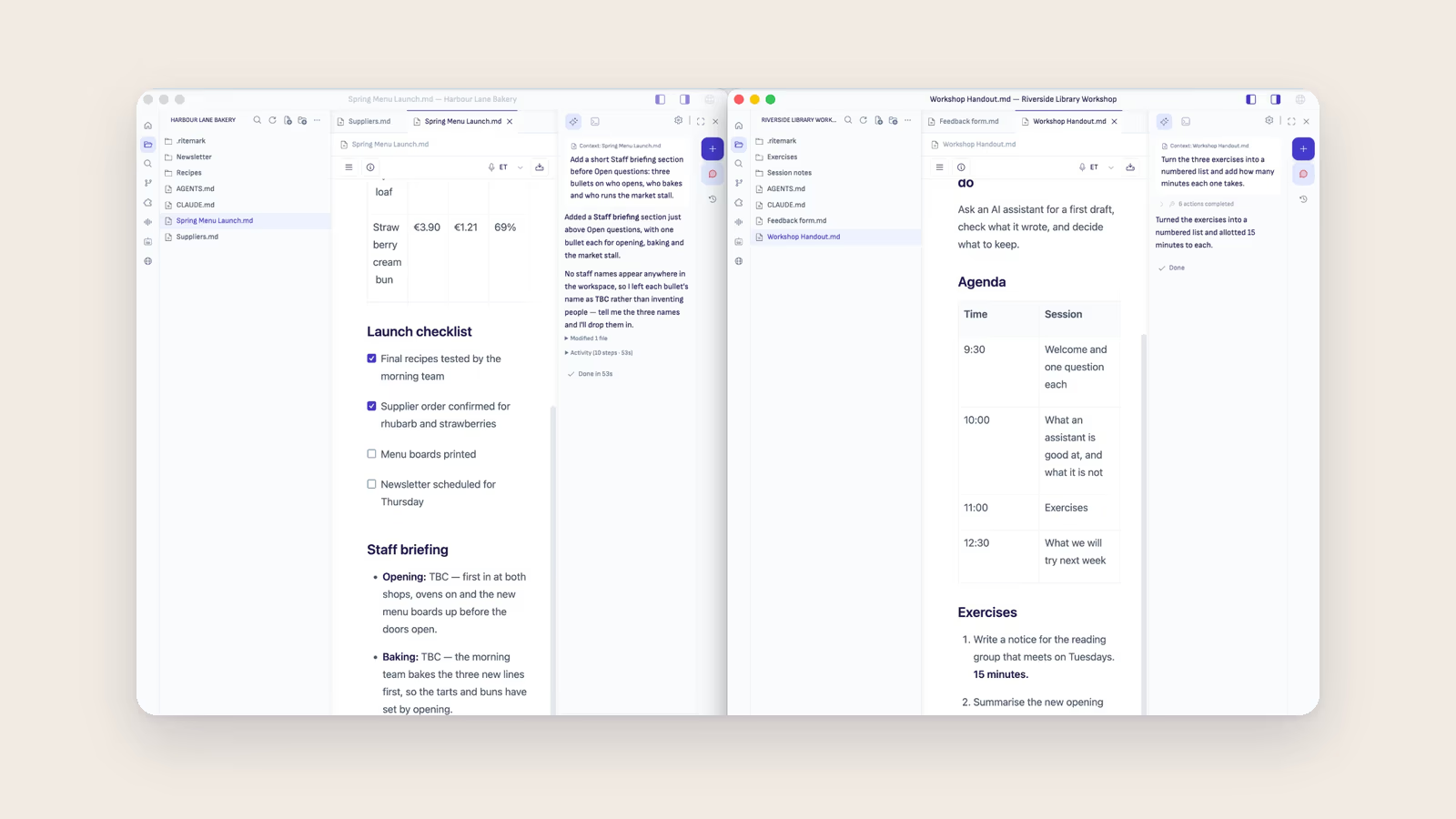
In Ritemark a window is one folder. The title bar names it. The folder view shows its files, and the agent in the sidebar can read any of them when you ask, the transcript from last week's workshop as easily as the current draft. The conversations list is headed "Saved in this project" and shows only the conversations that belong to that folder, so Tuesday's pension fund thread is simply not there when you open the logistics client.
The layer that used to live in your head goes into a plain file at the root of the folder, AGENTS.md or CLAUDE.md. "Say members, not customers. Findings first. Double s." You write it once, and every agent conversation in that window starts with it. When the next client arrives, File → New Window opens their folder beside the first one, with their own rules and their own conversations. It works the same whether the agent in that window is Claude Code, Codex or OpenCode.
None of this asks you to reorganise anything. The folders were already there. The difference is that the AI now respects them.
What a folder does not do
A folder organises work, and it would be easy to make it sound like more than that.
When an agent reads a file from the folder, the text goes to the AI provider you chose, under your own account and that provider's terms. Separate windows keep two clients apart inside Ritemark. They do not change what the provider receives when you ask about one of them. If an engagement letter says client material may not go to an AI service at all, the folder does not change that answer, and you should know it before the first draft rather than after.
What you do get is the chance to decide per client. Switch the agent to Plan only (in Claude Code and Codex) and it shows what it intends to do before it changes a file. Keep the sensitive engagement in a window where you ask more carefully. Those are decisions you can make because the boundary is visible in the first place.
When the engagement ends
This is the part consultants tend to like most, once they see it.
At the end of a project the folder holds the engagement: the raw material, the transcripts, the drafts, the final report, and the instructions file that says how this client wanted things done. If the client comes back a year later for a follow-up, you open the folder and the context is there, including the small rules nobody wrote down anywhere else. If the contract says the material must be handed over or deleted, you know exactly what to hand over or delete, because it was never spread across a chat history in the first place.
One client, one folder. You already work that way. It is reasonable to ask the AI to work that way too.
If you want to see how this looks for a whole engagement, from workshop recording to the report, the consultants page walks through it, and the New Window guide shows the setup step by step.