Before you ask ChatGPT or Claude for anything big, give it these four lines. Copy them, fill them in, and paste them above your request.
Goal: what is this work for?
Reader: who reads it, and how much time do they have?
Sources: which files or notes should it use?
Done when: what will you check to know it's right?
That's the whole template. The rest of this page shows why it works and how to keep it handy.
Why four lines are enough
The AI can't see what's in your head. When you write "summarize the workshop feedback", it has to guess who the summary is for, how long it should be and what you'll do with it. It guesses, you get two pages nobody asked for, and you rewrite them by hand.
Each line closes one of those gaps. The goal tells it what the work is for, so it knows what to leave out. The reader tells it how to write and how long to make it. The sources tell it what to use, so it doesn't fill the gaps with made-up facts. And "done when" gives you both something to check at the end.
The same task, with and without
Without a brief: "Summarize the workshop feedback." You get a long, even summary of every comment.
With a brief:
Goal: decide if we run the workshop again.
Reader: our CEO, two minutes.
Sources: feedback.csv, notes.md
Done when: one page, with a yes or no at the top.
Now you get one page you can send. Same AI, same files, four more lines.
How to fill in each line
Goal. Write the decision or the use, not the task. "Decide if we run it again" is a goal. "Summarize the feedback" is only the task.
Reader. Name a person or a role, and how long they'll spend. "Our CEO, two minutes" and "new team members, their first week" lead to very different writing.
Sources. List the files, notes or links it should use, and only those. If something shouldn't be used, say that here too.
Done when. Pick something you can check in a minute: a length, a structure, a question it must answer. "One page, yes or no at the top" is checkable. "Good quality" isn't.
Write it once, reuse it in every chat
A brief pays off most when you don't have to retype it. Save it as a file called Brief.md in the folder where the work lives, next to the files it lists as sources. Change it when the goal changes.
In Ritemark, ChatGPT or Claude works right in that folder. Open Brief.md and ask, or start a chat with "Read Brief.md first". The AI reads the brief and the files it lists, and with Plan only on, it shows you its plan before it changes anything. If you want every chat in the project to start from the brief, add one line to the project's AGENTS.md file (and CLAUDE.md if you use Claude): "The brief is in Brief.md." Ritemark loads that file into every AI session.
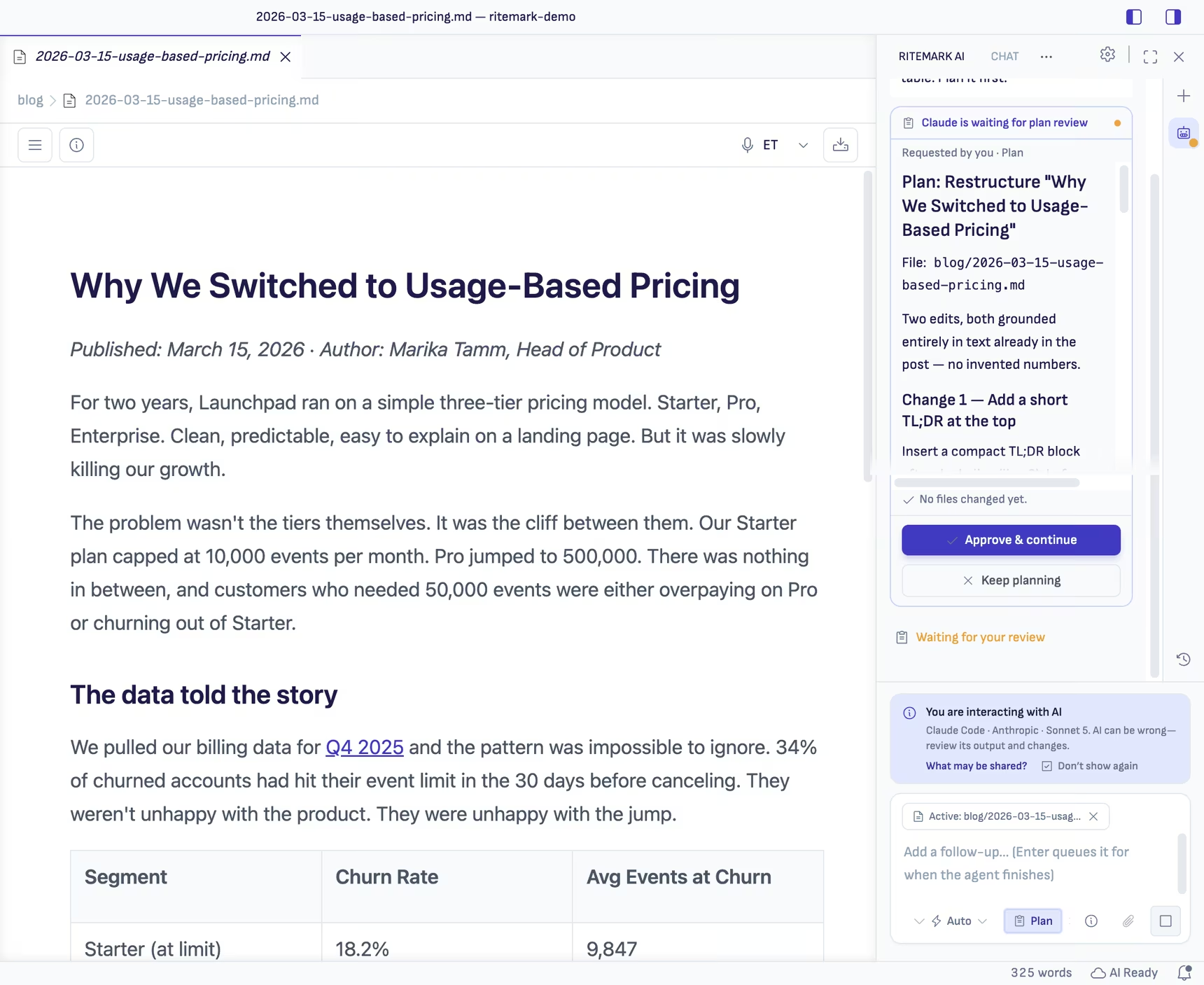
The sample project that comes with Ritemark is set up this way, so you can see a filled-in brief before you write your own. See AI agents in Ritemark for how the AI works with your files.
Common questions
Does this work in the ChatGPT or Claude apps too? Yes. Paste the four lines above your request in any chat. Keeping the brief in a file only saves you the retyping.
What if I don't know the reader yet? Then that's the first thing to decide. Write your best guess, because a guessed reader still gives a better draft than none.
Should the brief get longer for bigger jobs? Keep the four lines, and put the detail in the sources. A long brief is harder for you to keep up to date than a short one.
Start writing with Ritemark.
Free and open source.