Why This Comparison Keeps Coming Up
Obsidian and Ritemark both bet on the same foundation: plain markdown files stored on your own machine. That alone puts them in a different category from cloud-first tools like Notion or Google Docs. If you care about owning your files, both deliver. But the similarities can be misleading, because the two tools were designed with very different goals in mind.
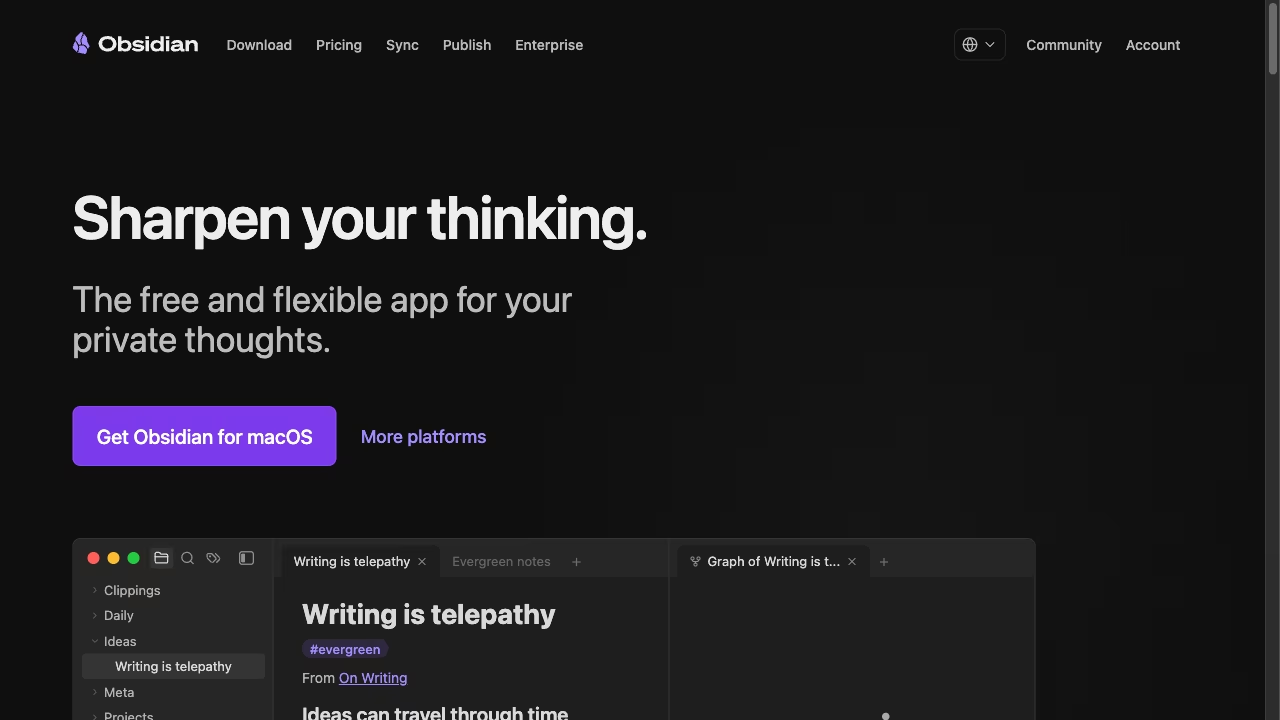
Obsidian grew out of the personal knowledge management movement. It is a thinking tool, built around vaults, backlinks, and graph views that help you connect ideas over time. Ritemark grew out of professional writing needs. It is a document-first editor built on VS Code OSS, designed for people who produce content, reports, and structured text as part of their daily work.
Where They Overlap
Both tools read and write standard markdown. Your files live in folders on your computer, not on someone else's server. Both support split panes, dark mode, and keyboard-driven workflows. Both have active communities and are under active development.
If your main requirement is "I want to write markdown locally," either tool will work. The question is what you need beyond that.
Where They Diverge
The biggest difference in 2026 is AI. Ritemark has an AI sidebar with Claude Code, Codex and OpenCode built in, and the agent reads and edits the files in your folder. You do not install a plugin. You sign in with your paid Claude plan or ChatGPT account, or add your own API keys for OpenCode, and choose whether the agent asks before each change. A built-in terminal also runs command-line tools you install yourself, such as Gemini CLI.
Obsidian takes a different approach. AI features come through community plugins like Copilot or Smart Connections. Some of these plugins are excellent, but they depend on individual maintainers. When Obsidian releases a breaking update or when an API changes, there can be gaps. The quality and reliability vary from plugin to plugin.
The second difference is data handling. Ritemark can open CSV and Excel files natively, right next to your markdown. If you are writing a report that references a spreadsheet, you do not need to switch applications. Obsidian is purely a markdown tool. You can link to other file types, but you cannot view or work with structured data inside the editor.
The third difference is the writing model itself. Obsidian is organized around vaults with wiki-style links between notes. This is powerful for building a personal knowledge base, connecting ideas, and surfacing relationships you did not expect. Ritemark uses standard folders and files, the same structure your operating system already understands. It does not try to be a second brain. It tries to be the best place to write a document from start to finish.
Who Should Choose Which
Choose Obsidian if your primary goal is building a connected knowledge base over months and years. If you take lots of notes, link them together, and want to discover patterns in your thinking, Obsidian's vault system and plugin ecosystem are hard to beat.
Choose Ritemark if you produce documents as output. Blog posts, technical documentation, reports with data, content that needs AI assistance during the writing process. Ritemark's built-in AI agents and data file support make it a better fit for turning ideas into finished work. The bundled agents change how you interact with AI tools, because you are not limited to whatever a plugin author decided to expose.
Both tools respect your files. Both are local-first. The right choice depends on whether you are primarily collecting and connecting knowledge, or primarily writing and shipping documents.
FAQ
Is Ritemark a replacement for Obsidian?
Not exactly. Ritemark and Obsidian solve different problems. Obsidian excels at connecting notes into a personal knowledge base. Ritemark focuses on writing and shipping finished documents with built-in AI agents.
Does Ritemark support backlinks like Obsidian?
No. Ritemark uses standard folders and files instead of a linked vault. If backlinks and a graph view are central to your workflow, Obsidian's vault system is purpose-built for that.
Can I run AI agents inside Obsidian?
Only through community plugins like Copilot or Smart Connections, which depend on individual maintainers. Ritemark has Claude Code, Codex and OpenCode built into its AI sidebar, no plugin required. Other command-line tools can run in its terminal if you install them.
Is Ritemark free like Obsidian?
Yes. Both Ritemark and Obsidian are free to use. Ritemark is open source, and the AI runs on your own provider account: Claude Code needs a paid Claude plan or an Anthropic API key, Codex your ChatGPT account, and OpenCode your own API keys.
Can I open my Obsidian vault in Ritemark?
Yes. Since Obsidian vaults are plain markdown files, you can open the same folder in Ritemark. Wiki-style [[links]] will not resolve as backlinks, but the markdown content itself works normally.
Start writing with Ritemark.
Free and open source.