A second brain built for AI agents needs exactly three things: plain text files in markdown, an AI agent with file access, and a folder structure the agent can find its way around. Tiago Forte's PARA method still gives you the best structure for it. Projects, Areas, Resources and Archives become four folders, and you open that folder as one agent workspace, so Claude Code, Codex or OpenCode all read the same notes instead of each keeping its own memory. Knowledge workers lose 9.3 hours every week just searching for information they already have, and this setup is the most direct fix available in 2026.
Tiago Forte noticed this problem a decade ago and wrote the book on solving it. His PARA method (Projects, Areas, Resources, Archives) became the backbone of productivity setups worldwide. Obsidian vaults with thousands of notes. Notion databases with elegant hierarchies. The system worked. And then AI arrived and changed what "working" means.
What Tiago Forte Built (and Why It Was Revolutionary)
Before we talk about what's changing, it's worth honoring what Forte actually solved. The core insight of "Building a Second Brain" is deceptively simple: your brain is for having ideas, not storing them. Offload the storage to an external system and your mind is free to do what it does best — connect, create, synthesize.
His CODE framework made this actionable. Capture everything interesting. Organize it into a structure you can navigate. Distill it to its essence. Express it by creating something new. It's elegant, and for anyone drowning in browser tabs and sticky notes, it felt like salvation.
The PARA method gave that system a skeleton. Projects are things with a deadline. Areas are ongoing responsibilities. Resources are topics you're interested in. Archives are everything no longer active. Everything you ever capture fits into one of these four buckets, and the system stays manageable because it's organized around your work rather than an abstract taxonomy.
Millions of people built their knowledge systems on these ideas. Many still use them today — with one growing frustration. The system requires you to do all the work.
The Bottleneck Was Always Human Processing
Forte designed CODE for a world without AI. Every step was manual: noticing something was worth saving, deciding which bucket it belonged in, re-reading notes to extract core ideas, sitting down to create something from scratch. This is fine if you're disciplined and have time. Most people aren't and don't.
Research from the University of California, Irvine found that knowledge workers switch tasks every three minutes on average. A Harvard Business Review analysis found that workers spend 41% of their time on tasks that offer little personal satisfaction and could be done by others — or, increasingly, by agents. A system that requires focused maintenance sessions competes directly with the actual work it's supposed to support.
The result is what productivity researchers call "PKMS decay" — personal knowledge management systems that are perfectly designed in January and largely abandoned by March. The notes pile up uncategorized. The inbox never gets processed. The distillation step gets skipped because there's a meeting in ten minutes. The whole elegant structure quietly collapses under the weight of real life.
This isn't a failure of willpower. It's a design problem. Forte built the best system possible for the tools that existed. Now the tools have changed.
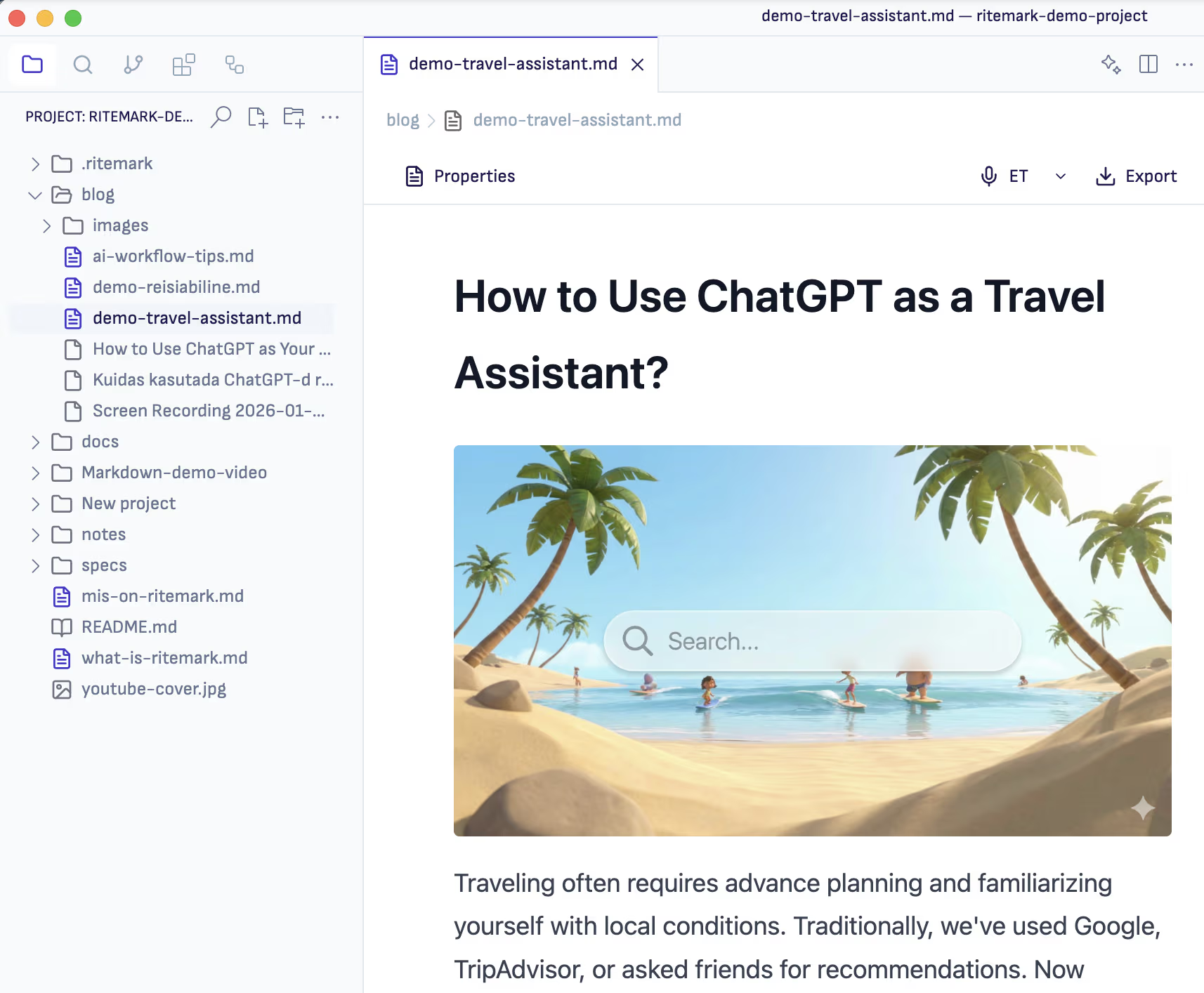 Ritemark keeps your notes and your AI agent in the same window — no context switching, no copy-pasting.
What AI Agents Actually Change
The shift isn't just "AI can help me write." That's been true since 2023 and it hasn't fundamentally changed how most people manage knowledge. The real shift is that AI agents can now run autonomously on your file system.
Tools like Claude Code — Anthropic's agentic AI that runs in a terminal and can read, write, and modify files — have made it possible to point an AI at your entire notes folder and say: "Process everything from this week. Summarize the key themes. Link related ideas. Draft a synthesis document." And it does it. While you're in a meeting.
This is what the productivity community has started calling "agentic second brains." You can read a deeper dive on what this means practically in our guide to agentic knowledge management. The Obsidian community forums have threads with thousands of replies about Claude Code integration setups — the trend is real and accelerating.
The practical implication: every step in CODE can now be automated or semi-automated. Capture no longer requires your attention in the moment. Organize no longer requires manual decisions. Distill no longer requires a dedicated review session. Express no longer starts from a blank page.
The human role shifts from doing the processing to reviewing the processing. That's a fundamentally different relationship with your knowledge. According to Forrester Research, knowledge workers who use AI agents for information management report a 35% reduction in time spent on routine information tasks.
CODE, Reimagined for Agents
Here's what the updated framework looks like in practice.
Capture becomes ambient. Instead of actively clipping and saving, you set up inputs — a daily brief from your email, auto-transcribed meeting notes, a browser extension that saves URLs with a single keystroke. Your agent reviews these inputs daily and flags what's worth keeping, using your existing notes as context for what "worth keeping" means for you specifically.
Organize becomes automatic. Your agent reads each new note and places it based on semantic similarity to your existing structure. It doesn't just match keywords — it understands that a note about "customer interview findings" belongs near your other user research, even if the note itself never uses that phrase. You review the placements weekly, not daily.
Distill becomes a scheduled process. Every Sunday evening, an agent reviews the week's notes and produces a synthesis: recurring themes, open questions, connections to older notes you might have forgotten. You read the synthesis Monday morning instead of spending an hour re-reading raw notes.
Express becomes a collaboration. When you sit down to write something — a proposal, an article, a strategy doc — you start by asking your agent to draft from your relevant notes. The agent produces a first draft that already incorporates your own thinking, captured over weeks or months. You edit, not originate.
💡 The key insight: You're not replacing your judgment with AI. You're removing the friction between capturing an idea and using it. The agent handles the processing overhead so your attention is reserved for the thinking that actually requires you.
How to Set This Up with Ritemark
Ritemark is a markdown editor for Mac and Windows with an AI sidebar and a built-in terminal. That combination — plain text files plus an AI agent in the same window — makes it unusually well-suited for an agentic second brain. If you've been comparing tools and wondering how this fits into the current landscape, our 2026 PKMS landscape overview maps out the main options.
1. Keep everything in markdown. Markdown files are plain text, which means any AI can read them without special connectors. Your knowledge base lives in a folder on your computer, not locked inside a proprietary app. Claude Code, Codex, or any other agent can access it directly.
2. Create a CLAUDE.md file at the root of your knowledge folder. This is a configuration file that tells Claude Code about your system — how it's organized, what conventions you use, what kinds of tasks you want help with. A simple version might look like this:
# My Knowledge Base

## Structure
- /projects — active work with deadlines
- /areas — ongoing responsibilities
- /resources — topics and reference material
- /inbox — unprocessed captures

## My conventions
- Use ISO dates in filenames: 2026-03-21-meeting-title.md
- Tag notes with #status/active or #status/archived
- Link related notes with [[double brackets]]

## Regular tasks
- Process /inbox into appropriate folders
- Summarize this week's notes on request
- Find notes related to a topic I'm working on
3. Use Ritemark's split-pane view for processing sessions. Open your inbox folder on the left. Run Claude Code in the terminal on the right. Type: "Process the five newest files in /inbox. For each one, suggest where it should be filed and why." Review, confirm, move on. What used to take an hour takes fifteen minutes.
4. Schedule weekly synthesis. Every Sunday, open Ritemark and run: "Summarize all notes created or modified this week. What are the three main themes? What questions keep coming up? What connections do you see to my older notes?" Save the output as a weekly review note. Over time, these become an invaluable record of how your thinking has evolved.
If you want agents to search across your documents rather than just process them one by one, the approach in AI search for local documents pairs well with this weekly workflow.
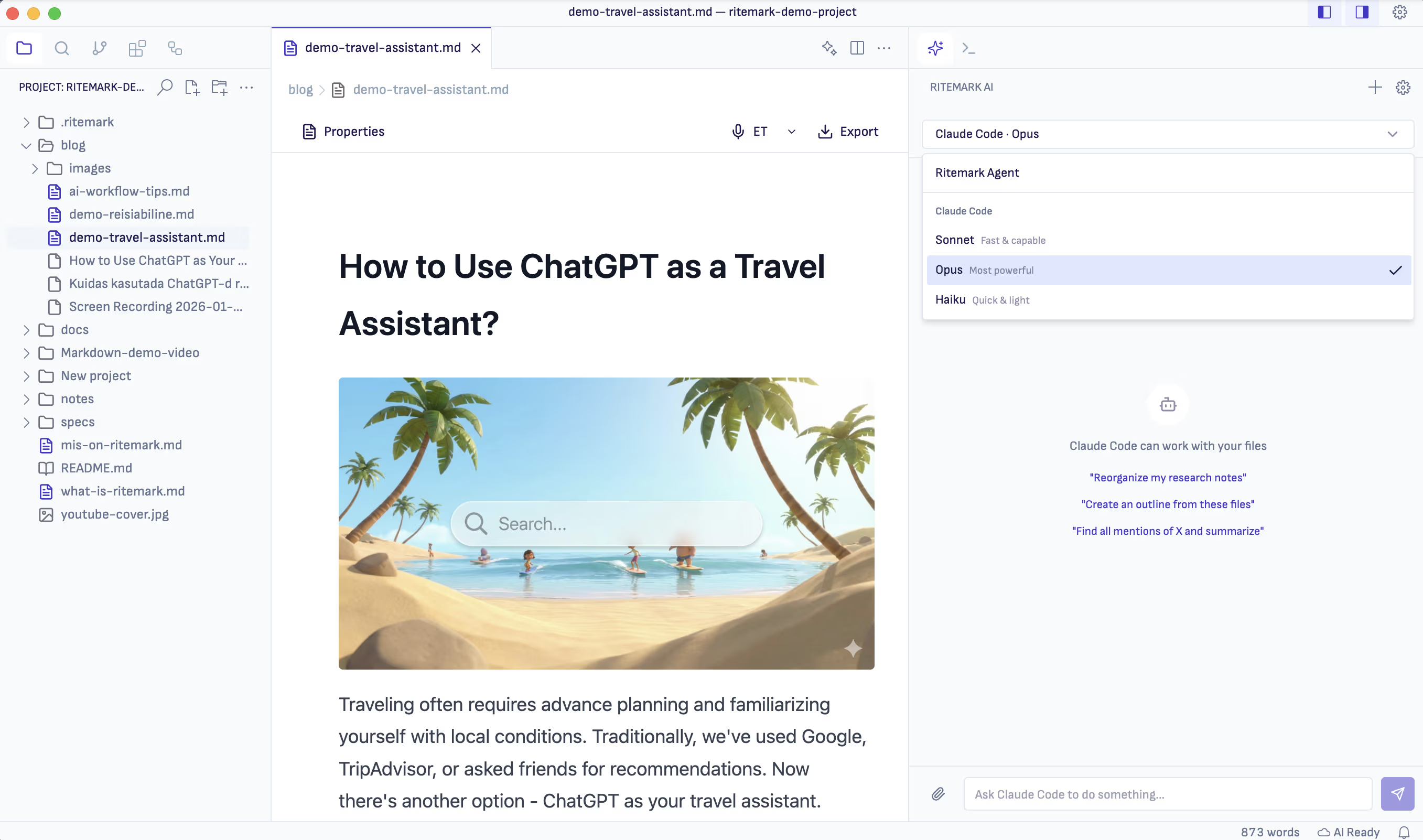 Claude Code running inside Ritemark's terminal — your entire knowledge base is accessible without leaving the editor.
The Obsidian + Claude Code Trend (and What It's Missing)
Many people are building agentic second brains with Obsidian already. There's a thriving ecosystem of plugins, community-built workflows, and detailed articles about setting up Claude Code to process Obsidian vaults. The results can be impressive.
But there's a friction point people run into consistently: the toolchain is split. You write in Obsidian, you run agents in a terminal, you paste results back into Obsidian. Every processing session involves switching windows, copying file paths, and manually integrating what the agent produced.
Ritemark collapses this into a single window. The editor and the terminal share the same working directory by default. When you open a folder in Ritemark, Claude Code in the terminal already has access to every file in that folder. You write a note, run an agent on it, and see the result — all without leaving the editor.
For people who've felt the promise of agentic knowledge management but found the Obsidian setup too fiddly, this is the practical alternative.
The Honest Limitations
This isn't magic, and it's worth being clear about the limits.
AI agents make mistakes. They occasionally misfile notes, produce syntheses that miss the point, or make connections that seem obvious to a machine but are nonsense in context. The weekly review step exists precisely to catch these errors before they compound. You're the editor, not just the consumer.
Privacy matters too. If your notes contain sensitive information — client details, financial data, personal health information — think carefully about what you ask agents to process. Your notes stay as files on your computer, but whatever the agent reads is sent to the AI provider you chose, Anthropic in the case of Claude Code. The agent can open any file in the folder you give it, so asking it to process your entire knowledge base is a significant data exposure if that base contains sensitive material. A locally-hosted model that you run yourself in the terminal keeps the text on your machine, but the AI sidebar does not offer local models.
The system still requires setup. The CLAUDE.md file, the folder structure, the conventions — these take an afternoon to get right. You're building infrastructure, and infrastructure requires upfront investment.
With those caveats stated clearly: for knowledge workers who have the discipline to set it up properly, an agentic second brain genuinely changes how much of your own thinking you can access and use.
Ready to Build Your Second Brain?
Ritemark is free for Mac and Windows, and you can start with a plain folder of markdown files you already have. Open the folder, pick an agent in the AI sidebar, and ask it to help you make sense of what's there. The AI itself needs a paid Claude or ChatGPT plan, or your own API keys.
Download Ritemark for Mac or Windows — it's free.
FAQ
How do you build a second brain with AI agents? You need three things: markdown files, an AI agent with file access, and a navigable folder structure. Create a CLAUDE.md config at your knowledge base root, then use an agent like Claude Code to process, organize, and synthesize your notes.
What is Tiago Forte's PARA method? PARA organizes notes into Projects, Areas, Resources, and Archives — sorted by relevance to current work rather than by subject. It's the most widely adopted personal knowledge framework today.
Why does ChatGPT memory fall short as a second brain? ChatGPT's memory feature stores summaries, not your actual files. It can't search across your documents or restructure your notes. For a real second brain, see why ChatGPT memory isn't a second brain.
What is a CLAUDE.md file? A configuration file at your knowledge base root that tells Claude Code your folder structure, naming conventions, and preferred tasks. Without it, every session starts blind. With it, the agent already understands your system.
How much time can an agentic second brain save? McKinsey found knowledge workers lose 9.3 hours weekly searching for information. Agents that proactively surface notes and produce weekly syntheses can realistically recover four or more hours per week.
Does Ritemark work with agents other than Claude? Yes. The AI sidebar also runs Codex (with a paid ChatGPT plan) and OpenCode with your own OpenAI, Google, Anthropic or OpenRouter keys. Ritemark's terminal runs any other command-line tool you install, such as Gemini CLI or a locally-hosted model. Markdown ensures your notes stay readable by any AI system.
Is it safe to run AI agents on personal notes? Ritemark stores files locally, but the agent can open any file in the folder you give it and sends what it reads to your AI provider. For sensitive notes, keep them in a separate folder, or use a local model in the terminal that never calls an external API.
How is this different from Notion AI or Obsidian Copilot? Embedded AI features work within their app's interface with limited scope. An agent on your file system can read, write, link, and reorganize across your entire folder in a single session — including creating synthesis documents and restructuring dozens of notes at once.
Sources
- McKinsey Global Institute: The Social Economy — knowledge worker time statistics
- University of California, Irvine: No Task Left Behind? Examining the Nature of Fragmented Work
- Harvard Business Review: The Overcommitted Organization
- Forrester Research: The Future of Work Is AI-Augmented
- Tiago Forte: Building a Second Brain (book)
- Obsidian Community: Claude Code integration discussion
- Anthropic: Claude Code documentation