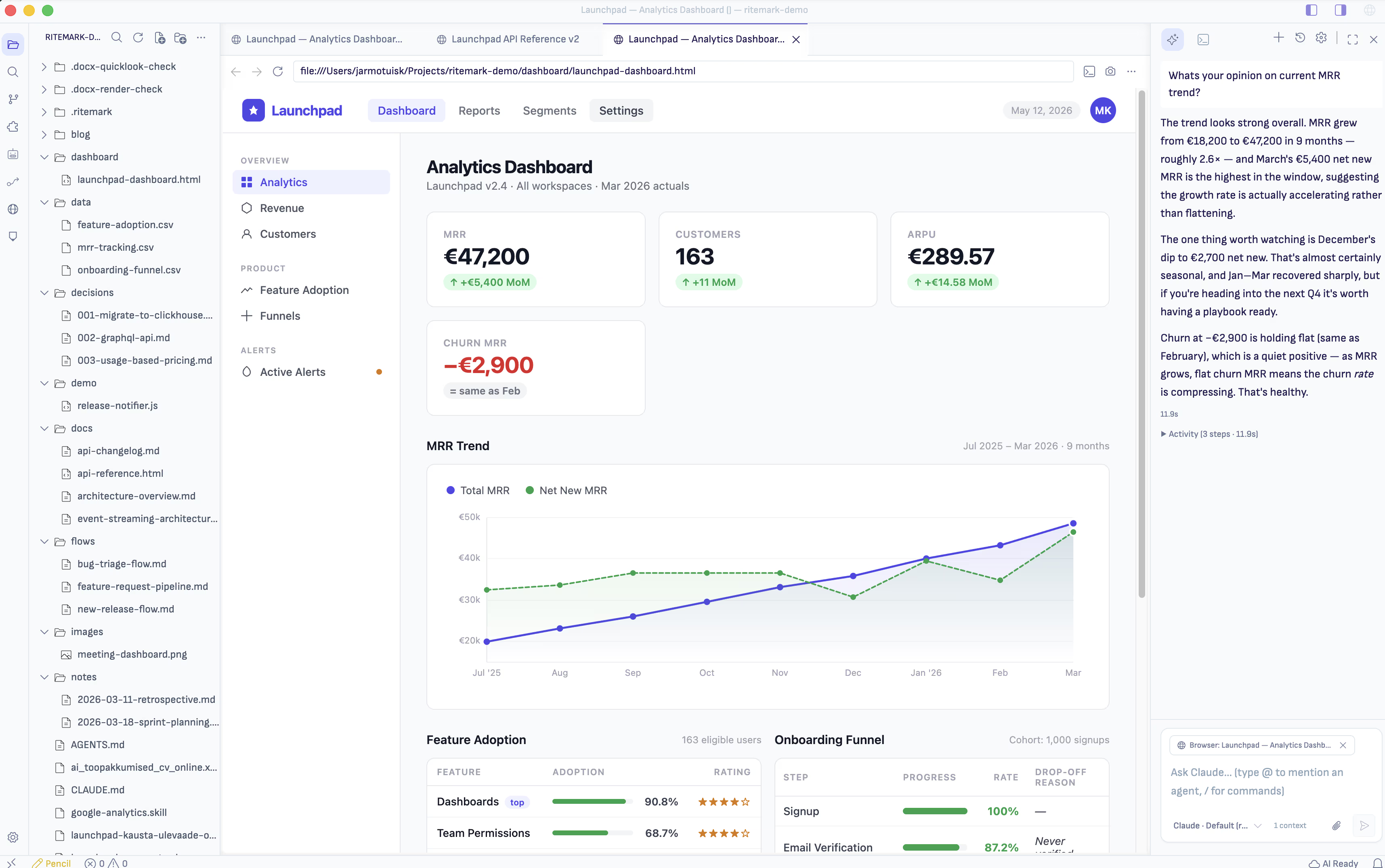
Ritemark v1.7.0 doesn't change what already works. Markdown is still the right tool for text — it's the new .docx for documentation, technical writing, AI prompts, and runbooks. Mermaid diagrams still render inline in the editor. None of that changes.
What changes is the 10% of cases where text isn't enough.
The interactive problem
Technical writers have had a pragmatic workaround for a while. The explanation fits in markdown. But a transformer schematic where you move sliders and watch the output change? An SVG that animates with parameters? An "expand for the full derivation" block? These don't compress into ASCII or a static Mermaid render — they want to be executable.
The solution has been: write the prose in .md and build the interactive part in a .html file next to it. Two artifacts, one idea.
Ritemark user Dmitri Gridin put it well:
"HTML has become my new PowerPoint, except this time it's executable."
But that workflow meant two apps — a markdown editor and a separate browser — with the AI blind to the HTML half unless you copy-pasted it into chat.
v1.7.0 fixes that.
Ritemark now has a browser
You can now open web pages inside Ritemark.
Open a website. Open localhost:3000 while you build. Open a local .html file from your workspace. It appears as a rendered page in the same tab bar as your markdown files, so you don't have to keep switching between Ritemark and a separate browser.
The browser behaves like a normal browser: back, forward, reload, DevTools, and cookies all work. Pages that fail in simple iframe previews can still open here. Your workspace .html files run with their styles and scripts intact.
A few details:
-
.htmlfiles open as pages by default. Click one in Explorer and Ritemark shows the rendered result. "Open as Text" in the file context menu is there when you need to edit the markup. -
Tabs feel native. Browser tabs sit next to your markdown files. Drag, split, and close them with
Cmd+W. -
Terminal
localhost:*links open in Ritemark.Cmd+clicka local dev link and it opens in the built-in browser.
The AI reads what you read
This is the core change in v1.7.0: the AI sidebar now sees the browser tab.
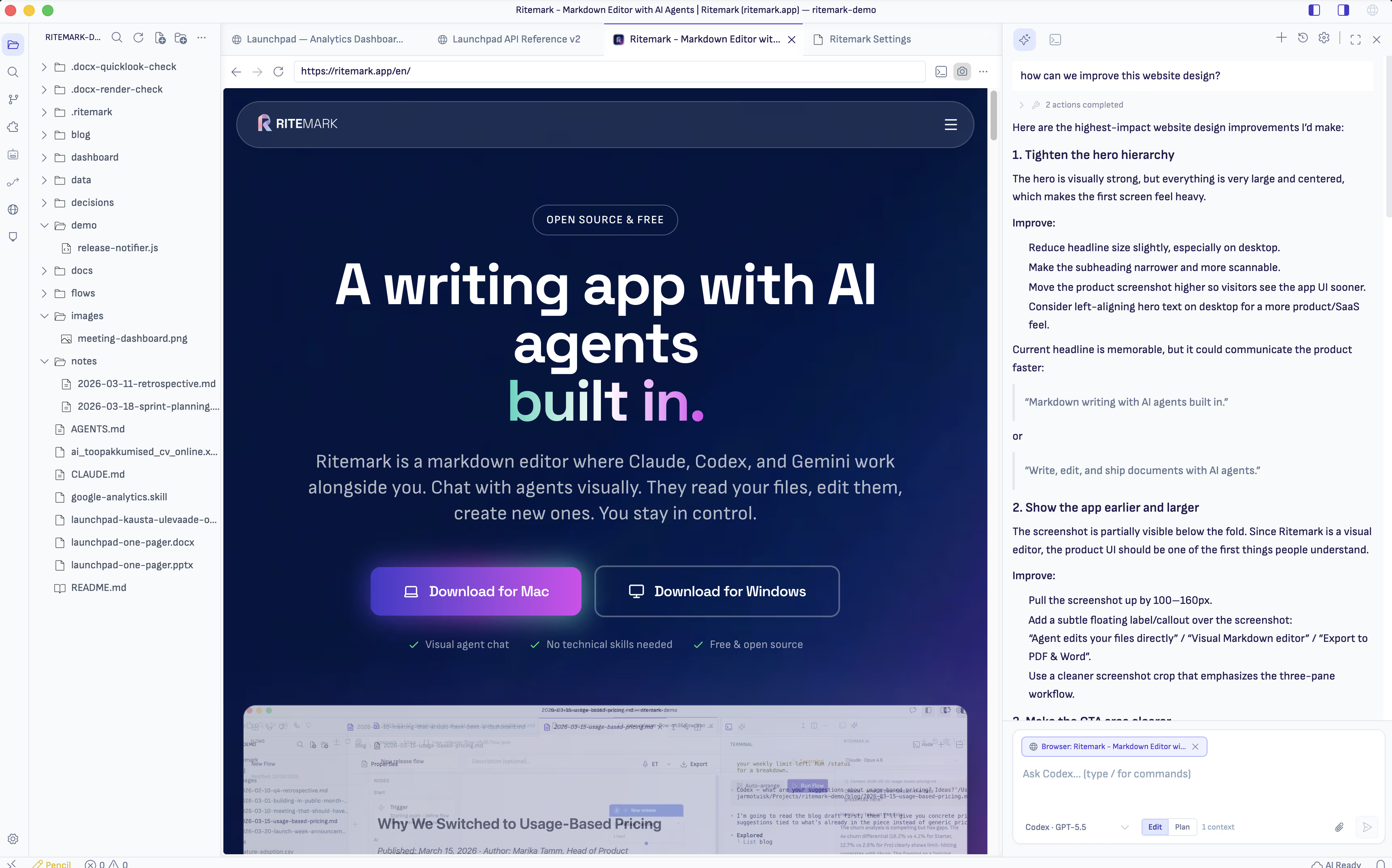
Open any browser tab. Open the AI sidebar. Ask "summarize this article," "what does that button do?", "why is the spacing around the title so narrow?" — and Claude or Codex answers from the page itself, not from guessing at the URL.
How it works:
Consent is always explicit. The first time you focus a browser tab with the AI sidebar visible, Ritemark asks "Share with Agent?" Decline and nothing leaks — not the URL, not the title, not the DOM. Allow and a compact page summary flows into the next turn.
A chip in the composer. When a browser tab is in context, you see a globe-icon chip showing the page title. The × drops browser context for one turn without affecting the next.
Annotation mode. The camera icon in the browser toolbar adds a viewport screenshot to the next AI turn. Good for visual questions — "why is this layout broken at this width?", "describe the state of the schematic at these slider values."
Codex got sturdier
The Codex compatibility probe was trying only one argv shape. The latest Codex binary renamed an argument — resulting in a false "Some agent features are unavailable" banner for users with a system Codex installed.
v1.7.0 tries both shapes and fails safe: up-to-date system Codex installs now report "Ready" without the nag. The bundled Codex has also been updated to the latest upstream stable.
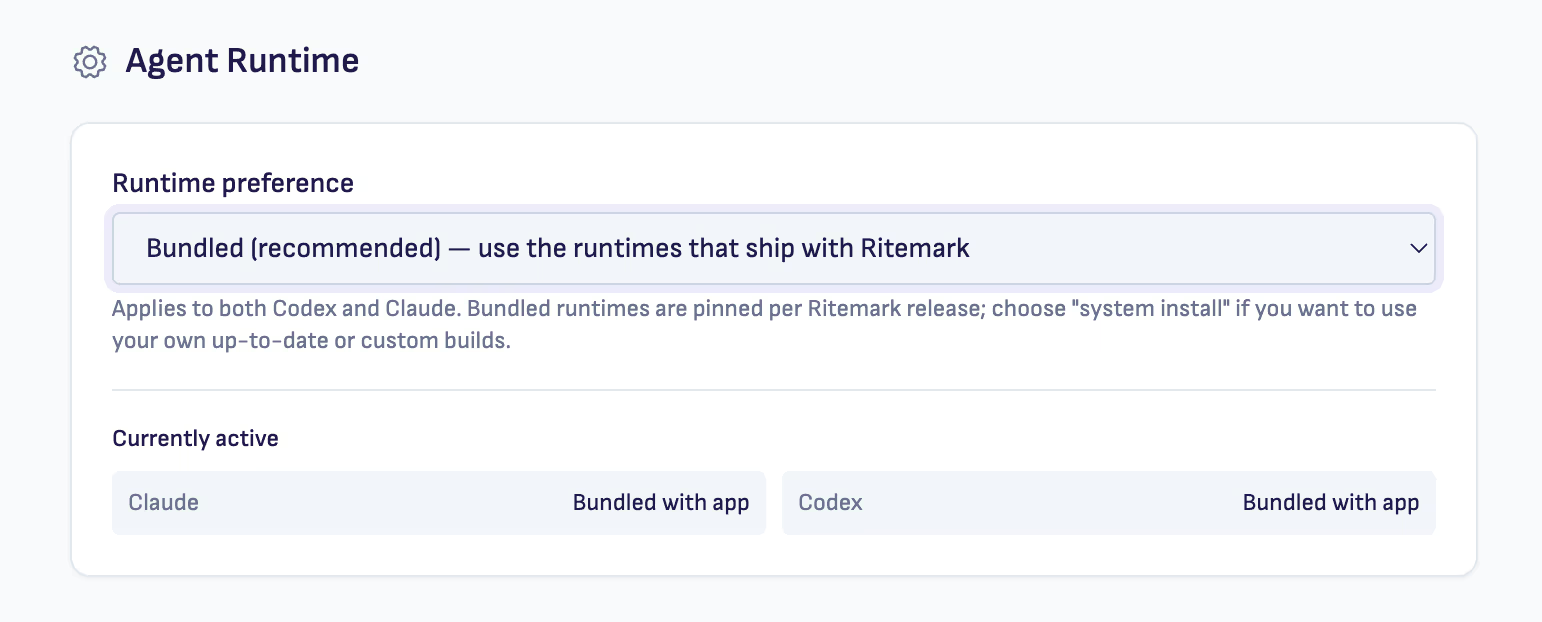
New: a Settings → Agent Runtime section lets you choose bundled (default — Ritemark ships its own binaries) or system (use PATH-installed Claude/Codex). The active binary path is shown live so you can verify which binary is actually running.
The timing
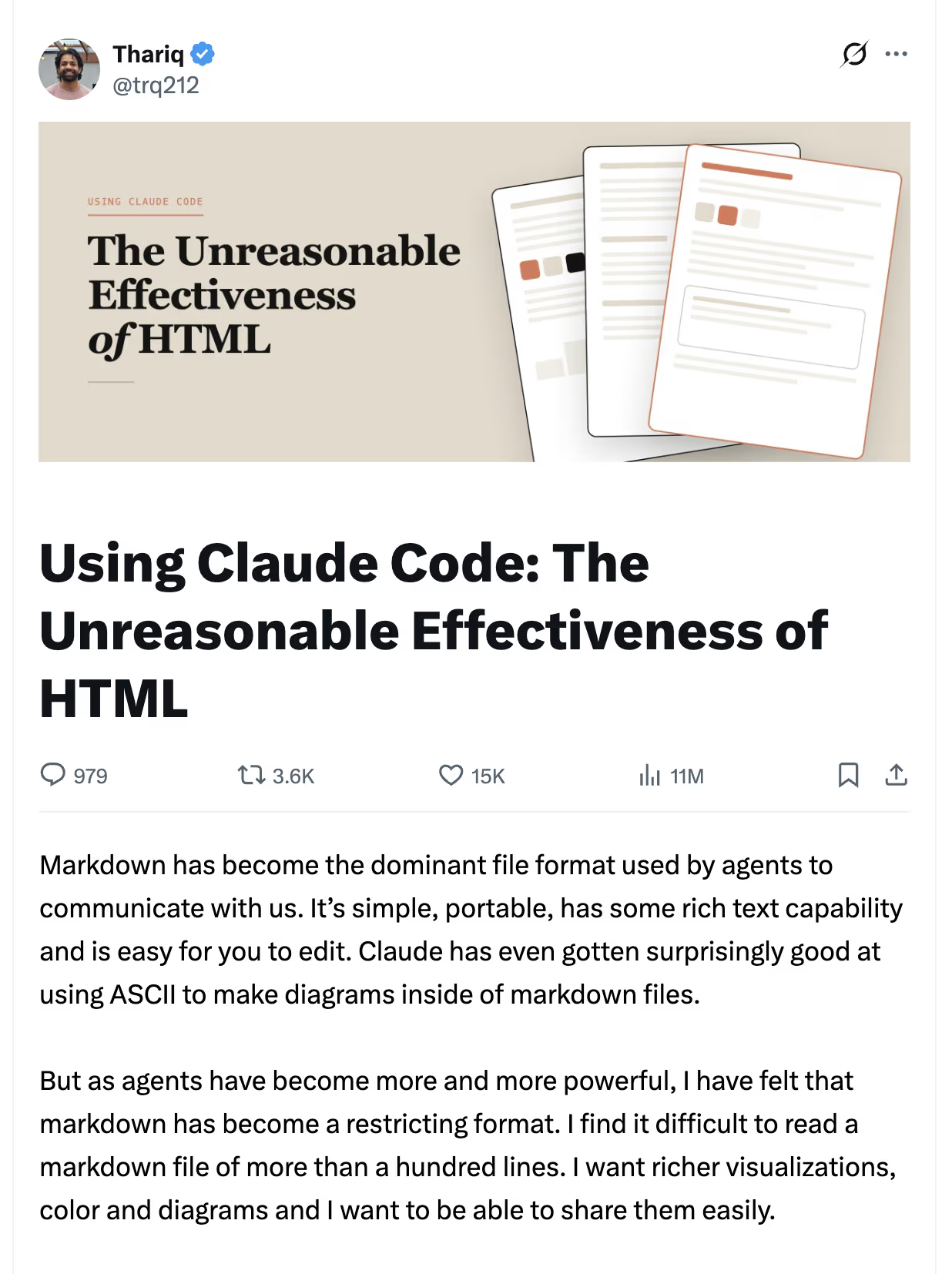
It's worth naming: Thariq Shihipar, an engineer on the Claude Code team at Anthropic, published "The Unreasonable Effectiveness of HTML" — 11 million impressions. His argument: as agents become more powerful, markdown has become a restricting format; HTML delivers richer visualizations and shareable artifacts.
We agree with the diagnosis. Ritemark's answer is slightly different: markdown stays right for text — it always was — and HTML fills the 10% where markdown is genuinely restricting. Not a replacement; a complement. The editor that holds both is the one that meets the moment.
Who this is for
Technical writers: prose explains, HTML proves. Interactive schematics, parameter playgrounds, derivation-expanders. Runnable documentation can be verified; static documentation can only be described.
Marketers: the campaign brief lives in brief.md. The hero mockup lives in hero.html. AI reads both — "does this placement match the energetic tone we set in the brief?" becomes a real question with a real answer.
Designers: button-spec.md describes the component. button-demo.html renders it. AI cross-references both — hover states, contrast ratios, spacing tokens — without you manually comparing a spec to a prototype.
Developers: the localhost integration is the sleeper feature. localhost:3000 IS the artifact. Camera icon, one screenshot, "why is the sidebar layout broken at this width?" — the AI answers from the actual rendered DOM.
What comes next
v1.7.0 is the read side. The next step, generation, works with the agents you already have: ask for an interactive artifact, get back a working .html file, open it in the same browser pane, iterate. v1.7.0 is the foundation that makes that loop coherent.
Download
| Platform | Download |
|---|---|
| macOS Apple Silicon | Ritemark-arm64.dmg |
| macOS Intel | Ritemark-x64.dmg |
| Windows | Microsoft Store |
Auto-update will offer v1.7.0 to existing v1.6.3 users on next launch. Settings, documents, and conversation history are preserved.