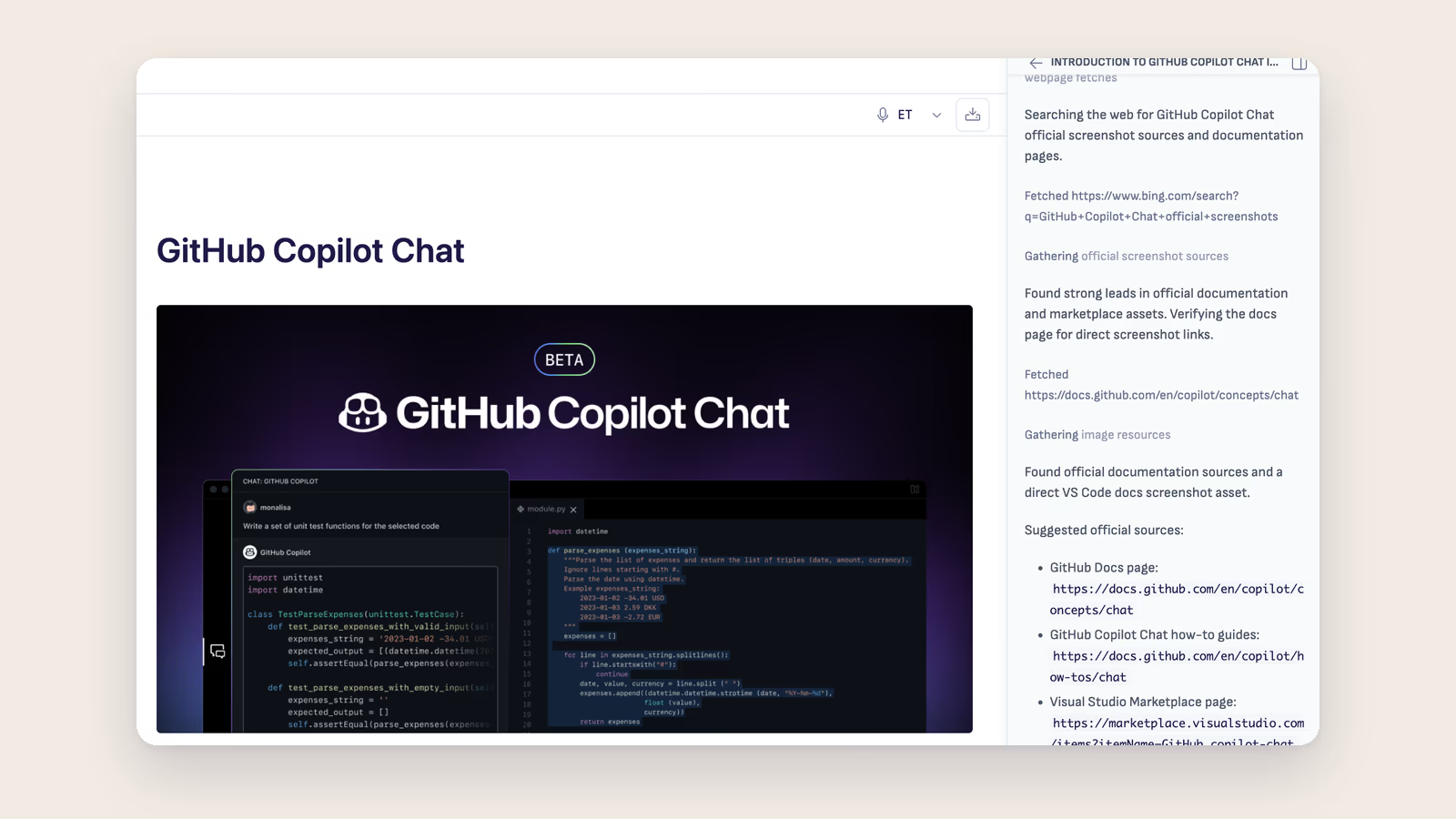
Some Ritemark users — Copilot Business and Copilot Enterprise customers in particular — can use GitHub Copilot through their company's Microsoft/GitHub-approved policy while direct OpenAI or Anthropic calls are blocked. For those users, "can I use Copilot Chat inside this editor?" is not an optional question. It decides whether Ritemark works for them at all.
Earlier Ritemark builds suppressed a lot of VS Code's Chat surface — command-center takeover, status-bar takeover, titlebar sign-in, setup badges — to keep Ritemark AI primary. That worked for Ritemark AI. It also accidentally broke Marketplace-installed Copilot Chat: the sign-in flow was incomplete, the Chat panel could be installed but stay invisible behind stale layout state, and the Activity Bar entry sometimes appeared and sometimes did not.
v1.7.1 fixes the contract.
The Marketplace install IS the setting
There is no Ritemark Copilot toggle. Installing or uninstalling GitHub.copilot-chat from the Marketplace is the entire user-facing control.
When you install the extension:
- Sign-in completes. The contained Copilot Sign In button finishes the GitHub auth flow without restoring the full upstream VS Code Chat setup UI.
- The real Chat panel lives in the Secondary Sidebar (Auxiliary Bar), ordered next to Ritemark AI. The pinned order is Ritemark AI → GitHub Chat → Terminal, so Copilot Chat coexists beside Ritemark AI rather than replacing it.
- A dedicated Activity Bar launcher icon opens GitHub Chat in the Secondary Sidebar with one click — no need to remember which sidebar Chat lives in.
- Inline completions and code actions are no longer disabled by Ritemark defaults.
When you uninstall the extension, the Activity Bar launcher icon and the Chat panel both disappear. No stale entry, no leftover Sign In button, no broken view. Reinstall and they come back.
Users who tried Marketplace Copilot on an earlier Ritemark build and ended up with a hidden Chat panel get the clean experience on first launch of v1.7.1 — stale layout state is repaired automatically.
What stays the same
Ritemark AI remains the primary agentic UI.
GitHub Copilot does not become the default Ritemark runtime, is not wired into the Ritemark AI sidebar's runtime picker, and is not bundled with the app — production builds still strip extensions/copilot. The titlebar Copilot sign-in button, the command-center takeover, the status-bar takeover, setup badges, and the debug-only Copilot Activity Bar container remain suppressed.
Only the surfaces a real user needs to use Marketplace Copilot are exposed. Nothing more.
Also in v1.7.1 — the AI sidebar can now drive the browser
v1.7.0 gave the AI sidebar a third context source: the page in the active browser tab. The AI could finally read both halves of your work — the markdown prose and the rendered HTML artifact — but it was still a passive reader.
v1.7.1 lets it act. Five focused tools — navigate, click, fill, type, scroll — wired into both Claude Code SDK and Codex App Server, and protected by a dedicated "Allow AI to control this browser tab?" prompt that fires the first time the AI tries to act on a tab. macOS only.
This consent is intentionally separate from the v1.7.0 read-share prompt. Different wording, different default button, different scope. Reading the page and typing into the page are two different decisions.
No settings change needed. The feature is on by default on macOS. The per-tab consent dialog is the gate, so nothing happens silently — the first control action always prompts. Decline and the AI keeps reading the page as before; accept and it drives the tab while you watch.
The browser tab the AI controls is the tab you're looking at — no headless mode, no off-screen Chromium spawn, no shadow tab. You see every action in real time. If something goes wrong, you see it go wrong.
Plus three v1.7.0 follow-ups
- Chat History shows every saved conversation. The history panel was loading exactly once and then never refreshing — older conversations were saved correctly but never appeared in the list. Fixed. Workspace scoping is unchanged.
- Clipboard works inside the webview. Copy on code blocks, "Copy as Markdown" in the export menu, and Cmd+C/Cmd+V in table cells were silently failing under the hardened sandbox. All clipboard operations now route through the extension host.
.htmlfiles open in the browser without flicker. v1.7.0 opened a text editor and then closed it once a reactive listener noticed and redirected to the browser — visible as a brief flash on every.htmlclick, and an outright blank text tab on cold start. v1.7.1 registers.htmlat the workbench level so the text editor never opens in the first place. Right-click → Open as Text still opens the source.
macOS first-launch note
The macOS DMGs in this release are signed with our Developer ID certificate and use the hardened runtime — the same signing posture as every previous release — but are not notarized by Apple this one time. Apple's notarization service is currently holding our team account in an eligibility review (case 102892219755, open since 2026-05-15) and we shipped the v1.7.1 binaries without the notarization staple as a one-time exception.
On first launch, macOS Gatekeeper will refuse the app with "Ritemark.app can't be opened because Apple cannot check it for malicious software." The one-time fix:
- Click Done to dismiss the dialog.
- Open System Settings → Privacy & Security.
- Find the "Ritemark.app was blocked to protect your Mac" line.
- Click Open Anyway (Touch ID or password).
- Click Open in the dialog that reappears.
From that point onward Ritemark opens normally. We will re-upload a notarized DMG to the same release page (no version bump, no new tag) as soon as Apple clears the review. Windows is unaffected.
Full disclaimer is in the release banner.
Download
Auto-update will offer v1.7.1 to existing v1.7.0 users on next launch. Settings, documents, and conversation history are preserved. The browser-agent-control flag is on by default on macOS, and each tab still asks for your consent before the AI controls it.