For privacy and local control, Obsidian wins. For team wikis and structured databases, Notion wins. For networked, block-based thinking, Logseq wins. For AI-organized notes without manual structure, Mem wins. For writing with AI agents running natively alongside your document, Ritemark wins. The category has fragmented — there's no single best tool, only the right tool for your primary problem.
The knowledge management software market is growing fast — projected to exceed $1.1 trillion by 2030 according to Precedence Research. That growth is driven by a single force: AI has changed what we expect software to do with our notes. Tools that felt complete in 2022 now feel static. Passive storage is no longer enough.
Here's an honest look at where each major tool stands today.
Obsidian: The Privacy Champion With a Massive Ecosystem
Obsidian has crossed 1.5 million users and shows roughly 22% year-over-year growth. For a tool that has never relied on a free tier to drive signups, that number is meaningful. Its plugin ecosystem has reached over 2,500 community plugins, making it the most extensible desktop knowledge tool available — by a wide margin.
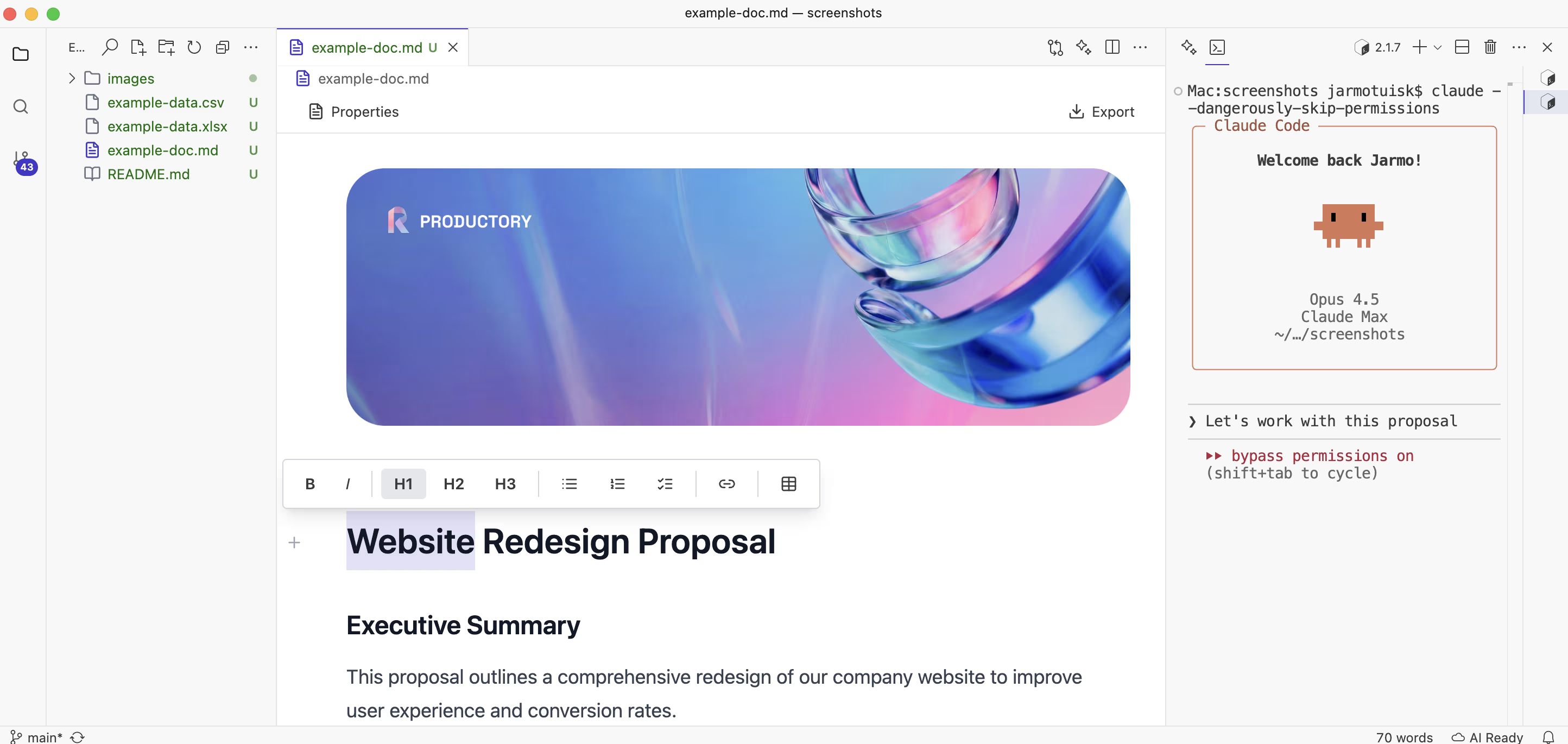 A focused writing environment — what both Obsidian and Ritemark share in philosophy.
The core Obsidian proposition remains unchanged: your notes are plain Markdown files stored locally. No vendor lock-in, no subscription required for the desktop app, and no one else has access to your data. For lawyers, therapists, researchers, and anyone handling sensitive material, this matters enormously. Ritemark shares the same local-first philosophy — if privacy is your baseline requirement, read our deeper look at privacy-first tools for building a local-first second brain.
Where Obsidian has evolved is AI integration. The Smart Connections plugin enables semantic search across your vault, and the Copilot plugin connects to OpenAI, Anthropic, or local models. But these are third-party plugins — occasionally breaking, requiring manual configuration. AI in Obsidian is powerful if you're willing to build your setup; it's not the experience you get out of the box. For power users who enjoy building their own system, Obsidian is unmatched. For someone who just wants to start capturing and thinking, the friction can feel high.
Obsidian pricing: Free for personal use. Sync (€4/month) and Publish (€8/month) are optional paid add-ons.
Notion: The All-in-One That Bet Everything on AI
Notion's September 2025 release of Notion 3.0 was a significant pivot. Rather than adding AI as a sidebar assistant, Notion rebuilt its AI layer as an autonomous agent — one that can query your workspace, take actions, and complete multi-step tasks on your behalf. The company framed this as moving from "AI assistant" to "AI collaborator." Notion's user base runs into the tens of millions, and it remains the default choice for startups, design teams, and anyone who needs wikis, project management, and documentation in a single place.
The database feature remains its most distinctive strength: structured data linked across pages, queryable, filterable, with views that range from Kanban boards to calendars. The tradeoff has always been the same: everything lives in the cloud, on Notion's servers. Offline access is limited, and export quality is acceptable but not complete — nested databases don't always survive the journey to plain text. If Notion were to raise prices significantly or shut down, migrating years of structured data would be painful.
For personal knowledge management specifically, many users find Notion's block-based editor too heavy for focused writing. Notion is a workspace; it excels when your knowledge management problem is actually a team collaboration problem.
Notion pricing: Free tier available. Plus plan starts at $10/user/month. Full AI features come with the Business plan, from about $20/user/month.
Logseq: The Outliner for Thinkers Who Like to See Connections
Logseq occupies a specific niche: an open-source, outliner-based tool with a graph view similar to Obsidian's. Every entry is a block, and blocks can reference each other bidirectionally. The developer community has embraced it as a local-first, open-source alternative to Roam Research — and according to its GitHub repository, it remains one of the most actively starred PKM projects in the open-source ecosystem.
Its strength is in networked thinking — capturing daily notes and linking concepts through block references until patterns emerge from your writing. Its weakness is the same: the outliner paradigm forces everything into hierarchical bullets, which works brilliantly for some minds and feels deeply unnatural for others. AI integration in Logseq is community-driven and still maturing. The core development team has announced a database version that should improve performance on large vaults, but that transition has moved slower than originally signaled.
Logseq pricing: Free and open-source. A paid sync service is in development.
Mem: The AI-First Experiment
Mem launched with the premise that AI should organize your notes so you don't have to. You write freely; Mem finds connections, resurfaces relevant information, and answers questions across your knowledge base. Mem 2.0 added an agentic layer — the system can now take actions, not just retrieve. This puts it squarely in the territory of what we've been calling agentic knowledge management: tools where the AI doesn't just store your thinking but actively participates in it.
Writers and researchers who found folder-based organization a cognitive burden report genuine relief when Mem's AI surfaces a note from three months ago at exactly the right moment. The persistent concern is the cloud dependency and the business model — all your notes live on Mem's servers. For users who remember Evernote's rise and decline, there's an understandable hesitation to commit years of notes to a cloud-only tool. The company has raised significant venture funding, but it's not yet clear that "AI organizes everything" scales into a durable business at competitive pricing.
Mem pricing: $8/month for individuals, $15/month for the Pro tier with extended AI features.
Capacities, Heptabase, and Tana: The New Wave
Several newer tools deserve mention as the AI-native generation of PKMs. Capacities treats your notes as typed objects — a book, a person, a meeting, a project — rather than flat pages. The structure makes AI queries more precise, and the visual design is among the most polished in the space. Heptabase approaches knowledge management visually, organizing notes on infinite whiteboards that let you see relationships spatially.
Tana is perhaps the most ambitious of the new wave. It introduces a "supertag" system where any piece of content can be tagged with a type that brings fields, views, and behaviors. A 2024 user survey from the Tools for Thought community found that over 60% of respondents had tried more than three PKM tools in the past two years — a sign of how much experimentation is still happening in this space. Early adopters of Tana have been enthusiastic; mass adoption is still ahead. All three tools are cloud-based and subscription-funded.
The PKMS Comparison at a Glance
| Tool | AI Integration | Privacy / Local | Markdown | Learning Curve | Price (individual) | Best For |
|---|---|---|---|---|---|---|
| Obsidian | Via plugins | Full local | Native | High | Free + optional sync €4/mo | Power users, privacy focus |
| Notion | Built-in agent (3.0) | Cloud only | Import/export | Medium | $10/mo; AI in Business ($20/mo) | Team wikis, structured data |
| Logseq | Community plugins | Full local | Native | Medium-High | Free | Networked thinking, devs |
| Mem | Core feature | Cloud only | Basic | Low | $8–15/mo | Auto-organization lovers |
| Capacities | Emerging | Cloud only | Yes | Medium | $9.99/mo | Typed knowledge objects |
| Tana | Emerging | Cloud only | Partial | Very High | $16/mo | Power structured thinkers |
| Heptabase | Emerging | Cloud only | Yes | Medium | $8.99/mo | Visual thinkers |
| Ritemark | Built-in AI sidebar (Claude Code, Codex, OpenCode) | Local files; AI runs with the provider you choose | Native | Low | Free | Writers using AI agents |
Where Ritemark Fits: The Writer's Tool
Ritemark doesn't try to be a knowledge management system. It's a focused writing tool with a built-in AI terminal — the insight being that writers who use AI agents spend too much time shuttling between their editor and a separate chat window. The context-switching cost is real: research from the University of California, Irvine found it takes an average of 23 minutes to fully regain focus after a significant interruption.
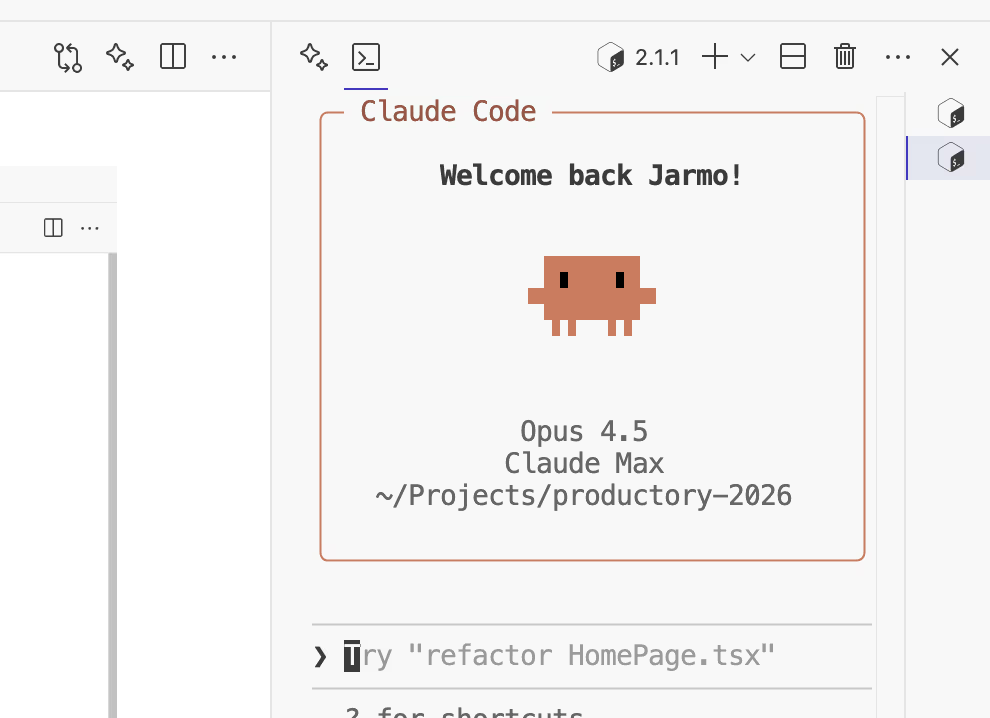 Ritemark's built-in terminal — AI lives next to your writing, not in another tab.
In Ritemark, Claude Code, or any CLI-based AI agent runs directly alongside your document. You can tell the AI to read your previous drafts from the local folder, rewrite a section, or check a document for consistency — without ever leaving the editor. If you use Claude Code specifically, our Claude Code knowledge management guide shows how to get the most out of that workflow. Your files stay on your machine. There's no cloud sync required.
The comparison to Obsidian is instructive. Obsidian is a knowledge vault first — you build a network of interconnected notes over months or years. Ritemark is a writing environment first — you open it to produce a document today, with AI assistance, and the files you produce are plain Markdown that works everywhere. If you're building a long-term personal knowledge system that AI can actively navigate, our guide to building a second brain for AI agents covers the complementary approach.
It's also free. The model is bring-your-own-AI: you pay your existing Claude or OpenAI subscription, and Ritemark is the interface that makes those tools dramatically more useful for writing.
Which Tool Should You Actually Choose?
The honest answer depends on your primary problem. If your problem is remembering and connecting information across years of notes, Obsidian's local-first philosophy with a well-configured plugin stack is hard to beat. The plugin ecosystem is mature enough to support almost any workflow, and the data portability is genuine.
If your problem is team collaboration — shared wikis, project tracking, structured databases — Notion 3.0 with its autonomous AI is increasingly compelling. The gap between what Notion's AI can do and what a standalone PKM offers has narrowed considerably since the 3.0 release.
If your problem is the friction of writing with AI — the constant tab-switching, copy-pasting, context-losing cycle — Ritemark addresses that specific pain directly. It doesn't try to replace your knowledge management system; it makes the act of writing with AI assistance fast and focused, with your files kept local.
Try Ritemark
If you write regularly and you use AI, the copy-paste workflow gets old quickly. Ritemark is free, takes about a minute to install, and runs natively on Apple Silicon.
Download Ritemark — no account required.
FAQ
What is the best PKMS tool in 2026? For privacy: Obsidian. For teams: Notion. For networked thinking: Logseq. For AI-organized notes: Mem. For writing with AI agents: Ritemark. The best tool depends on your primary problem.
What is a PKMS tool? A Personal Knowledge Management System is software for capturing, organizing, and retrieving information. Examples include Obsidian, Notion, Logseq, and Mem.
Which is better in 2026: Obsidian or Notion? Obsidian wins for local storage and privacy. Notion wins for team collaboration and structured databases. They solve different problems — many users keep both.
Is Obsidian still the best PKMS in 2026? Obsidian leads for local-first privacy with 1.5M+ users and 2,500+ plugins. Newer AI-native tools like Notion 3.0 and Mem have closed the gap on AI features.
What is an AI-native PKMS? A tool where AI is built into the core architecture, not added as a plugin. Mem, Tana, and Capacities are designed from the ground up to use AI for organization and retrieval.
Does Notion 3.0 have an AI agent? Yes. Notion 3.0 (September 2025) rebuilt its AI as an autonomous agent that can query your workspace, take actions, and complete multi-step tasks.
What is Logseq best for? Logseq suits developers and researchers who prefer an open-source, outliner-based, block-reference approach with full local storage and bidirectional linking.
How is Ritemark different from Obsidian? Obsidian is a knowledge vault for interconnected notes over time. Ritemark is a writing-first tool with a built-in AI terminal for producing documents with active AI assistance today.
Is Ritemark a PKMS? Not exactly. Ritemark is a markdown editor with a native AI terminal for macOS. It's a writing tool, not a knowledge management system — though it complements any PKM workflow.
Which PKMS is best for privacy? Obsidian, Logseq, and Ritemark all store files locally with no required cloud sync. Notion, Mem, Capacities, Tana, and Heptabase are cloud-based.
What does BYOAI mean for writing tools? Bring Your Own AI means you connect your existing Claude or OpenAI subscription. Ritemark follows this model — no double payment, just a better interface for your existing AI tools.
What is the difference between a PKM and a writing tool? A PKM stores and connects knowledge over time. A writing tool focuses on producing documents. Ritemark is the latter — optimized for writing with AI, not for managing a knowledge library.
Sources
- Precedence Research — Knowledge Management Market Size Report 2024
- University of California, Irvine — Cost of Interrupted Work (Gloria Mark, 2008)
- Obsidian — Official Site and Release Notes
- Notion 3.0 Announcement — Notion Blog (September 2025)
- Logseq — GitHub Repository and Documentation
- Mem — Product Overview and Pricing
- Capacities — Official Site
- Tana — Product Overview
- Heptabase — Official Site
- Building a Second Brain — Community Research
- Ritemark — Product Site