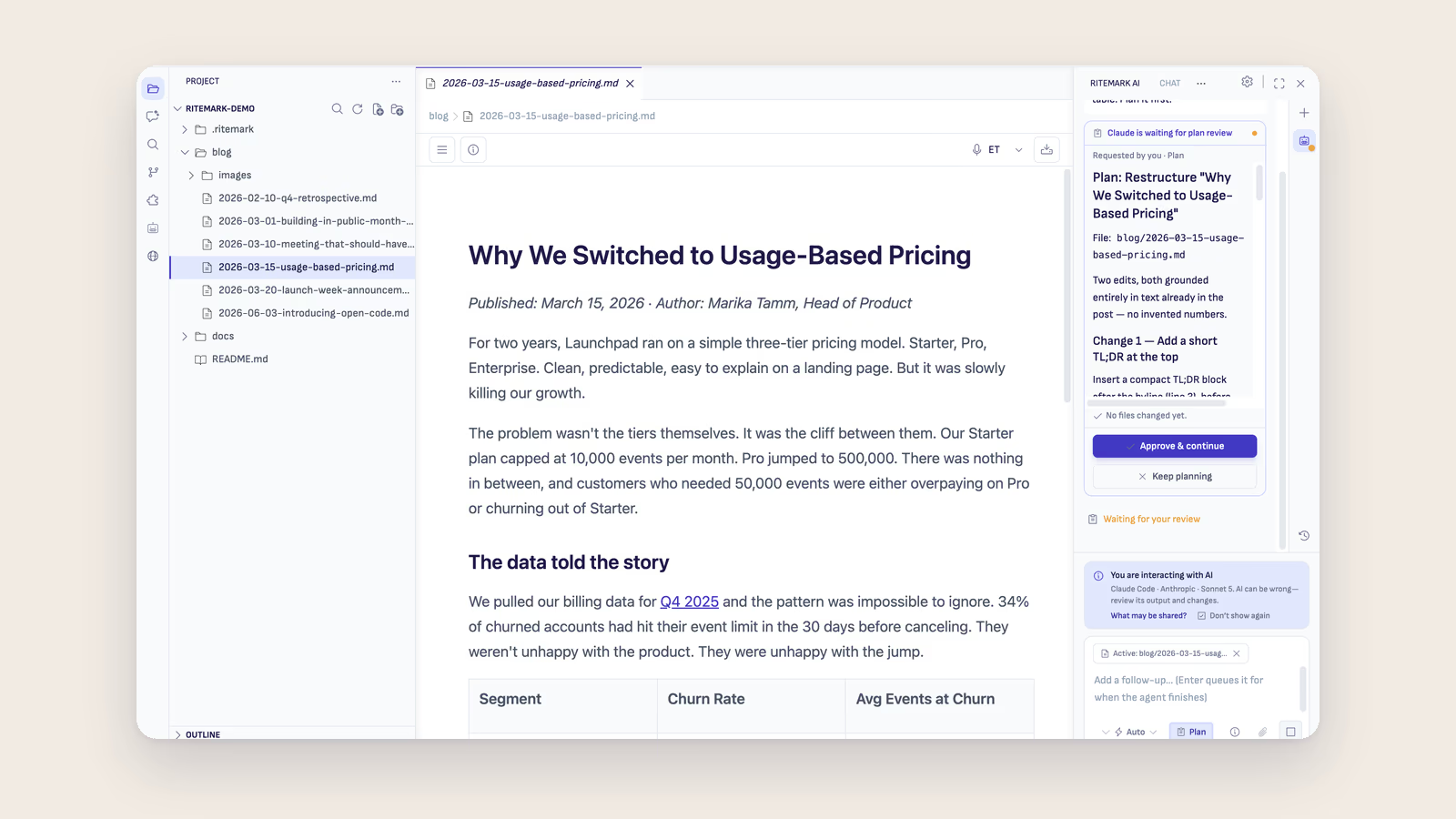
Claude Code lets you point a conversational AI at any folder of documents and ask questions in plain English — no coding required. It reads across all your files simultaneously, finds connections, and synthesizes answers from your entire body of notes in seconds. According to McKinsey Global Institute, knowledge workers spend 19% of their workweek searching for and gathering information. Claude Code cuts that time dramatically by turning your file system into a queryable knowledge base.
You have notes scattered across five apps, three folders, and a browser tab you've kept open since November. Somewhere in there is the insight from that client meeting three months ago, the research you did for last quarter's report, and the half-finished summary of the book you finished on the train. You know it's all there. You just can't find it.
This is the problem that personal knowledge management (PKMS) tools like Obsidian, Notion, and Roam were built to solve. But there's a newer, less obvious solution that more and more non-developers are discovering: using Claude Code as the AI brain sitting on top of your own file system.
What Is Claude Code, and Why Should Non-Developers Care?
Claude Code is Anthropic's AI assistant designed to work directly with files on your computer. Unlike the ChatGPT web interface, where you paste text and hope for the best, Claude Code reads your actual files — markdown notes, plain text documents, even folders of meeting summaries — and reasons across all of them at once.
Writers Matt Stockton and Teresa Torres have both written publicly about using Claude Code not to write code, but to manage their thinking. Torres, known for her work on continuous discovery in product development, uses a CLAUDE.md-based system where the file acts as a persistent briefing document, telling the AI what the project is about, what terminology matters, and how to behave. Stockton describes his setup at mattstockton.com as a way to query years of notes as if they were a database — except the interface is plain English.
Anthropic themselves have signaled this direction clearly. Their knowledge-work-plugins GitHub repository shows integrations specifically for note-taking workflows, document summarization, and knowledge retrieval — not just coding tasks.
The pattern emerging is simple: your documents become the database, and Claude Code becomes the query layer. If you're thinking about how this fits into a broader agentic knowledge management approach, the same principles apply — the agent acts on your behalf, across your own data, without you having to orchestrate every step.
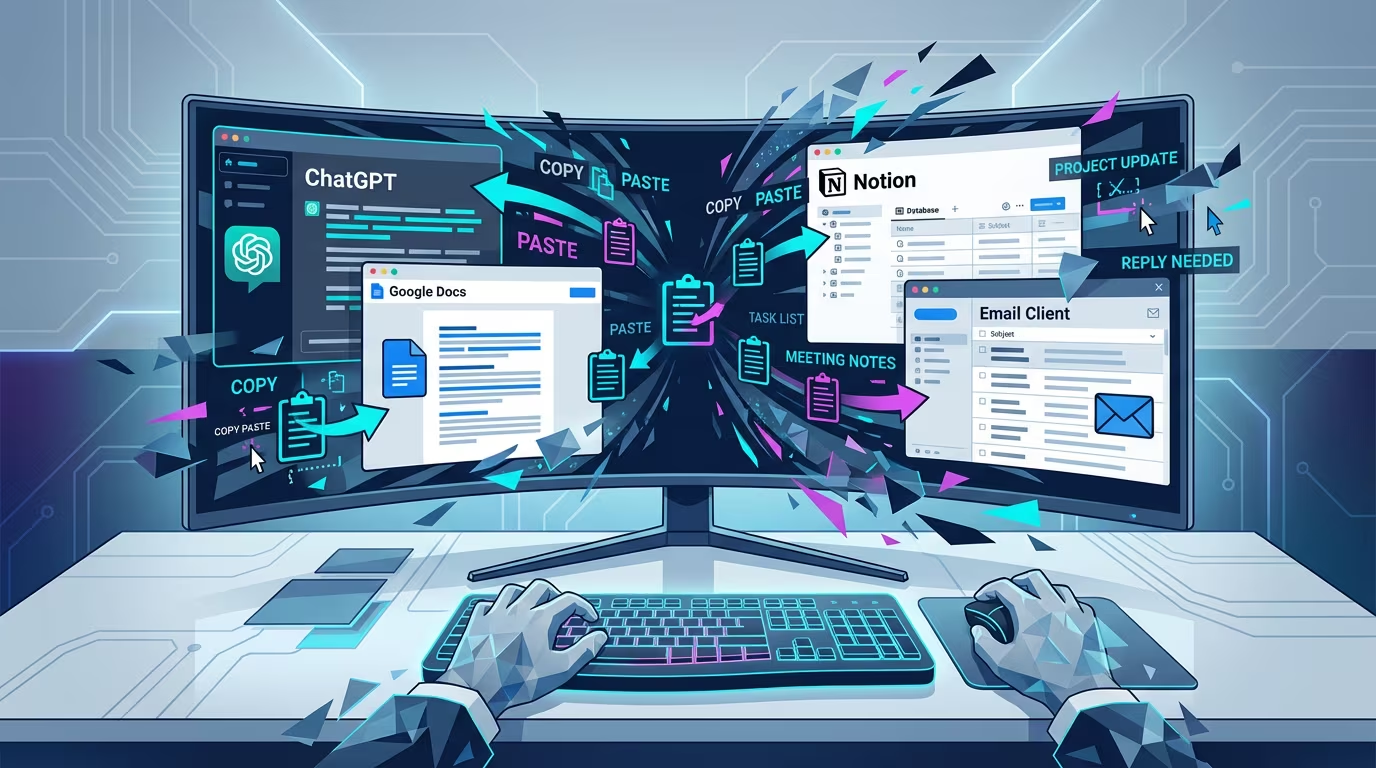 The average knowledge worker toggles between applications over a thousand times a day. Claude Code working across a single folder of documents cuts that friction dramatically.
Setting Up Your Knowledge Base: A Step-by-Step Guide
You don't need to reorganize your life to start. The best approach is to start with one folder that already contains documents you care about, and expand from there.
Step 1: Create a project folder.
Pick a folder — or create a new one — that represents one area of your work. This could be your client notes folder, your research archive, your meeting minutes from the past year, or even just a collection of text files where you dump ideas. The key constraint is that files should be in formats Claude Code can read: plain text, markdown (.md), or any format that opens as text. If your notes are in PDFs, export them to text first.
Name the folder something clear. For example: my-knowledge-base, client-research, or book-notes-2026. Claude Code works best when the context is scoped — a folder of 200 notes about marketing strategy will give you better answers than a folder mixing marketing, recipes, and travel plans.
Step 2: Create a CLAUDE.md file.
This is the secret weapon that non-developers rarely know about, but it's what makes Claude Code feel like it actually knows you.
A CLAUDE.md file is a plain text file you place in your project folder. When Claude Code starts, it reads this file first. Think of it as a briefing document for the AI: who you are, what this folder contains, what kinds of questions you're likely to ask, and any special terminology or context that will help it give you better answers.
Here's a simple example:
# My Knowledge Base

This folder contains my notes, meeting summaries, and research from my work as a
freelance marketing consultant. I work primarily with B2B SaaS companies.

## What's here
- client/ — one subfolder per client, containing meeting notes and project summaries
- research/ — industry articles I've saved and annotated
- weekly-notes/ — my Friday review notes from the past two years

## How to help me
When I ask about a client or project, check the relevant subfolder first.
When I ask for summaries, keep them under one page unless I say otherwise.
My writing style is direct and informal — match that tone.
That's it. You don't need to know any programming syntax. A CLAUDE.md file is just text that explains your context. The more honest and specific you are, the better the results.
Step 3: Install Claude Code and point it at your folder.
Claude Code runs in a terminal. If the word "terminal" makes you nervous, keep reading — this is where Ritemark changes the equation entirely. But for now, the standard install path: go to claude.ai/code, download the installer for macOS, and follow the setup steps. Once installed, you open a terminal, navigate to your folder with cd ~/path/to/your-folder, and type claude to start.
If you're using Ritemark, the built-in terminal means you skip the navigation step entirely. Open your folder in Ritemark and the terminal is already sitting in the right place. Type claude and you're talking to an AI that can see every file in your project.
Step 4: Start asking questions.
This is where it gets interesting. You don't write code. You ask questions in plain English.
What You Can Actually Do With It
Once Claude Code is running in your knowledge folder, the possibilities open up quickly. The key shift in mindset is this: you're not searching for a file anymore. You're asking a question, and Claude finds the evidence across all your files and synthesizes an answer.
Finding information across documents. Instead of opening five files and ctrl-F'ing through each one, you ask: "What did I write about pricing strategy for SaaS products?" or "Find everything in my notes that mentions the client Acme Corp." Claude Code reads across all your files and returns a synthesized answer with the relevant context.
Creating summaries on demand. "Give me a one-paragraph summary of everything I know about the manufacturing industry from my research folder." You get a coherent summary that pulls from dozens of separate notes — something that would take you an hour to write manually.
Connecting ideas you didn't know were connected. This is the feature that makes people stop and stare. "Are there any themes that appear in both my Q3 meeting notes and my Q4 research?" Claude Code reads across time-separated files and surfaces links between ideas that you documented months apart. This is where a personal knowledge base goes from archive to thinking partner — the foundation of what researchers call a second brain powered by AI agents.
Translating and rewriting. "Rewrite this meeting summary in English for a client who doesn't know our internal terminology." Or "Translate these three research notes into Estonian." The documents stay in your folder; the AI handles the transformation.
Preparing for meetings. "Based on my notes from the last five meetings with this client, what are the recurring themes and unresolved questions?" Five minutes before a call, you have a briefing that would have taken 30 minutes to assemble manually.
💡 Pro tip: Give Claude Code a task with clear constraints. "Summarize in three sentences" or "List only unresolved questions" gives you much more useful output than open-ended requests. The more specific your question, the better the answer.
A Real Workflow: Maria's Monday Morning
Maria is a project manager at a mid-sized consulting firm. On Monday mornings she used to spend 45 minutes re-reading client notes before her first call. Now she opens her client-notes folder in Ritemark, flips to the terminal, and types: "Summarize the last three meetings with Acme Corp and flag any unresolved commitments." In under a minute, Claude Code returns a clear briefing — pulled from six separate meeting notes files — with action items she'd forgotten were even there. She spends those 45 minutes preparing questions instead of excavating her own records.
How Folder Structure Shapes Your Results
You don't need a perfect system before you start. But a little structure goes a long way in getting better answers. The most effective knowledge bases tend to share a few common traits.
Keeping one topic per folder gives Claude Code a tighter context to work within. If you ask a question in a folder containing only marketing research, every answer will be grounded in that domain. If the folder contains everything you've ever saved, answers become vaguer because the context is wider.
Using consistent file naming makes a real difference. Files named 2026-03-15-meeting-acme-corp.md are far more useful than notes final FINAL v2.txt because Claude Code can reason about time and topic from the filename itself.
Using markdown for your notes is worth the small learning curve. Markdown gives your documents structure — headings, lists, emphasis — that Claude Code uses when constructing answers. A structured note produces structured summaries. Plain paragraphs produce blurry ones. If you're new to why this format matters so much, the markdown as the language of AI post explains the underlying reason in practical terms.
IDC research found that poor information management costs organizations an average of $12,900 per employee per year in lost productivity. A simple folder structure and consistent naming convention is the cheapest possible insurance against that loss.
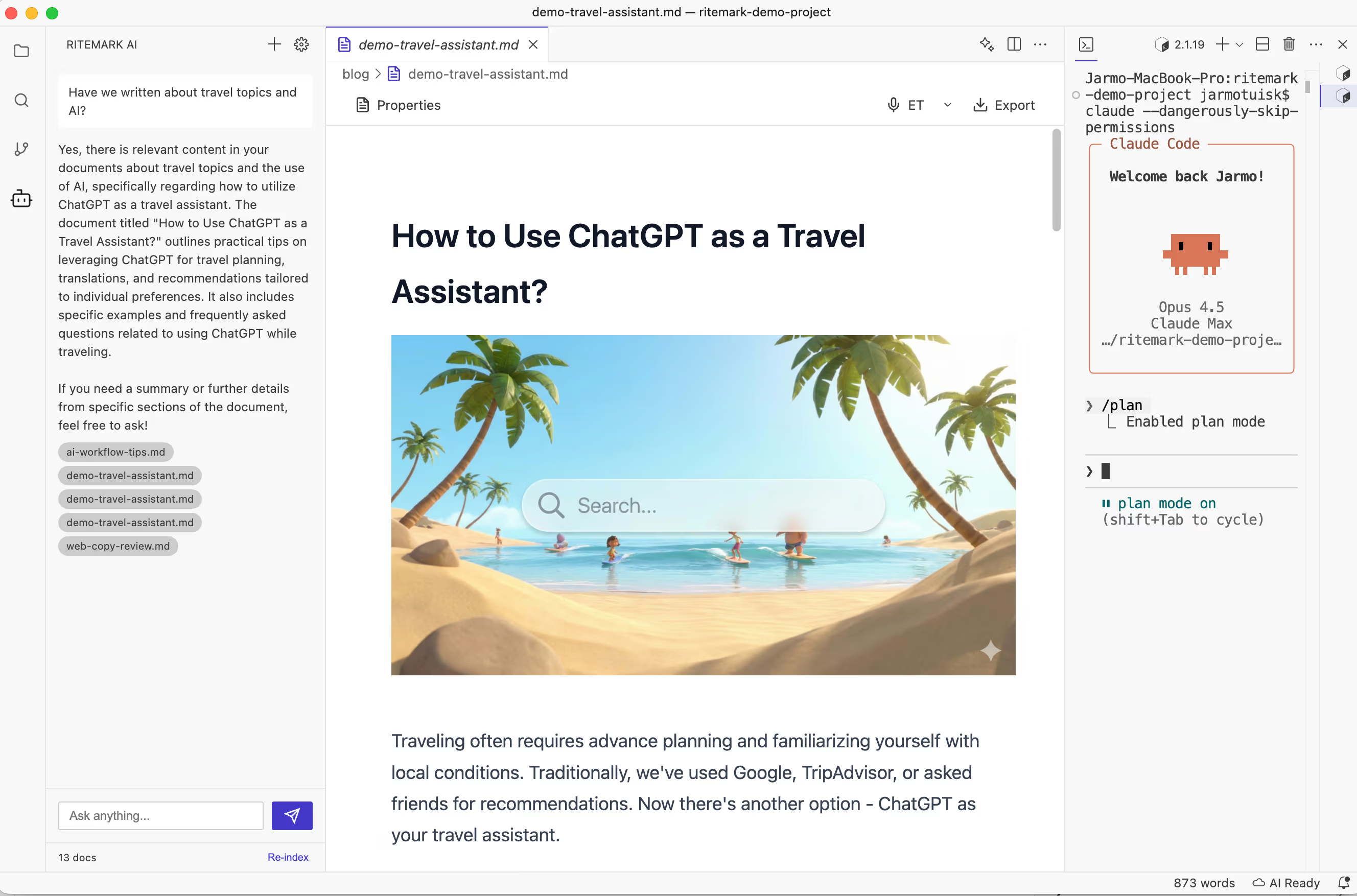 Ritemark's document search and Claude Code's terminal work side by side — you can browse files visually while querying them conversationally.
Why Ritemark Makes This Easier
The standard Claude Code setup requires comfort with the command line. You need to open a terminal application, navigate to your folder using file paths, remember to activate Claude, and switch between the terminal and your editor when you want to look at the files themselves.
Ritemark collapses all of that. It's a native macOS markdown editor with a terminal built directly into the interface. When you open a folder in Ritemark, the terminal is already pointing at that folder. You write your CLAUDE.md in Ritemark's editor, save it, then flip to the terminal and type claude. Everything is in one window.
The practical difference is that the barrier to actually doing this drops to near zero. You're not debugging a terminal setup or remembering which directory you're in. You're thinking about your notes.
Ritemark also gives you a visual file browser alongside the terminal, which means you can navigate your knowledge base while simultaneously querying it. See a file Claude mentions, click it to open, read it in context, ask a follow-up question. This back-and-forth between reading and querying is how a knowledge management workflow actually feels when it's working.
⚠️ Note: Claude Code needs a paid Claude plan or an Anthropic API key. Ritemark itself is free to download and use.
Real Examples to Try Right Now
Start with something concrete. Here are five prompts you can try in the first five minutes with your own notes:
"Find all my notes about [topic] and tell me the three most important points I've made."
"What questions have come up repeatedly in my notes that I haven't answered yet?"
"Create a one-page summary of everything in this folder, organized by theme."
"What did I think about [topic] six months ago, and how has my thinking evolved since?"
"Translate this document into [language] and keep the same formatting."
Each of these is a plain English request. Claude Code does the reading, the connecting, and the writing. You direct the thinking.
Ready to Try It?
Download Ritemark and you're already most of the way there. Open your notes folder, write a CLAUDE.md that explains what's in it, launch Claude Code in the built-in terminal, and start asking questions. No coding required.
Download Ritemark for macOS — it's free.
FAQ
What is Claude Code for knowledge management? Claude Code lets you ask plain-English questions across all your local documents at once. Point it at a folder and it finds, summarizes, and connects information for you.
Do I need to know how to code to use Claude Code?
No. The only "command" you type is claude to start it. Everything after that is plain English. Ritemark's built-in terminal removes even that hurdle.
What is a CLAUDE.md file and why does it matter? A plain text file in your project folder that Claude reads first. It acts as a briefing — your context, terminology, and preferences — so answers are immediately relevant.
What file formats does Claude Code support? It works best with plain text and markdown (.md). If your notes are in PDFs or Word documents, convert them to text first for significantly better results.
How is this different from just using ChatGPT? ChatGPT requires you to paste text manually. Claude Code reads your actual files locally and works across hundreds of documents at once — no copy-pasting.
Is my data private when using Claude Code? Your files stay on your computer, but whatever Claude Code reads to answer, including the full text of the notes it opens, is sent to Anthropic under your account and its terms.
What is Ritemark and how does it relate to Claude Code? Ritemark is a native macOS markdown editor with a built-in terminal. It puts your editor, file browser, and Claude Code in one window so you never have to switch apps.
How many documents can Claude Code handle at once? For most personal knowledge bases, the context window is not a practical limit. For very large archives, scope queries to subfolders rather than the entire collection.
What's the best folder structure for Claude Code? One topic per folder, clear date-based filenames, markdown formatting, and a CLAUDE.md briefing file. Start with 20–50 focused documents, then expand.
Does this replace Obsidian or Notion? No — it complements them. If you use Obsidian with plain markdown files, Claude Code can query your existing vault directly. The two systems work together naturally.
Sources
- Anthropic: Claude Code Best Practices
- Anthropic Cookbook: Knowledge Work Integrations
- McKinsey Global Institute: The Economic Potential of Generative AI
- IDC: The High Cost of Not Finding Information
- Matt Stockton: Using Claude Code as a Personal Knowledge System
- Teresa Torres: Continuous Discovery with AI Tools