ChatGPT memory is a black box: you cannot inspect what it stored, structure it into categories, or reliably retrieve a specific fact on demand. That single architectural truth is why it fails as a second brain — and why McKinsey found knowledge workers still spend 19% of their week searching for information they've already encountered.
This isn't a complaint about ChatGPT — it's a genuinely impressive product. But "memory" is a misleading name for what it actually does. The gap between what people expect and what they get has real consequences for anyone trying to build a reliable personal knowledge system.
What ChatGPT's Memory Actually Does
When OpenAI launched persistent memory, the marketing landed with phrases like "ChatGPT can now remember things about you." That framing made perfect sense for the feature's actual purpose: remembering your preferences. Your name, your job title, that you prefer concise answers, that you're vegetarian.
What memory doesn't do is store your work. It doesn't index your documents, know what you wrote last Tuesday, or pull a quote from a report you drafted three months ago. It has no access to your files unless you paste them into the chat window yourself. A system that remembers you like bullet points but forgets every document you've ever written isn't a knowledge system — it's a polite conversation partner.
The distinction matters because knowledge management has never been about preferences. It's about accumulating, connecting, and retrieving the work you've already done. Memory does none of that.
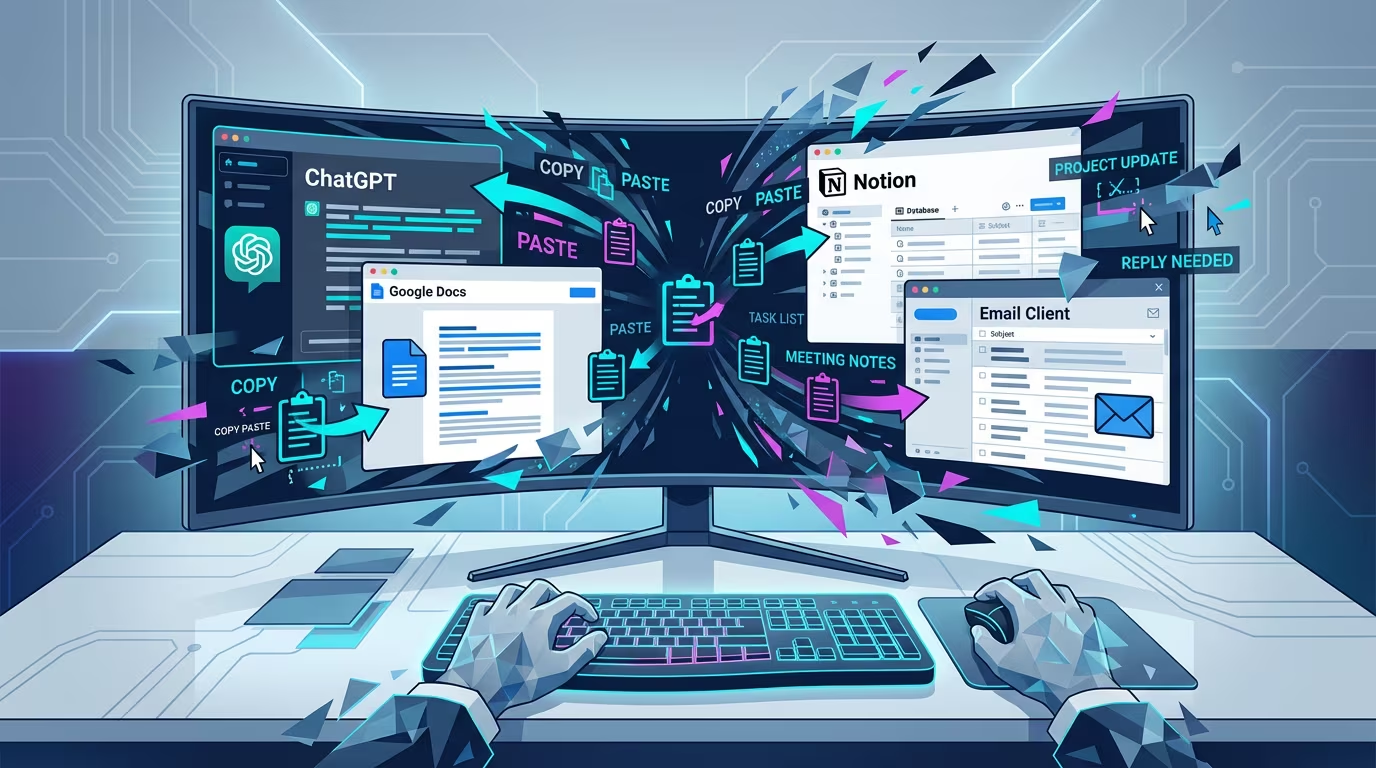 The gap between what people expect from "AI memory" and what conversation-based systems actually store.
The Architecture Problem Nobody Talks About
Here's the root issue: ChatGPT is built around conversations, not files. Every session is a container. You put things in, things happen, and then the session ends. What persists is a thin summary layer — not the content itself.
Compare that to how knowledge actually works. The most durable knowledge management systems — from personal wikis to Zettelkasten notebooks to Obsidian vaults — are built around files. Named things that live in a specific place and can be linked, searched, and modified over time. The file is the atom.
When your AI assistant operates inside a conversation layer on top of a cloud service, it can never have the same relationship to your knowledge as a system that works directly with your files. You can describe your files to it. You can paste sections in. But you can't give it genuine access to the body of work you've accumulated over months and years without rebuilding that body of work as conversation inputs every single session.
A study from the University of California, Irvine found it takes an average of 23 minutes to regain deep focus after a significant interruption. Every copy-paste from document to ChatGPT is exactly that kind of break.
The Digital Amnesia Problem
There's a subtler issue that doesn't get discussed enough: people are beginning to outsource memory to systems that can't reliably hold it.
Researchers at Harvard and Columbia have studied what they call "the Google effect" — the tendency to remember where to find information rather than the information itself. Their 2011 research found that when people expect to be able to retrieve information later, they form weaker memories of the information itself. The expectation of digital availability changes how the brain encodes.
ChatGPT memory intensifies this dynamic in a dangerous way. If you believe your AI assistant is storing your knowledge, you stop storing it yourself. But ChatGPT memory is lossy, non-searchable, limited in scope, and can be reset or corrupted. You end up with neither your own memory nor a reliable external one.
The knowledge worker who thinks they're building a second brain in ChatGPT is often building nothing at all — just a stream of conversations that slowly fades.
How Knowledge Workers Are Actually Losing Time
The numbers around fragmented knowledge tools are striking. McKinsey research found employees spend 19% of their working week searching for information they already have. For a full-time employee, that's roughly one full day per week lost to hunting for things they've already written.
Microsoft's Work Trend Index found that knowledge workers toggle between applications dozens of times per hour, fragmenting attention along with information. Every app switch is a context switch. Every context switch has a cost.
When your knowledge lives across scattered conversations and a memory layer that stores preferences but not documents, the search cost doesn't go away — it gets worse. Now you're not just searching your files. You're trying to reconstruct what you told ChatGPT, which session it was in, whether it actually saved that detail, and whether its summary was accurate.
IDC research estimated that knowledge workers waste an average of 2.5 hours per day dealing with information management problems — representing tens of thousands of dollars per employee per year in lost productivity.
The Obsidian Path — and Where It Still Falls Short
When people realise ChatGPT memory isn't a real knowledge system, the most common next step is Obsidian. It's a significant improvement. Obsidian is file-based, meaning your notes live as actual markdown files on your computer. They're searchable, linkable, portable, and permanent. You own them. You can build a genuine Zettelkasten, connect ideas across years of work, and actually build something that functions like a second brain.
The limitation is AI integration. Obsidian's AI plugins generally work by sending selected notes to the model as context for a conversation. You copy some notes, paste them in, ask a question, get a response, and then manually decide what goes back into your vault.
The AI is still outside the knowledge system. It's a consultant you have to brief every single time, from scratch, rather than a collaborator who lives inside the work alongside you. To explore what an agentic approach to knowledge management looks like when the AI is actually inside the vault, the architecture difference becomes immediately clear.
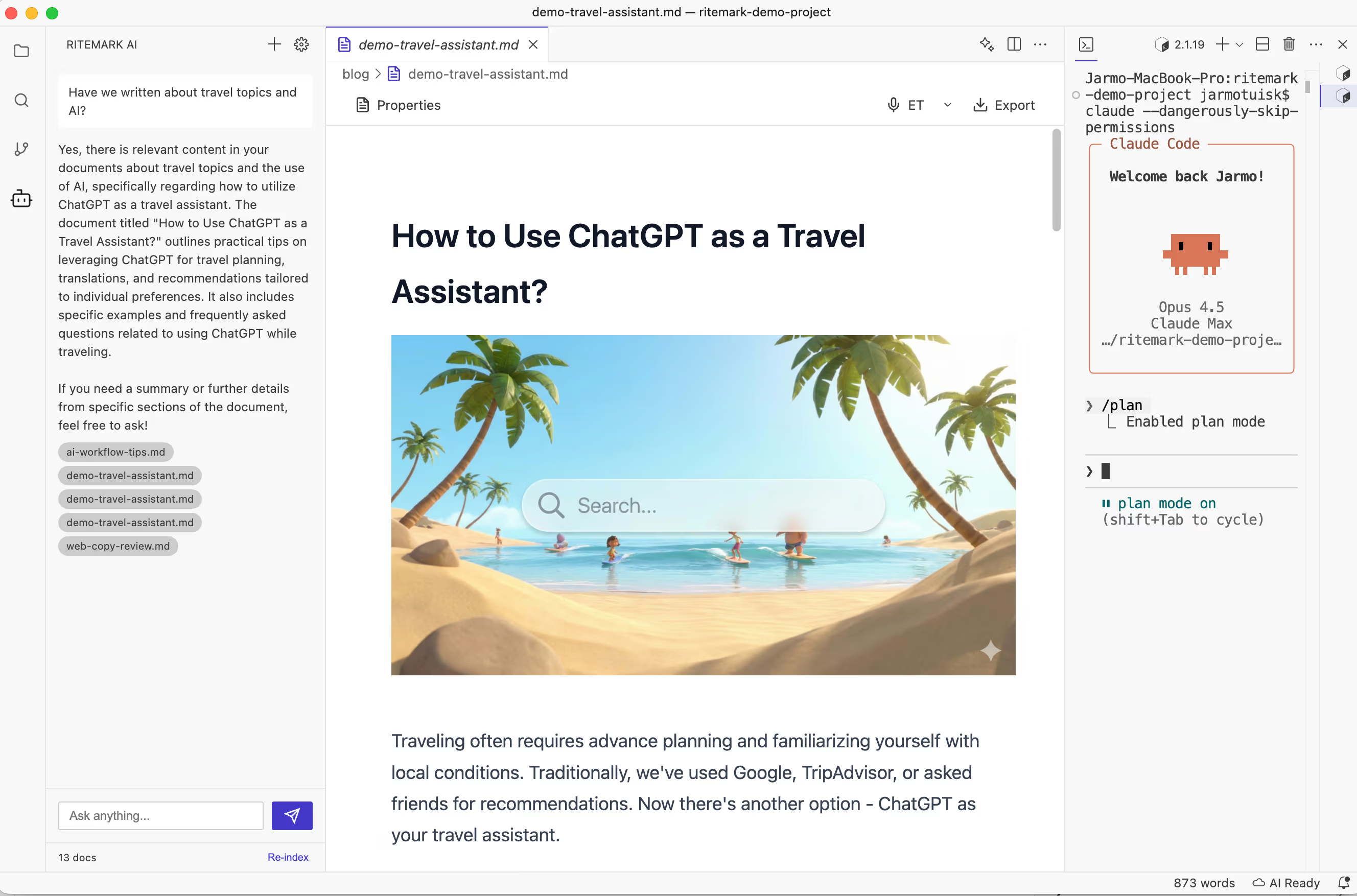 A file-based system where AI operates directly on documents — no copy-paste layer between your knowledge and the model.
What Actually Works: File-Based AI Access
The architecture that solves this isn't new or exotic. Give your AI agent direct access to your actual files — not summaries, not selected passages you paste in, not a memory layer that approximates what you've told the system. The actual files, sitting on your computer, readable and writable by an AI agent that operates at the filesystem level.
This is how Ritemark approaches the problem. The AI agent has direct read and write access to whatever folder you're working in. When you ask a question about your project, it reads your documents — not because you pasted them in, but because they're there. When you ask it to update a document, it updates the file. Your knowledge base doesn't need to be rebuilt as a conversation every time you open a new session. It just exists, in its full form, accessible to both you and your AI collaborator.
The key insight: The second brain problem isn't about AI intelligence. It's about architecture. An AI that can read your files is fundamentally more useful than one that can only read what you type into a chat window — regardless of how good the underlying model is.
For a deeper look at how to build a real second brain with AI agents, the file-access principle is the foundation everything else rests on.
The Comparison That Makes It Clear
Imagine you're preparing a pitch for a new client. You've done similar pitches before and have notes, drafts, and research spread across a folder of documents.
With ChatGPT memory: you open a new conversation. ChatGPT might remember your job title and that you work in sales. It has no idea any previous pitches exist. You paste in whatever context you think is relevant and work from there. Every session, the same problem.
With Ritemark: you open your project folder. The AI agent can see every document in it. You ask "what were the strongest points from my last three pitches?" and it reads them. You ask "update the executive summary based on what we discussed" and it does it — directly in the file. The AI doesn't need to be told what exists. That's the difference between memory and access. If you care about keeping that access local and private with file ownership, the architecture matters even more.
Ready to Try a Real Second Brain?
Download Ritemark and open your project folder. Your AI agent will have direct access to your actual documents — no copy-paste, no session rebuilding, no memory that forgets what matters.
FAQ
Does ChatGPT memory store my documents and files? No. It stores preferences and conversational facts — your name, topics mentioned, communication style. To use your files, you must paste or upload content into each conversation manually.
Why is ChatGPT called a "second brain" if it can't access my files? The "second brain" framing comes from PKM communities around tools like Zettelkasten and Notion. When ChatGPT's memory launched, the terminology collided with that existing concept, creating a widespread misunderstanding of what "memory" means in a conversational AI versus a file-based system.
What is the difference between ChatGPT memory and a real second brain? A real second brain is a persistent, searchable, linkable collection of your own work stored as files. ChatGPT memory is a preference layer that personalises conversations. One accumulates your intellectual output over time; the other remembers that you prefer numbered lists.
Is Obsidian a real second brain? Significantly closer, yes — it's file-based and local, so you own your notes. Its AI integrations still require manually passing context to the model rather than giving the AI direct access to your whole vault.
What does "file-based AI access" mean in practice? The AI agent runs in the same environment as your files and reads or writes them directly. No copy-paste layer. It can work across multiple files, compare documents, and make changes without you managing what context it receives.
How does Ritemark solve the second brain problem? Ritemark gives AI agents direct filesystem access to your working folder. When you ask a question, the agent reads your actual documents — not pasted text. Your existing knowledge base is immediately available, no manual context management required.
Does this mean my files are sent to the cloud? Ritemark is a native desktop app and your files stay on your machine. Only the specific text an agent processes is sent to the AI provider's API — the same as using ChatGPT directly. Ritemark has no servers of its own.
What is PKMS? Personal Knowledge Management System — any deliberate system for capturing, organising, and retrieving your knowledge. Examples include Zettelkasten, Obsidian vaults, and Notion workspaces. The goal is a cumulative body of knowledge that grows more useful over time.
Why does the conversation-based architecture matter? Conversations are ephemeral containers: they end, and what persists is summaries and preferences, not the actual work. File-based systems persist the work itself, in full fidelity, indefinitely.
Can I use both ChatGPT and Ritemark together? Yes. Ritemark's AI sidebar runs Claude Code with a paid Claude plan or an Anthropic API key, Codex with a paid ChatGPT plan, and OpenCode with your own API keys. The key difference isn't which model you use — it's that in Ritemark, the model operates with direct file access rather than inside a conversation interface.
Sources
- University of California, Irvine — Gloria Mark: The Cost of Interrupted Work
- Sparrow, Liu & Wegner (2011) — Google Effects on Memory, Harvard/Columbia
- McKinsey Global Institute — The Social Economy: Unlocking Value and Productivity
- Microsoft Work Trend Index — Annual Report
- IDC — The High Cost of Not Finding Information