The PM data workflow is broken
You export a CSV from your analytics tool. Feature usage numbers, funnel conversions, or user segments. Then you open it in a spreadsheet, stare at rows and columns, try to spot patterns, maybe make a chart. When you finally have an insight, you switch to a doc to write it up for stakeholders. Somewhere between the spreadsheet and the document, the nuance gets lost. You end up with a summary that says "usage is up 15%" without the context of why or what to do about it.
PMs aren't data analysts. You don't need pivot tables and regression models. You need to look at numbers, understand what they mean for the product, and communicate that clearly. But the current workflow forces you through three separate tools before you can write a single sentence about what the data says.
Data files and writing in one place
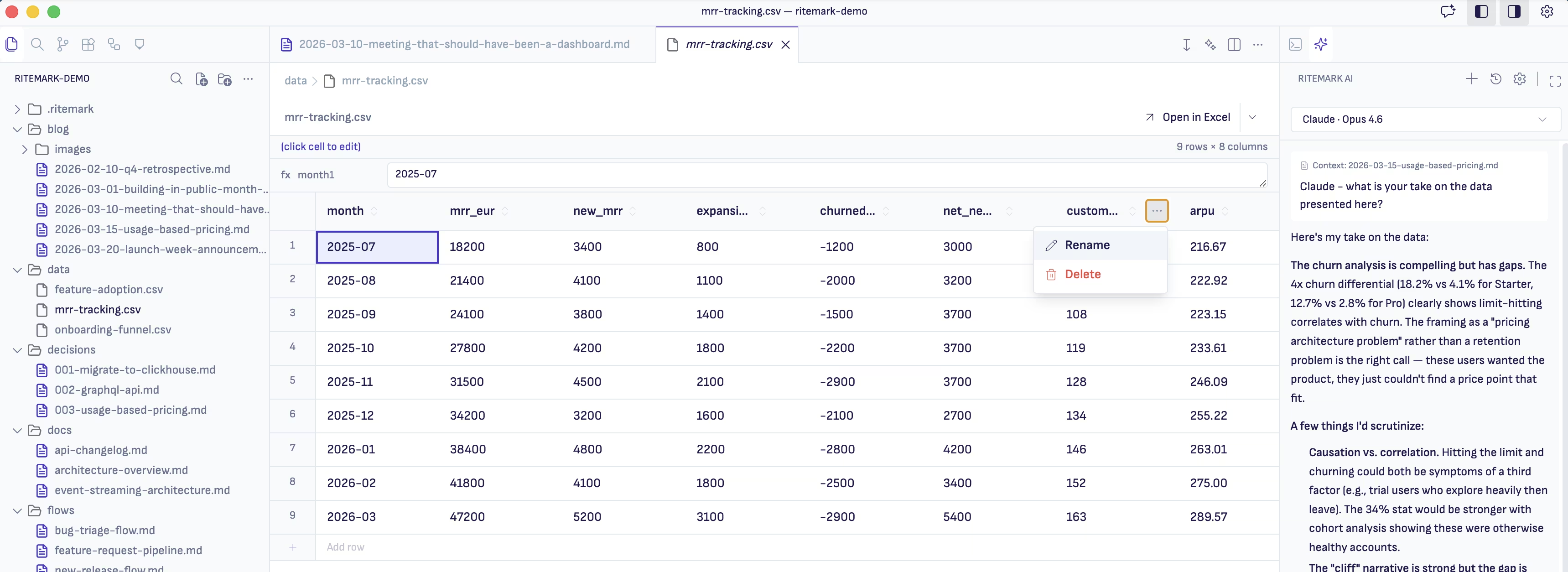
Ritemark has a built-in data editor that opens CSV files directly. No spreadsheet application needed. You see your data in a clean table view, right inside the same tool where you write your documents.
But the real power comes from combining the data editor with the AI agent. Open your CSV file, then open a markdown file next to it. Ask the agent to read the data and help you interpret it. "Look at the feature usage CSV. Which features had the biggest drop in weekly active users over the last month? Are there any patterns by user segment?"
The agent reads the actual CSV file from your project folder. It can see every row and column, not just a screenshot or a summary you wrote. It comes back with observations grounded in the real numbers. You take those observations and start drafting your stakeholder update right there in the same workspace.
From export to executive summary
Friday morning, you need to prepare a product review for Monday. You download three CSV files: feature adoption rates, support ticket volume by category, and NPS scores over the last quarter. Drop them all into a Ritemark project folder.
Open a new file called product-review-q1.md. Start the AI sidebar. "Read all CSV files in this folder. Give me the three most important trends and one concern I should raise with the team."
The agent processes all three datasets and highlights that adoption for the new search feature is climbing faster than expected, support tickets for the onboarding flow have doubled, and NPS dipped in the last two weeks of the quarter. You now have a starting point.
You write the executive summary in your own words, asking the agent to pull specific numbers when you need them. "What was the exact week-over-week growth rate for search adoption?" Instead of switching back to a spreadsheet, you get the answer right there. The final document has your voice and judgment, backed by accurate numbers the agent pulled from the source files.
The combination that matters
Plenty of tools can open CSV files. Plenty of tools have AI chat. The thing that makes this workflow different is that the data, the AI, and your writing surface all exist in the same place. You don't lose context bouncing between applications. You don't paste numbers into a chat window and hope the AI interprets them correctly.
The data stays in your project folder as a file. The analysis happens in conversation with an agent that reads that file. The writing happens in a markdown document right next to it. And when your stakeholders ask where a number came from, you can point to the source CSV sitting in the same folder as the report. Everything is connected, the files stay in your folder, and everything is yours. What the agent reads goes to the AI provider you chose, so check that your data policy allows it.
Start writing with Ritemark.
Free and open source.