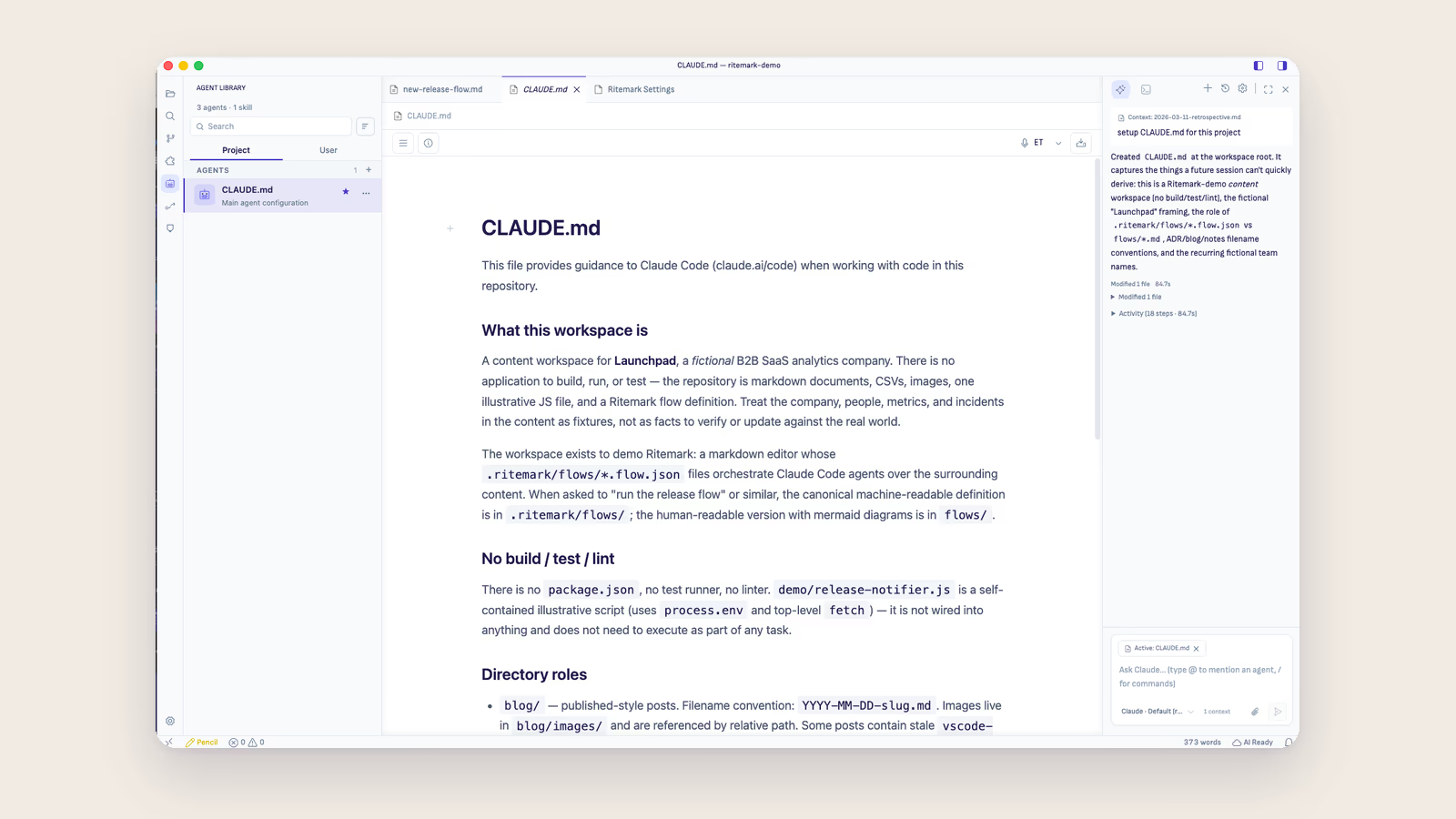
Ritemark is a markdown editor with an AI agent sidebar, designed for AI-assisted writing. Obsidian is a knowledge management system built around bidirectional links and a graph view. Both use local markdown files, but they solve different problems for different workflows.
If you want a quick answer: choose Obsidian if you need a networked knowledge base with plugins and community extensions. Choose Ritemark if you write documents and want AI agents like Claude Code to edit your files directly without copy-pasting.
Side-by-Side Comparison
| Feature | Ritemark | Obsidian |
|---|---|---|
| Primary purpose | Writing + AI assistance | Knowledge management |
| Built-in terminal | Yes (your system shell) | No |
| AI integration | AI sidebar with Claude Code, Codex or OpenCode | Via community plugins (limited) |
| Graph view | No | Yes |
| Bidirectional links | No | Yes (core feature) |
| Visual editing | Yes (WYSIWYG markdown) | Yes (Live Preview mode) |
| File format | Standard markdown (.md) | Standard markdown (.md) |
| Local-first | Yes (no cloud) | Yes (no cloud by default) |
| Plugin system | VS Code extensions from the Marketplace | Yes (1000+ community plugins) |
| Price | Free (forever) | Free (personal), Paid (sync/publish) |
| Platform | macOS, Windows | macOS, Windows, Linux, iOS, Android |
| App architecture | Electron (built on VS Code) | Electron |
AI Integration: The Core Difference
This is where Ritemark and Obsidian diverge most significantly.
Ritemark has an AI sidebar with Claude Code, Codex and OpenCode built in. The agent sees your open document, reads the full content, makes edits directly in the file, and saves changes that appear instantly in the editor. You choose how much it may do on its own. The AI agent operates on your actual files in your folder. There is no copy-pasting, no plugin API limits, and no restricted feature set.
Obsidian approaches AI through community plugins like "Smart Connections" or "Copilot." These plugins work within Obsidian's plugin API, which means they can read note content and insert text, but they cannot execute shell commands, run multi-step editing workflows, or interact with the filesystem the way a terminal-based AI agent can.
For example, asking Claude Code to "translate this article to Estonian and create a new file called article-et.md" works natively in Ritemark. In Obsidian, you would need to copy the text, paste it into ChatGPT or Claude, copy the translation back, and create the new file manually.
When to Choose Ritemark
Ritemark is the better choice when your primary workflow involves writing documents and using AI to assist with editing, translation, expansion, or restructuring. Specific scenarios where Ritemark excels include writing technical documentation with AI review, drafting blog posts and having Claude Code refine them, translating content between languages using the AI sidebar, managing markdown-based projects where you also need shell access, and working with static site generators like Next.js, Hugo, or Jekyll.
When to Choose Obsidian
Obsidian is the better choice when you need to build and navigate a connected knowledge base. It excels at personal knowledge management with thousands of interlinked notes, research workflows that benefit from graph visualization, team wikis with shared vaults, workflows that depend on specific community plugins, and cross-platform access including mobile devices.
Can You Use Both?
Yes. Because both apps use standard markdown files, you can point them at the same folder. Use Obsidian to organize and link your notes, then open the same folder in Ritemark when you want to run AI agents on specific documents. Your files are just markdown. No lock-in with either tool.
Frequently Asked Questions
Can Obsidian run AI tools like Claude Code?
Not natively. Obsidian has community plugins for AI features, but they operate within the plugin sandbox and cannot run command-line tools or give AI agents direct filesystem access the way Ritemark's AI sidebar and built-in terminal do.
Is Ritemark a replacement for Obsidian?
No. They serve different purposes. Ritemark replaces your writing app (Typora, iA Writer, or VS Code for writing). Obsidian is a knowledge management tool. Many users benefit from both.
Which one is better for blogging?
Ritemark, if you want AI to help write and edit posts. Its AI sidebar lets Claude Code, Codex or OpenCode draft, refine, and translate articles directly. Obsidian is better if you want to organize blog ideas in a connected knowledge graph before writing.
Does Ritemark have backlinks or graph view?
No. Ritemark is intentionally simple: editor, file browser, AI sidebar. If you need bidirectional linking and graph views, use Obsidian for that and Ritemark for AI-assisted writing.
Which one is more private?
Both are local-first and store files on your machine. Ritemark sends anonymous usage analytics by default, never file contents, and you can switch them off in Settings. When you use AI (plugins in Obsidian, the AI sidebar in Ritemark), whatever the agent reads goes to the AI provider you chose.
Start writing with Ritemark.
Free and open source.