The copy-paste workflow between your writing app and AI is inefficient. You copy text, switch to ChatGPT, paste, wait for a response, copy the result, switch back, paste, and repeat. For a 2,000-word article that needs editing, translation, and proofreading, this cycle happens dozens of times.
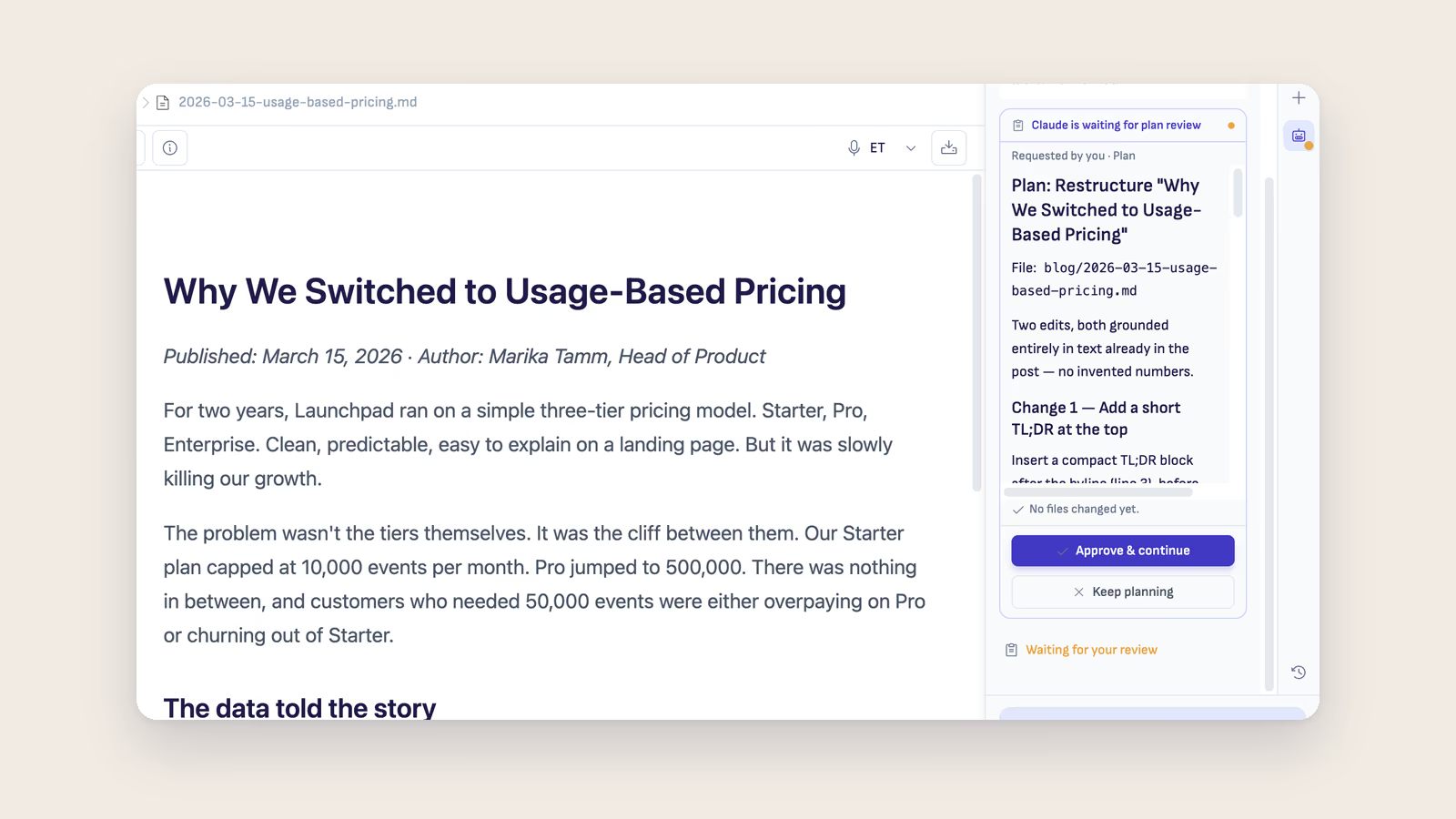
These five workflows eliminate copy-paste entirely by running AI agents in Ritemark's AI sidebar, where they edit your files directly.
Workflow 1: The AI First Draft
Problem: Staring at a blank page is the hardest part of writing.
Workflow: Open Ritemark, create a new markdown file, and tell Claude Code what to write:
Create a blog post about the benefits of local-first software.
Target audience: technical writers. Tone: conversational but informed.
Length: 1500 words. Include an introduction, 4 main sections, and a conclusion.
Save as local-first-software.md.
Claude generates the entire first draft as a properly formatted markdown file. You see it appear in Ritemark's editor, ready to refine.
Time saved: 30-45 minutes of initial drafting becomes 30 seconds of prompting plus 10 minutes of refinement.
Workflow 2: The Translation Pipeline
Problem: Translating content between languages requires maintaining formatting, links, and code blocks while translating prose.
Workflow: Write your article in English (or any language) in Ritemark, then tell Claude:
Translate blog-post.md to Estonian. Save as blog-post-et.md.
Preserve all markdown formatting, code blocks, links, and image references.
Use natural Estonian, not word-for-word translation.
The AI creates a new file with the full translation. Both files live side by side in your project folder. You can review the translation by switching between tabs.
Time saved: Professional translation of a 2,000-word article takes hours. AI translation takes about 30 seconds, plus 15-20 minutes of human review for nuance.
Workflow 3: The Content Restructuring
Problem: Your article is written but the structure is not right. Sections are in the wrong order, the introduction buries the lead, and the conclusion repeats the introduction.
Workflow: Instead of manually cutting and pasting sections, tell Claude:
Restructure this article:
1. Move the most compelling argument to the introduction
2. Combine the two sections about privacy into one
3. Add transition sentences between sections
4. Move the comparison table right after the introduction
5. Write a new conclusion that ends with a call to action
Claude reorganizes the entire document while maintaining your voice and content. The restructured article appears in your editor.
Time saved: Manual restructuring of a long article can take 30+ minutes of careful cutting, pasting, and rewriting transitions. The agent does the first pass in seconds, and you review the result.
Workflow 4: The Batch Editor
Problem: You have 10 support articles that all need the same update: new version number, updated feature name, consistent formatting.
Workflow: Open your docs folder in Ritemark and tell Claude:
In all markdown files in the /support directory:
1. Replace "Ritemark v1.4" with "Ritemark v1.5"
2. Add a "Last updated: 2026-03-16" line below each title
3. Ensure all H2 headings use sentence case
4. Add a "Related articles" section at the bottom of each file
Claude processes all files in the directory and makes consistent edits across every document. What would take an hour of manual editing becomes one instruction plus a review of each change.
Time saved: Batch edits that used to mean opening every file take one instruction, and you still review each change before you publish.
Workflow 5: The Research-to-Article Pipeline
Problem: You have notes, bullet points, and raw research but need to turn them into a polished article.
Workflow: Create a file with your raw notes in any format: bullet points, sentence fragments, links, quotes. Then tell Claude:
Turn these research notes into a 1,200-word article for our blog.
Structure it with an engaging introduction, clear sections with H2 headings,
and a practical conclusion. Maintain all facts and statistics from the notes.
Tone: helpful and knowledgeable, like explaining to a colleague.
Claude transforms your rough notes into a structured, readable article while preserving all the facts you gathered.
Time saved: Turning raw notes into a polished article typically takes 1-2 hours. AI produces a solid first draft in seconds, leaving you to spend 15-20 minutes on refinement.
Workflow Comparison
| Workflow | Manual Time | AI Time | Best For |
|---|---|---|---|
| 1. AI First Draft | 30-45 min | 30 sec + 10 min refinement | Starting from a blank page |
| 2. Translation Pipeline | Hours (professional) | 30 sec + 15-20 min review | Multilingual content |
| 3. Content Restructuring | 30+ min cutting/pasting | Seconds + your review | Reordering a written draft |
| 4. Batch Editor | 50-100 min across 10 files | One instruction + reviewing each change | Consistent updates across many files |
| 5. Research-to-Article | 1-2 hours | Seconds + 15-20 min refinement | Turning raw notes into a draft |
Getting Started with These Workflows
All five workflows require the same setup:
- Install Ritemark (free for Mac and Windows)
- Open your writing project folder in Ritemark
- Open the AI sidebar and sign in to Claude with a paid Claude plan or an Anthropic API key. Claude Code is already inside Ritemark, so there is nothing to install
- Type your instructions in the sidebar
Each workflow takes about 2 minutes to set up for the first time and seconds to run after that.
Frequently Asked Questions
Do these workflows work with AI tools other than Claude Code?
Yes. The same workflows run with Codex (your ChatGPT account) or OpenCode (your own API keys) in the AI sidebar. You can switch agents in the middle of a conversation. Claude Code is recommended because it handles multi-file operations and complex instructions particularly well.
How do I know the AI will not change things I want to keep?
Be specific in your instructions. Tell the AI what to change and what to preserve. Use git version control to commit before each AI operation, so you can review changes and roll back if needed.
Can I automate these workflows?
Yes. You can create shell scripts that combine multiple AI commands into a single workflow. For example, a script that translates all new English articles to Estonian, then validates the markdown formatting, then commits to git.
What about writing quality? Does AI-generated text sound robotic?
Modern AI agents produce natural-sounding text. The key is giving clear instructions about tone and audience. Saying "write like explaining to a colleague" produces different results than "write formal documentation." Always review and add your personal voice to AI drafts.
How much does it cost to use these workflows daily?
Ritemark itself is free. The AI runs on your Claude or ChatGPT plan (a paid Claude plan has a monthly price; OpenAI includes Codex in every ChatGPT plan, the free one with tighter limits), or on your own API key, billed by usage.
Can I run these workflows in Obsidian or VS Code instead of Ritemark?
Partially. VS Code has a built-in terminal and can run a Claude Code you install there, though it is optimized for code, not markdown writing. Obsidian has no built-in terminal, so these workflows require community plugins that operate in a limited sandbox rather than direct terminal access.
Which workflow saves the most time overall?
The Research-to-Article Pipeline (Workflow 5) has the largest time gap: turning raw notes into a polished draft normally takes 1-2 hours, and AI produces a solid first draft in seconds. The Batch Editor (Workflow 4) saves the most time in absolute terms when you have many files to update at once.