The old way: writing blind
Traditional markdown editors force you to work in plain text. You type ## My Heading and imagine what it looks like. You surround words with double asterisks and hope the bold comes through. Some editors offer a split-pane preview on the right side, but then you spend half your screen on a read-only mirror of what you just typed.
This approach made sense when markdown was a developer tool. But writers, product managers, and content teams should not have to memorize syntax to write a document. They want to see the result as they type.
What Ritemark does differently
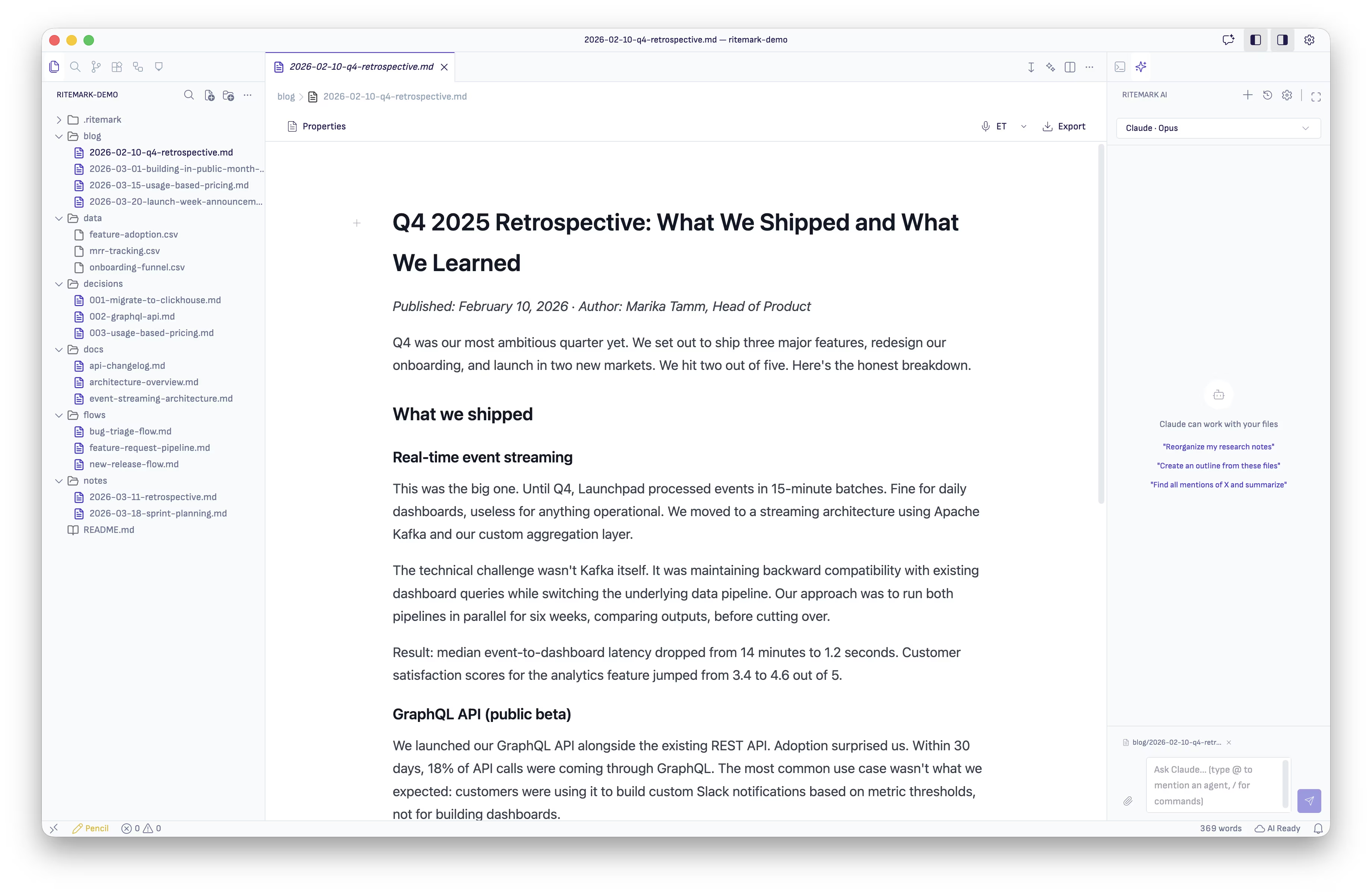
Ritemark gives you a visual editor powered by Tiptap. When you type a heading, you see a heading. When you make text bold, it appears bold immediately. Lists look like lists. Code blocks have syntax highlighting. There is no preview pane because the editor itself is the preview.
You type the way you would in any word processor. Press the keyboard shortcut for bold, and the text turns bold on screen. Create a heading with a slash command or toolbar button, and it renders as a real heading right there in your document. The editing experience feels familiar to anyone who has used Google Docs or Notion.
Standard markdown underneath
The visual layer is just a presentation. Underneath, your document is a plain .md file. Open it in VS Code, view it on GitHub, process it with a static site generator. It works everywhere that markdown works.
This matters because your content is not locked into Ritemark's format. There is no proprietary database, no JSON blob that only one app can read. You get the writing comfort of a visual editor with the portability of plain text files. If you stop using Ritemark tomorrow, your files are exactly where you left them, in a format every tool on the planet understands.
Writing without friction
The visual approach removes the small frictions that add up over a long writing session. You do not stop to count hashtags for heading levels. You do not break your train of thought to wrap a URL in bracket-parenthesis syntax. You just write, and the formatting follows naturally.
Slash commands give you quick access to blocks like callouts, code fences, tables, and horizontal rules. Keyboard shortcuts handle the basics: bold, italic, strikethrough, links. Everything responds instantly because the editor runs locally on your machine with no server round-trips.
Who this is for
Anyone who writes in markdown but prefers not to stare at raw syntax all day. Technical writers who want to focus on content instead of formatting. Product managers writing specs and briefs. Content creators drafting blog posts and documentation. Developers who already know markdown but appreciate seeing their prose formatted as they write.
The editor does not dumb things down. You can still drop into a code block, write raw HTML, or use advanced markdown features. It simply makes the default experience visual, so you spend more time thinking about what to say and less time thinking about how to format it.
Download Ritemark and start writing markdown the way it should look.