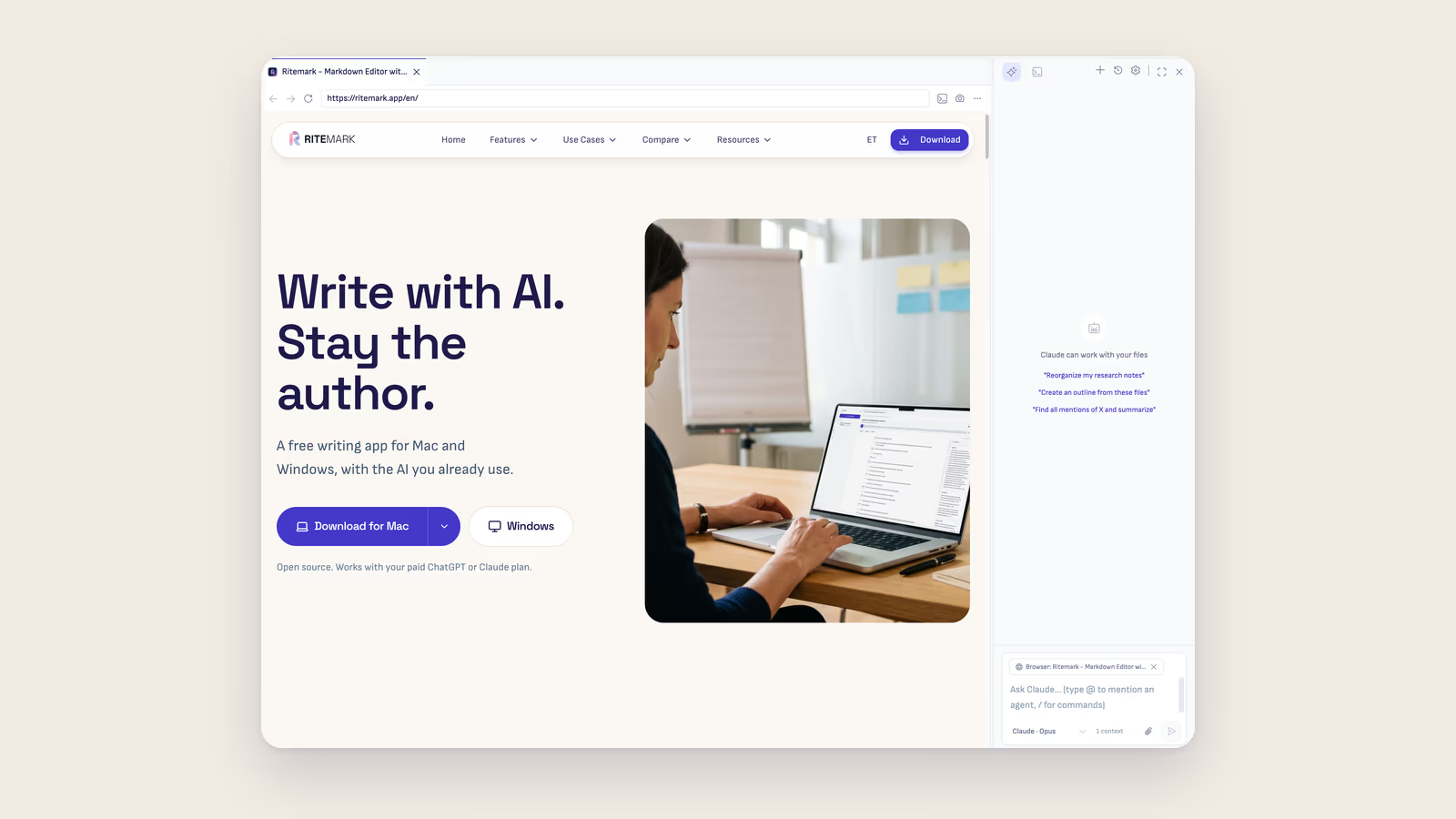
The two-app problem
Technical writing has an awkward middle ground. The prose fits in markdown. But an interactive schematic, a parameter playground, an "expand for the full derivation" block? These need to run, not just render as static text.
The workaround has been pragmatic: write the explanation in a .md file, build the interactive part in a .html file next to it. Two artifacts, one idea — and two apps to open them. The markdown editor in one window, a browser in another. The AI blind to whichever one you didn't paste into chat.
The browser is now an editor pane
Ritemark includes a real browser. Local .html files, external websites, and localhost:* dev servers open as rendered pages — in the same tab bar as your markdown files.
This isn't an iframe preview. It's a full Electron browser with back/forward/reload history, DevTools, its own cookie store, and proper script and style rendering. Sites that block iframe embedding work. Your own .html files work with their scripts and styles intact. Your running dev server works.
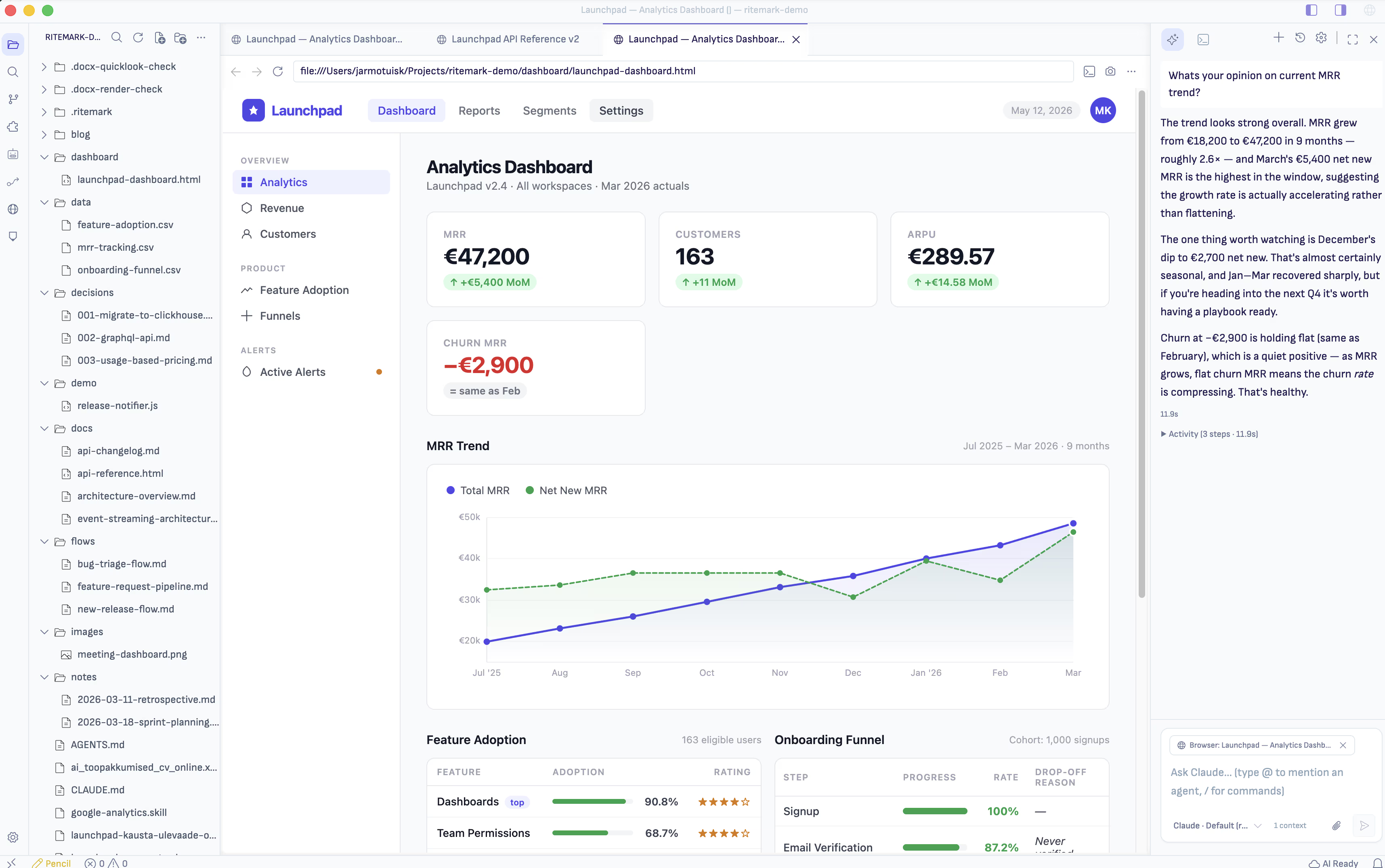
Opening is immediate. Click any .html file in the Explorer and it opens as a rendered page. Cmd+click a localhost:* URL in the terminal and it routes to the integrated browser. Tabs behave exactly like markdown tabs — drag, split, close with Cmd+W.
The AI reads what you're looking at
The AI sidebar — Claude and Codex — can see the browser tab you have open. Focus a browser tab with the sidebar visible, click Allow in the "Share with Agent?" prompt, and the AI receives the page URL, title, and an ARIA outline on every turn.
Ask "summarize this article," "what does that button do?", "why is the spacing so narrow?" — and the AI answers from the actual page.
Annotation mode goes further. Click the camera icon in the browser toolbar and a screenshot of the current viewport attaches to the next AI turn. Good for visual questions: "why is this layout broken at this width?", "describe the state of the schematic at these slider values."
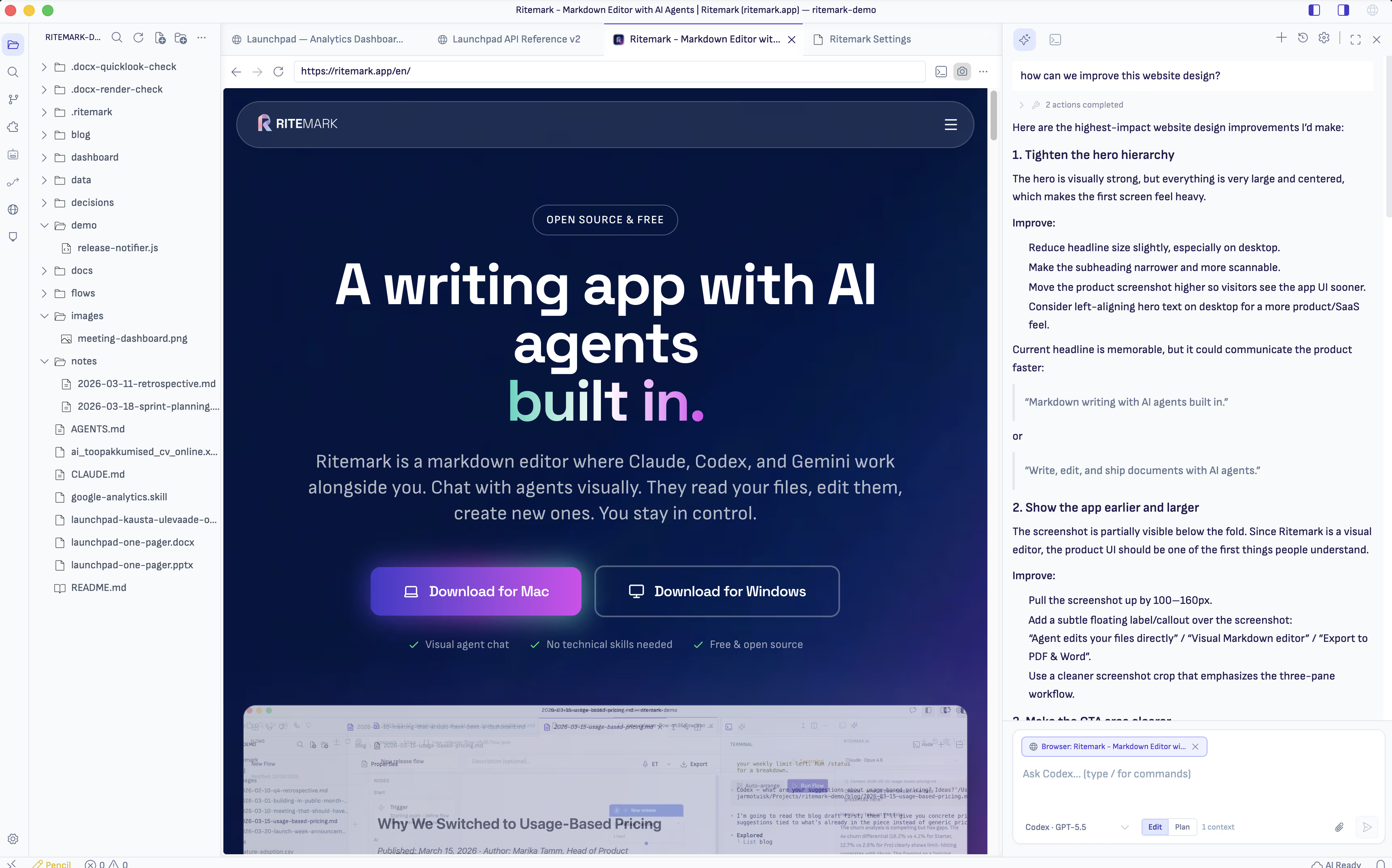
Consent is always explicit. Nothing about the page reaches the AI until you click Allow. Declining once keeps that tab private for the session without disabling the feature.
On macOS the AI can also drive the tab. After a second consent for that tab, the agent can navigate, click, fill in forms, type and scroll while you watch.
Who this changes most
Technical writers can open the runnable artifact next to the prose that explains it. The AI cross-references both — "does this diagram match what the spec says?" becomes a real question with a real answer.
Developers get a tighter dev loop. localhost:3000 IS the artifact. The camera icon, one screenshot, "why is the sidebar broken at this width?" — the AI answers from the actual rendered DOM without any context-pasting.
Designers can open a .html prototype next to the .md spec. The AI sees both — hover states, contrast ratios, spacing tokens — and can tell you whether implementation matches intent.
Marketers keep the campaign brief in brief.md and the hero mockup in hero.html. "Does this placement match the energetic tone we set in the brief?" is now answerable from one window.
Download Ritemark and open your HTML next to your markdown.
Start writing with Ritemark.
Free and open source.