
Ritemark v1.4.0: An AI Agent in Your Sidebar
You're writing a document. You also need to update three files in another folder, modify a CSV table, and check if there's a bug in some code. Normally that means opening the terminal, launching Claude Code CLI, providing context yourself, then jumping back to your document.
Ritemark v1.4.0 makes this simple. Claude Code agent now lives right in your sidebar. Describe what you need, and the agent handles the rest -- reading files, editing code, organizing folders. You stay focused on writing.
Claude Code Agent in the Sidebar
This is the headline feature of v1.4.0. Claude Code is no longer just a terminal tool -- it's part of your writing environment.

Claude Code agent in the sidebar -- model selector, real-time activity feed, and image support in chat
What the Agent Can Do
The agent sees your current file and can read other files in your folder. It can edit code, create files, run terminal commands -- everything Claude Code CLI can do, but now visually and conversationally.
In practice, this means you can say: "Update all version numbers in files from v1.3.0 to v1.4.0" and the agent handles it. Or "Read this CSV and create a summary of the top 10 customers" and get the answer right in the chat.
Real-Time Activity Feed
On the right side of the agent panel, you see what it's doing. Reading a file, editing code, running a command -- everything appears in real-time. This isn't a black box. You see exactly what's happening.
Images in Chat
Press Cmd+V to paste a screenshot directly into the conversation. The agent sees the image and can act on it. Show it a UI bug, a diagram, or just a picture of what you want to achieve.
Model Selection
Three models for different needs. Sonnet is fast for everyday work, Opus is more powerful for complex tasks, Haiku is lightweight and quick for simple questions.
To use the agent, enable it in Settings > Ritemark Features > Agentic AI Assistant. Claude Code CLI doesn't need to be installed beforehand -- Ritemark installs it automatically.
Refreshed Visual Design
Ritemark now looks more like a writing app and less like a code editor.
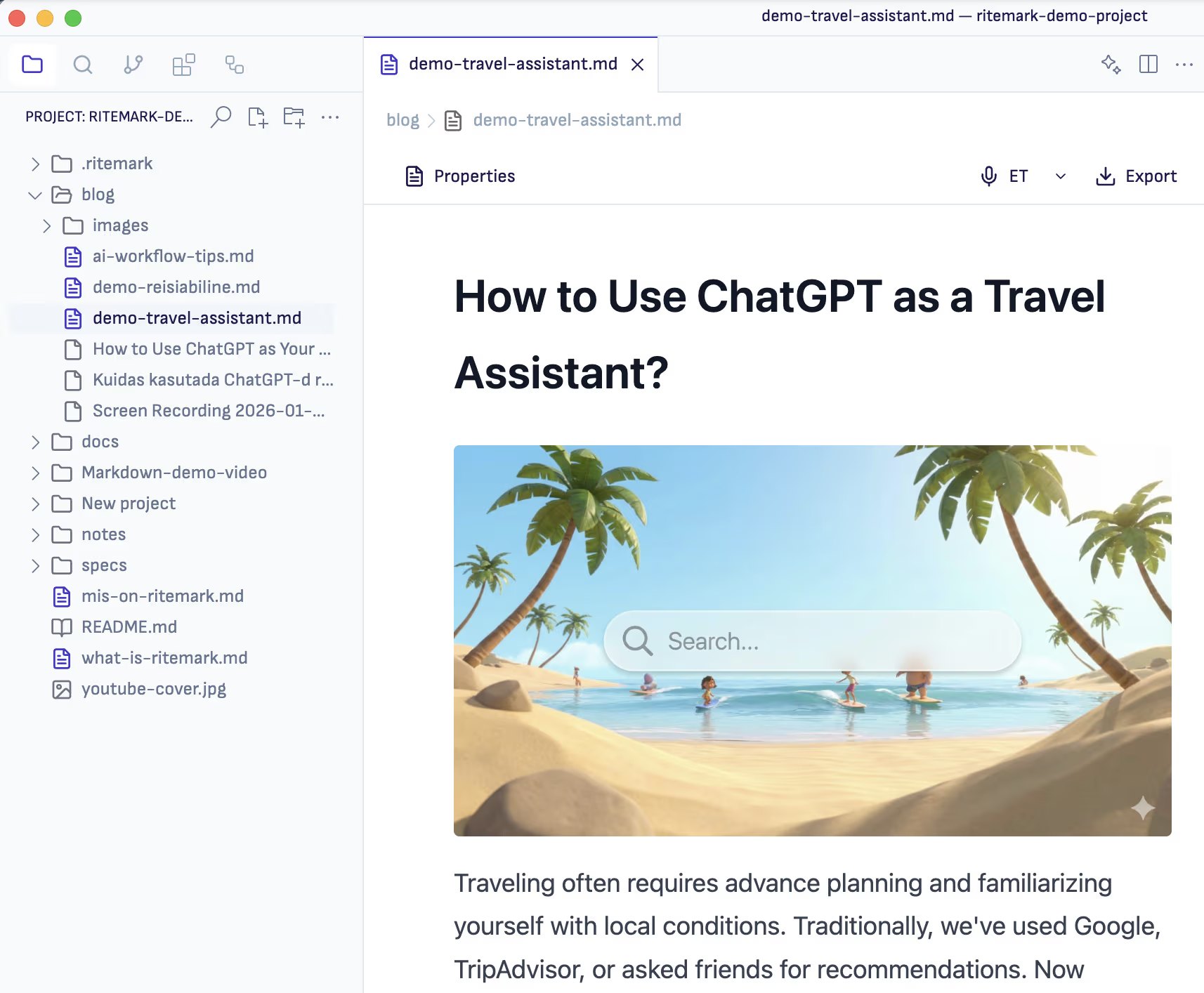
Updated design: Sofia Sans font, softer tones, and horizontal sidebar tabs
The Sofia Sans font gives the interface a professional yet friendly feel. Colors are softer -- grays are less harsh, accents use indigo tones. Sidebar tabs are now horizontal, creating a cleaner overall appearance.
These aren't dramatic changes. But together they transform how Ritemark feels. You sense that you're working in a tool built for writing, not programming.
Improved CSV Editing
v1.4.0 makes working with CSV files more comfortable.
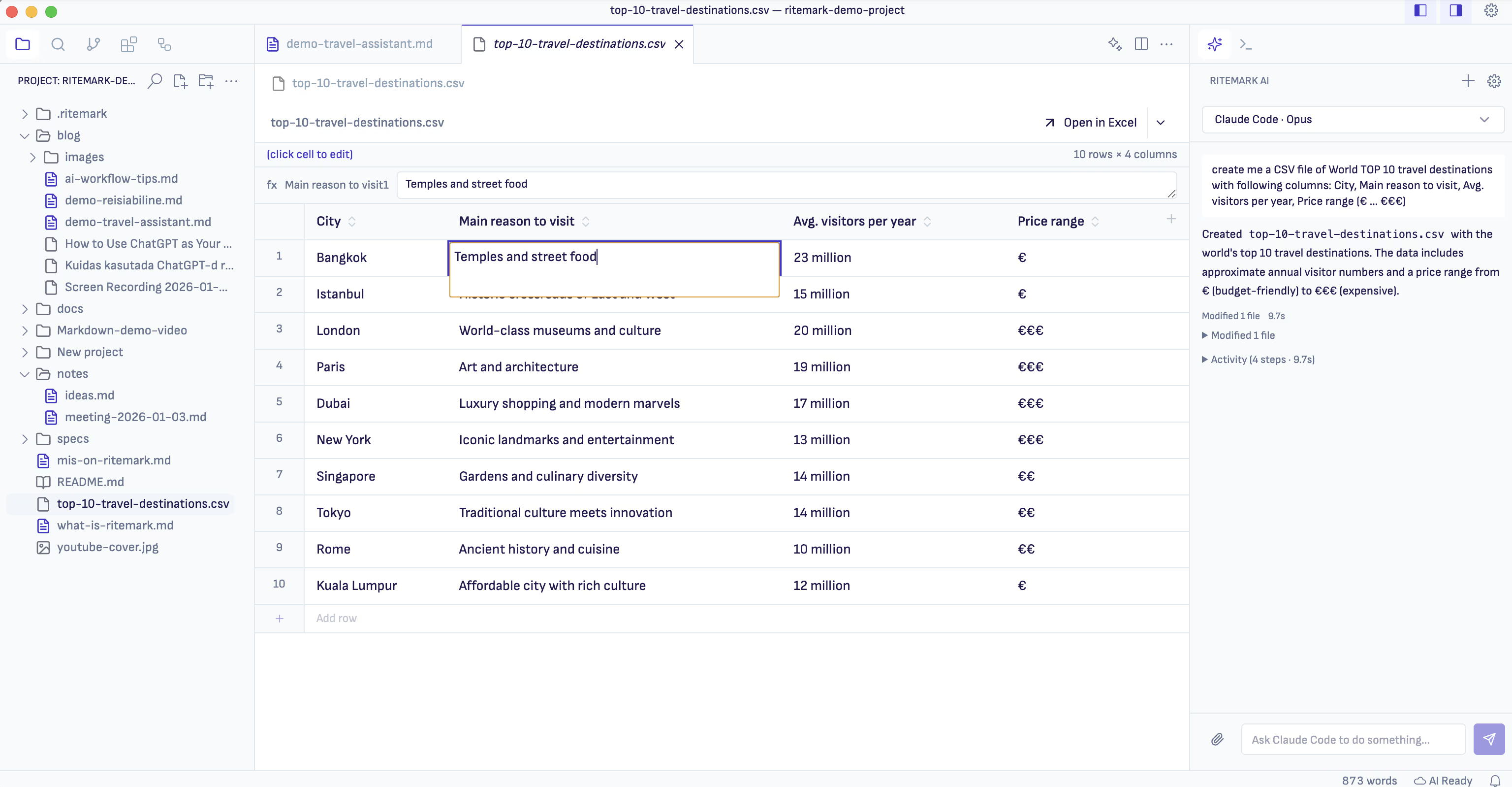
Excel-style cell editing -- full text visible, clear focus, and keyboard navigation
When you select a cell and start typing, you see the entire cell content, not just the first few characters. The active cell is clearly highlighted with an Excel-style border. Enter commits the change, Escape cancels, Tab moves to the next cell.
Adding, renaming, and deleting columns now works from header clicks. Cmd+C and Cmd+V work in any cell.
Better Export Options
PDF and Word export include several improvements.

Simplified export menu -- PDF, Word, and Markdown without confusion
Images now render correctly in PDF -- this was broken in v1.3.x. Word export has more accurate image proportions. PDF headings have better spacing and blockquotes have a visually distinct left border.
The export menu removes confusing template options. Now there are three choices: PDF, Word, Markdown. Simple.
Bug Fixes
Cmd+B no longer toggles the sidebar -- it makes text bold, as it should. Terminal no longer opens automatically on every launch. Word code blocks are properly formatted.
Download
The update is available for all platforms:
| Platform | File |
|---|---|
| macOS Apple Silicon (M1/M2/M3/M4) | Ritemark-arm64.dmg |
| macOS Intel | Ritemark-x64.dmg |
| Windows | Ritemark-Setup.exe |
Windows users: SmartScreen may show a warning on first run because Ritemark is a new app. Click More info → Run anyway to continue. See detailed instructions →
If you're already using Ritemark, the app will notify you about the update. If you're new, now is the perfect time to try it -- download and start writing.
FAQ
What is the main feature in v1.4.0?
Claude Code agent in the sidebar. It allows AI to read, edit, and organize files directly from Ritemark, without opening the terminal.
How do I activate the agent?
Go to Settings > Ritemark Features > Agentic AI Assistant and turn it on. Claude Code CLI doesn't need to be installed beforehand -- Ritemark installs it automatically.
Does the agent see all my files?
The agent sees files in your current project folder. In settings, you can specify folders the agent cannot access.
What does the Sonnet, Opus, and Haiku selection mean?
These are Claude model variants. Sonnet balances speed and capability, Opus is more powerful but slower, Haiku is fastest but with simpler capabilities.
Do visual changes affect existing themes?
Some custom themes may need updates since color tokens have changed. Default themes work immediately.
Does PDF export work correctly now?
Yes, images render properly in PDF now. This was broken in v1.3.x and is now fixed.
Is Ritemark free?
Yes, Ritemark is free and will remain free. Using the agent requires an Anthropic API key.