
Ritemark v1.3.0: From Markdown Editor to Document Workspace
You have Ritemark open. You're writing an article. Then you need to check a number from a PDF, reference a colleague's Word document, and sort some data in a CSV table. You open Preview, open Word, open Excel. Four apps, just to write one piece of text.
Ritemark v1.3.0 brings it all together. Open PDFs, Word documents, and sort CSV data -- all in the same app where you write. Without a single app switch.
PDFs Right Inside Ritemark
Open any PDF with a click in the file tree. Ritemark renders it with a clean, document-focused viewer.
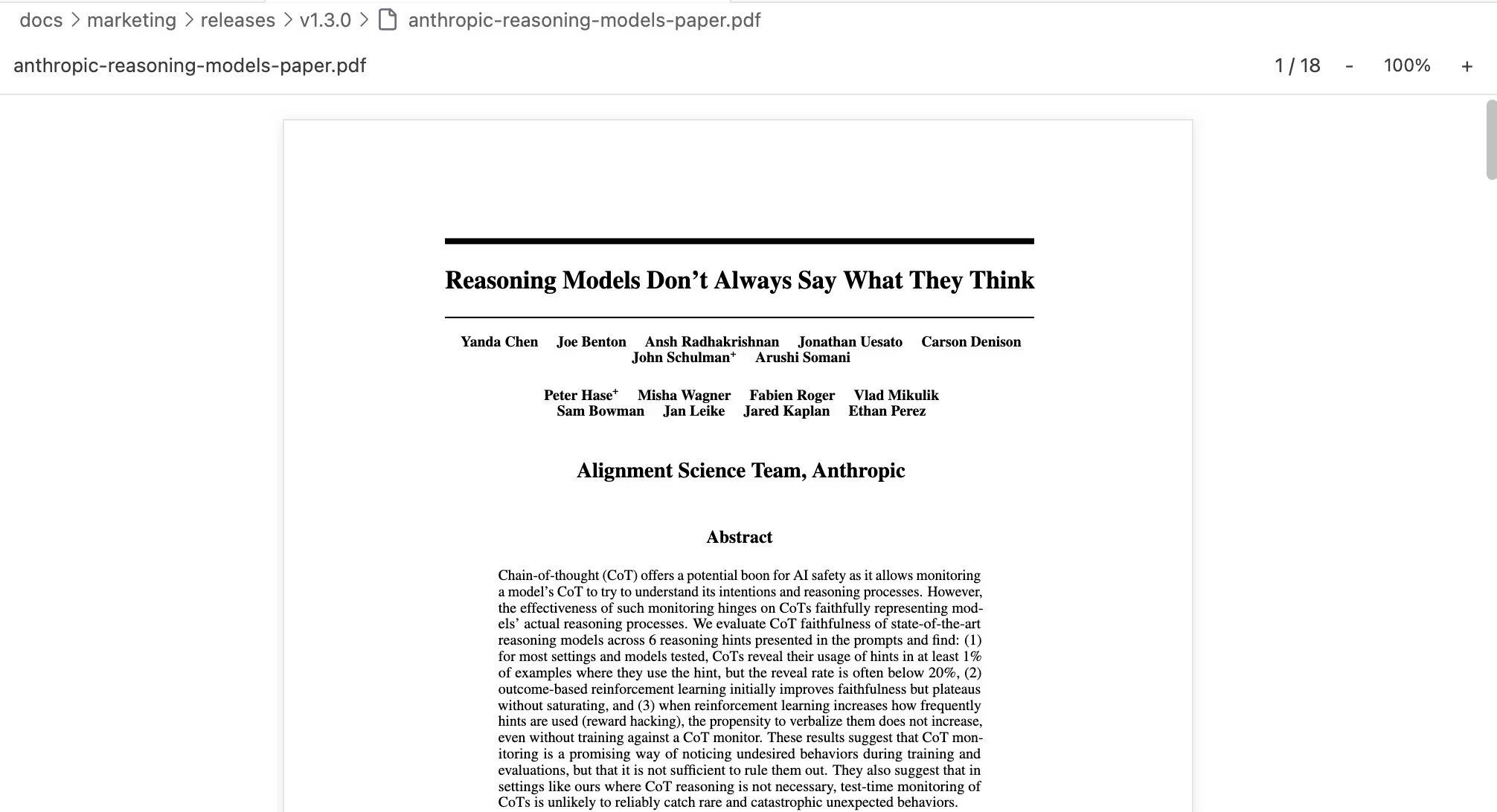
PDF preview with continuous scroll and zoom controls -- all pages in one view
This isn't just an image of a PDF. You can select and copy text, navigate between pages, and zoom in and out from 50% to 200%. Large files load page by page, so even a hefty research paper opens quickly.
Why does this matter? A University of California, Irvine study found that it takes an average of 23 minutes and 15 seconds to regain focus after switching applications. Every time you leave Ritemark to read a PDF and come back, you pay that cost. Now you don't have to leave.
Word Documents with Faithful Rendering
DOCX files open in Ritemark with visual fidelity -- colors, tables, images, and alignment are all preserved.
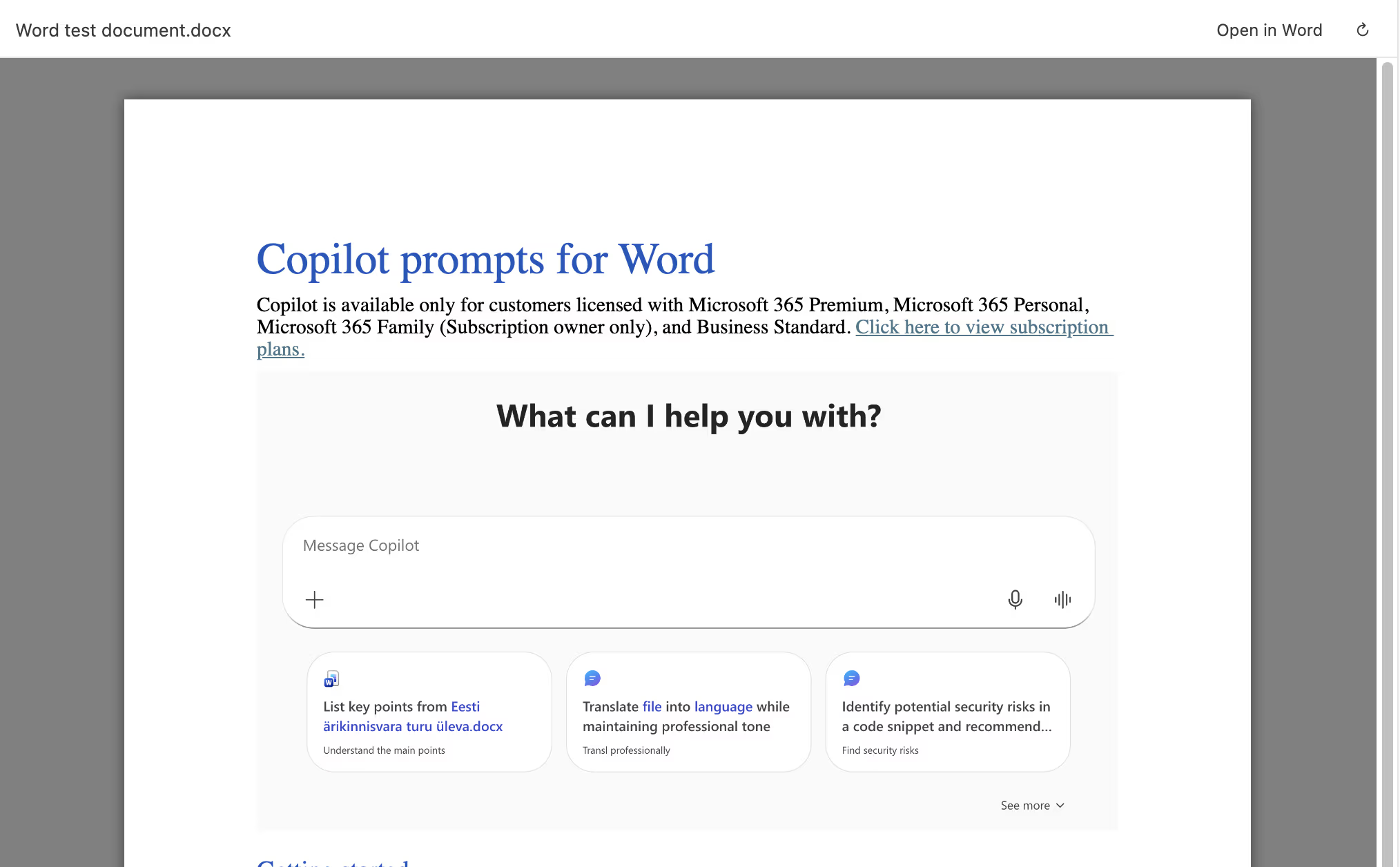
A Word document in Ritemark: colors, tables, and images stay intact
This is especially useful when a colleague sends you a formatted report in Word and you need to write a summary based on it. Open the DOCX in the left panel, write markdown on the right. Two documents side by side, one app.
Note: Old
.docfiles (Word 97-2003) are not yet supported. Only the.docxformat works.
CSV Sorting and Row Operations
v1.3.0 enhances the existing CSV preview with interactive data operations.
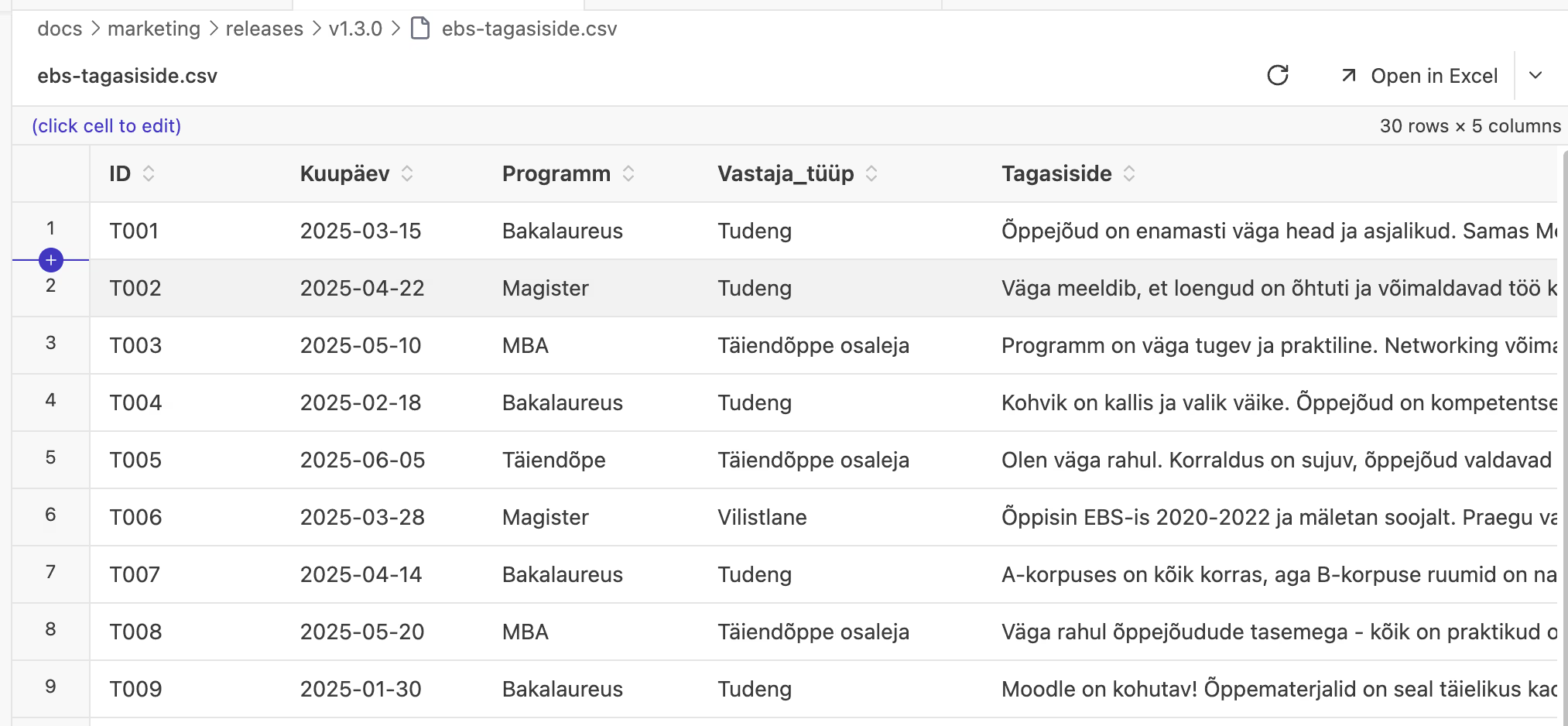
Click any column header to sort -- third click restores the original order
Click any column header to sort ascending. Click again for descending. A third click returns to the original order. A new [+ Row] button in the toolbar appends an empty row that auto-saves to the CSV file.
Why does this matter? You no longer need to open Excel just to sort a table or add a row. Write your documentation and explore data side by side, in the same app.
But CSVs have another important advantage: AI agents like Claude Code can read and modify them directly. Imagine you keep your project ideas in Excel right now. For Claude Code to access that data, it would need to write a Python script to parse the .xlsx file. With CSV, the agent can edit the table directly -- no intermediate layer needed. So CSV isn't just a simpler format, it's also a bridge between your data and AI agents.
Claude Code Node in Flows
Ritemark Flows gets a new node type: Claude Code. This lets you use Anthropic's Agent SDK directly in your workflows.
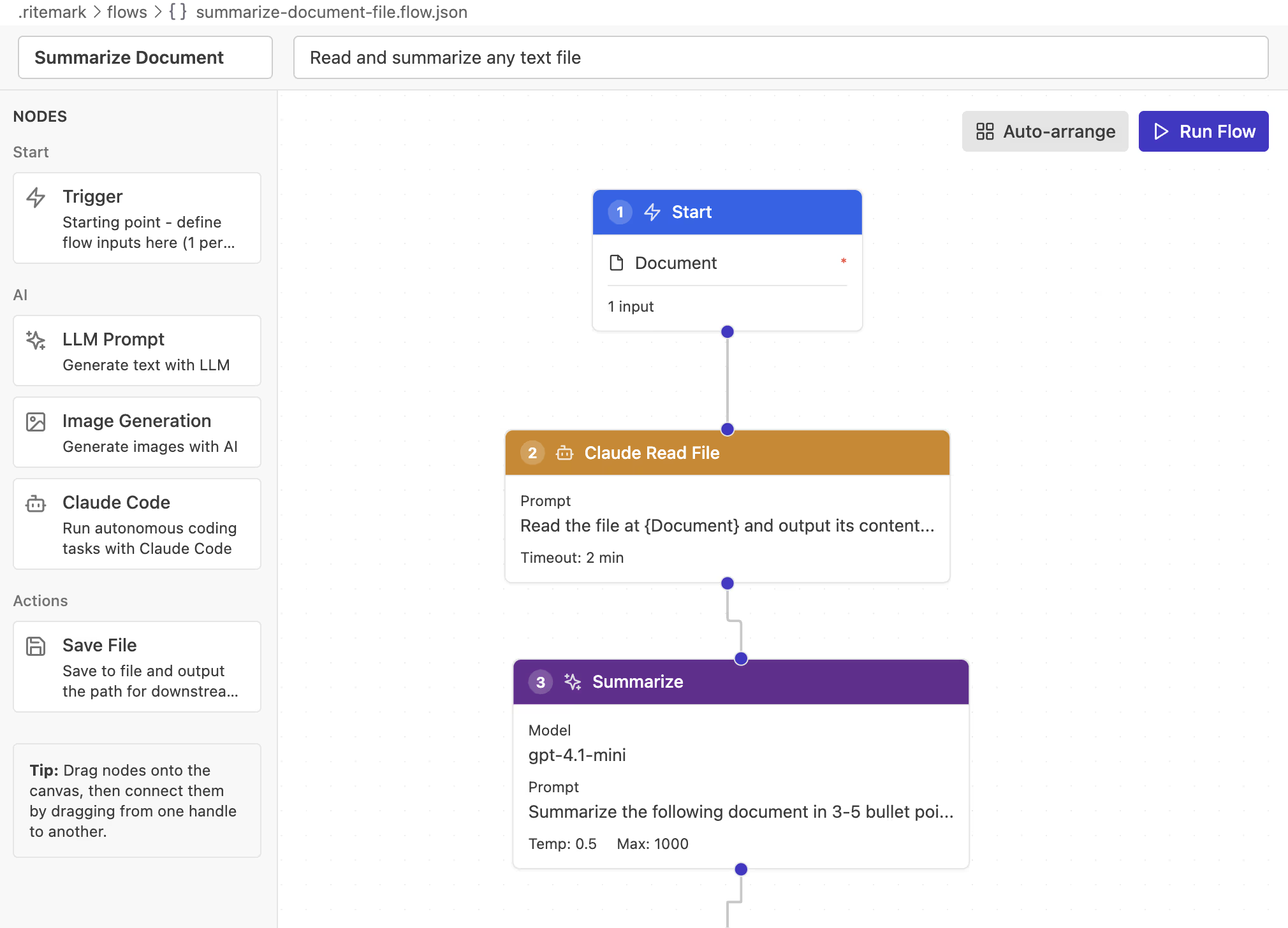
Claude Code node in the Flows editor -- agentic automation, visual style
In practice, this means you can build workflows like:
Trigger (filename) --> Claude Code (analyze file) --> LLM (summarize) --> Save File (report.md)
Claude Code handles the complex research and analysis, the LLM node refines the output, and Save File stores the result. All automatically, from a single "Run Flow" click.
This requires the Claude Code CLI and an ANTHROPIC_API_KEY to be configured.
Intel Mac and Windows Support
v1.3.0 now supports three platforms:
| Platform | File |
|---|---|
| macOS Apple Silicon (M1/M2/M3/M4) | Ritemark-arm64.dmg |
| macOS Intel | Ritemark-x64.dmg |
| Windows | Ritemark-Setup.exe |
Intel Mac support means that 2020 and older Macs can now run Ritemark natively, without Rosetta emulation. Windows builds are now automated through GitHub Actions.
Getting Started
If you're already using Ritemark, the app will notify you about the update. If you're new, now is the perfect time to try it.
Download for macOS | Download for Windows -- free, forever.
FAQ
What is the biggest change in v1.3.0?
PDF and DOCX preview right inside Ritemark. You no longer need to switch apps to read documents.
Can I copy text from PDFs?
Yes. The PDF viewer supports text selection and copying, just like a browser's PDF view.
Are .doc files (old Word) supported?
No, only the .docx format. Old .doc files (Word 97-2003) show an error message.
What do I need for the Claude Code node?
The Claude Code CLI must be installed and ANTHROPIC_API_KEY configured. The node uses Anthropic's official Agent SDK.
Does CSV sorting modify the original file?
No. Sorting is visual only. The file contents remain in the original order. Adding rows, however, does save to the file.
Will large PDFs slow down Ritemark?
Ritemark uses lazy loading -- pages render as you scroll. Files over 50MB may experience some slowdown.
Is Ritemark free?
Yes, Ritemark is free and will stay free. Download and use without restrictions.